AI Image Enhancer

Topaz Labs

Topaz Labs: AI-powered photo & video enhancement for pros. Elevate image quality with deep learning for noise reduction, sharpening, upscaling, and more.

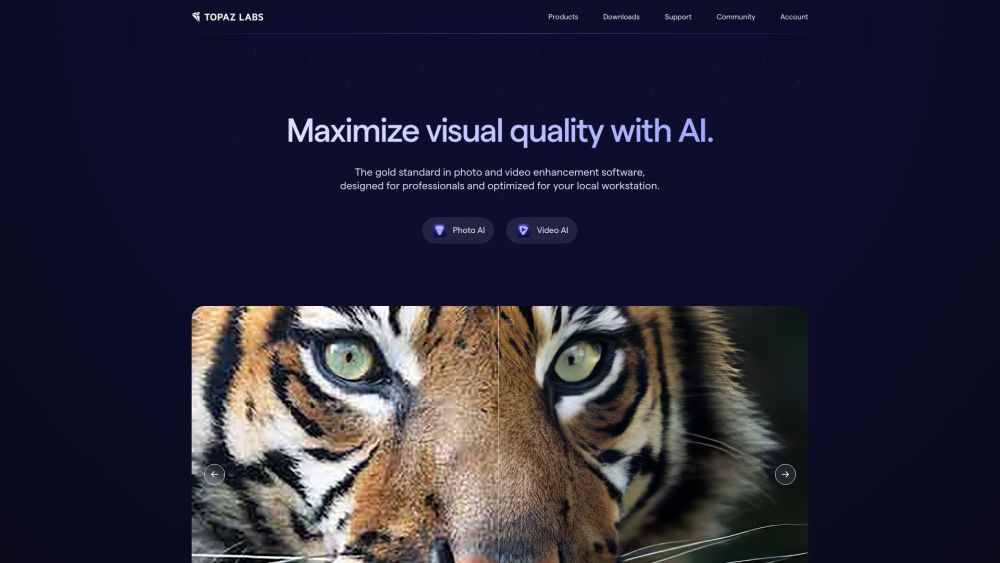
Topaz Labs website preview

Topaz Labs Website screenshot

What is Topaz Labs?

Topaz Labs specializes in AI-driven photo and video enhancement software tailored for professionals. Utilizing deep learning techniques, their tools enhance image quality by reducing noise, sharpening, upscaling, and more.

How to use Topaz Labs?

To get started with Topaz Labs, download and install your chosen software from their official website. Once installed, open the application and import your photos or videos. Apply enhancements such as noise reduction, sharpening, or upscaling by adjusting the settings as needed. After finalizing the adjustments, save the improved media files to your preferred location.

Topaz Labs's Core Features

Topaz Labs software offers several core features:

  • Noise Reduction: Minimize noise to enhance clarity.
  • Sharpening: Improve image detail and sharpness.
  • Upscaling: Increase the resolution of images and videos.
  • Face Recovery: AI-powered restoration of facial details.
  • Video Enhancement: Enhance video quality through upscaling, deinterlacing, and frame interpolation.

Topaz Labs's Use Cases

Topaz Labs software is beneficial for various professionals:

  • Photographers: Enhance photo quality, remove noise, and upscale images for print or digital use.
  • Videographers: Improve video resolution, stabilize footage, and enhance video details.
  • Graphic Designers: Boost image quality for design projects.
  • Restoration Specialists: Restore old or damaged photos and videos by reducing noise and improving overall quality.
  • Topaz Labs Support Email & Customer Service Contact

    For more contact information, visit the contact us page.

  • Topaz Labs Company

    Company name: Topaz Labs

    Company address: 14555 Dallas Pkwy Ste 350, Dallas, TX 75254.

  • Topaz Labs Pricing

    For pricing details, visit Topaz Labs Pricing.

  • Topaz Labs YouTube

    Watch tutorials and more on the Topaz Labs YouTube channel.

Product source: Topaz Labs official website. Check the provider for current plans, limits and availability.

FAQ

Topaz Labs questions and answers

Product context and practical checks for evaluating Topaz Labs.

What is Topaz Labs used for?

Topaz Labs: AI-powered photo & video enhancement for pros. Elevate image quality with deep learning for noise reduction, sharpening, upscaling, and more.

How do I get started with Topaz Labs?

To get started with Topaz Labs, download and install your chosen software from their official website. Once installed, open the application and import your photos or videos. Apply enhancements such as noise reduction, sharpening, or upscaling by adjusting the settings as needed. After finalizing the adjustments, save the improved media files to your preferred location.

Which capabilities are described for Topaz Labs?

Topaz Labs software offers several core features: Noise Reduction: Minimize noise to enhance clarity. Sharpening: Improve image detail and sharpness. Upscaling: Increase the resolution of images and videos. Face Recovery: AI-powered restoration of facial details. Video Enhancement: Enhance video quality through upscaling, deinterlacing, and frame interpolation.

What projects can I evaluate Topaz Labs for?

Topaz Labs software is beneficial for various professionals: Photographers: Enhance photo quality, remove noise, and upscale images for print or digital use. Videographers: Improve video resolution, stabilize footage, and enhance video details. Graphic Designers: Boost image quality for design projects. Restoration Specialists: Restore old or damaged photos and videos by reducing noise and improving overall quality. Topaz Labs Support Email & Customer Service Contact For more contact information, visit the contact us page. Topaz Labs Company Company name: Topaz Labs Company address: 14555 Dallas Pkwy Ste 350, Dallas, TX 75254. Topaz Labs Pricing For pricing details, visit Topaz Labs Pricing. Topaz Labs YouTube Watch tutorials and more on the Topaz Labs YouTube channel.

What should I compare before choosing a Topaz Labs plan?

For pricing details, visit Topaz Labs Pricing. Confirm current prices and allowances on the provider’s website before purchasing.

What inputs should I prepare for a Topaz Labs trial?

Compare text prompts, reference frames, source footage and audio support. Check duration, aspect ratio and whether the tool lets you keep a subject consistent between shots.

How can I check the quality of a Topaz Labs result?

Watch the entire clip for motion errors, distorted objects, changing identities, lip-sync problems and abrupt transitions. Inspect the downloaded file as well as the preview.

Which export options should I check in Topaz Labs?

Check export resolution, frame rate, aspect ratio, audio tracks and watermark rules. A good preview is not a substitute for an export that fits your publishing channel.

What is a practical way to test Topaz Labs against alternatives?

Use a short shot with one subject and one camera movement. Keep the prompt and duration constant, then compare usable seconds and the number of regenerations.

Where is the official Topaz Labs website?

The website linked from this profile is https://www.topazlabs.com. Use the provider’s own documentation, account area and support channels to confirm current product details.

Visit Topaz Labs