AI Photo &amp Image Generator

Toolbox - Chrome Extension

Toolbox - Chrome Extension: Access 200+ no signup AI tools in one hub! Simplify workflows, boost productivity, and explore AI solutions instantly.

Toolbox - Chrome Extension website preview

Toolbox - Chrome Extension Website screenshot

What is the Toolbox AI Chrome Extension?

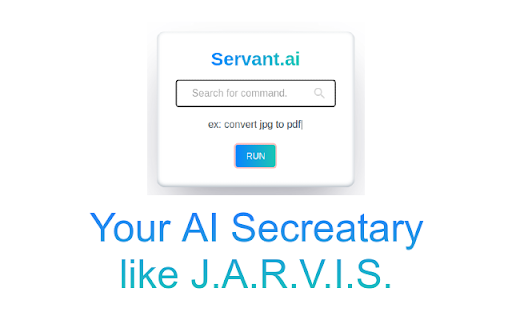
Toolbox is a powerful AI assistant, much like J.A.R.V.I.S., offering over 200 AI-driven tools all in one place. The best part? No sign-up is needed to use any of the tools.

How to Use the Toolbox AI Chrome Extension?

Simply add the extension to Chrome and instantly access a wide range of AI tools for various tasks, eliminating the need for multiple apps or account sign-ups.

Key Features of the Toolbox AI Chrome Extension

Background Removal

Email Signature Generator

Profile Picture Creator

Poll Maker

Resume Builder

Image Editor

File Format Converter

AI-Powered Image Generation

Landing Page Builder

To-Do List Organizer

Online Note-Taking

Access to Free Stock Images

Spam Email Filtering

Timer and Productivity Tools

Zoom Background Creator

Interactive Whiteboard

Video Conferencing Support

Optical Character Recognition (OCR)

Favicon Generator

Brand Color Identifier

Free Educational Lectures

Practical Use Cases of Toolbox AI Chrome Extension

Effortlessly Remove Image Backgrounds

Create Professional Email Signatures in Seconds

Design Unique Social Media Profile Pictures

Generate Interactive Polls for Feedback or Surveys

Build Custom Resumes with Ready-Made Templates

Edit and Enhance Images for Business or Personal Use

Easily Convert Images Between Formats

Create AI-Generated Art for Marketing or Personal Projects

Design Eye-Catching Launch Pages

Stay Organized with the Integrated To-Do List

Take and Save Notes in the Cloud for Easy Access

Search and Use High-Quality Stock Photos

Filter Spam from Your Inbox

Boost Productivity by Setting Timers

Create Virtual Backgrounds for Your Video Calls

Use the Online Whiteboard for Collaborative Learning or Meetings

Host or Attend Virtual Meetings with Ease

Extract Text from Images with the OCR Tool

Design Website Favicons Quickly

Identify and Use Your Brand's Exact Colors

Explore a Wide Range of Free Educational Resources

Product source: Toolbox - Chrome Extension official website. Check the provider for current plans, limits and availability.

FAQ

Toolbox - Chrome Extension questions and answers

Product context and practical checks for evaluating Toolbox - Chrome Extension.

What is Toolbox - Chrome Extension used for?

Toolbox - Chrome Extension: Access 200+ no signup AI tools in one hub! Simplify workflows, boost productivity, and explore AI solutions instantly.

How do I get started with Toolbox - Chrome Extension?

Simply add the extension to Chrome and instantly access a wide range of AI tools for various tasks, eliminating the need for multiple apps or account sign-ups.

Which capabilities are described for Toolbox - Chrome Extension?

Background RemovalEmail Signature GeneratorProfile Picture CreatorPoll MakerResume BuilderImage EditorFile Format ConverterAI-Powered Image GenerationLanding Page BuilderTo-Do List OrganizerOnline Note-TakingAccess to Free Stock ImagesSpam Email FilteringTimer and Productivity ToolsZoom Background CreatorInteractive WhiteboardVideo Conferencing SupportOptical Character Recognition (OCR)Favicon GeneratorBrand Color IdentifierFree Educational Lectures

What projects can I evaluate Toolbox - Chrome Extension for?

Effortlessly Remove Image BackgroundsCreate Professional Email Signatures in SecondsDesign Unique Social Media Profile PicturesGenerate Interactive Polls for Feedback or SurveysBuild Custom Resumes with Ready-Made TemplatesEdit and Enhance Images for Business or Personal UseEasily Convert Images Between FormatsCreate AI-Generated Art for Marketing or Personal ProjectsDesign Eye-Catching Launch PagesStay Organized with the Integrated To-Do ListTake and Save Notes in the Cloud for Easy AccessSearch and Use High-Quality Stock PhotosFilter Spam from Your InboxBoost Productivity by Setting TimersCreate Virtual Backgrounds for Your Video CallsUse the Online Whiteboard for Collaborative Learning or MeetingsHost or Attend Virtual Meetings with EaseExtract Text from Images with the OCR ToolDesign Website Favicons QuicklyIdentify and Use Your Brand's Exact ColorsExplore a Wide Range of Free Educational Resources

What should I compare before choosing a Toolbox - Chrome Extension plan?

Check Toolbox - Chrome Extension’s current pricing page for included usage, renewal terms and any credit charges. Compare the cost of a usable result, including retries, rather than assuming that account registration includes free usage.

What inputs should I prepare for a Toolbox - Chrome Extension trial?

Identify the files, text or account connections your task needs. Confirm that the product accepts those inputs and offers controls for reviewing its work.

How can I check the quality of a Toolbox - Chrome Extension result?

Test one representative task and inspect the result for accuracy and completeness. Record where manual corrections or extra tools are needed.

Which export options should I check in Toolbox - Chrome Extension?

Check export formats, integrations and whether you can keep using your work outside the service. Test a real export before committing to a longer plan.

What is a practical way to test Toolbox - Chrome Extension against alternatives?

Choose one task with a clear success condition. Keep the input consistent, record the time spent reviewing and compare the complete workflow cost.

Where is the official Toolbox - Chrome Extension website?

The website linked from this profile is https://chromewebstore.google.com/detail/servant-ai/bppdmdbfbjhhallihdecoffobapdddjb. Use the provider’s own documentation, account area and support channels to confirm current product details.

Visit Toolbox - Chrome Extension