AI Advertising Assistant

Ticket AI

Ticket AI: Your AI-powered Discord bot for customer support and automated ticket handling. Simplify inquiries and deliver precise responses effortlessly.

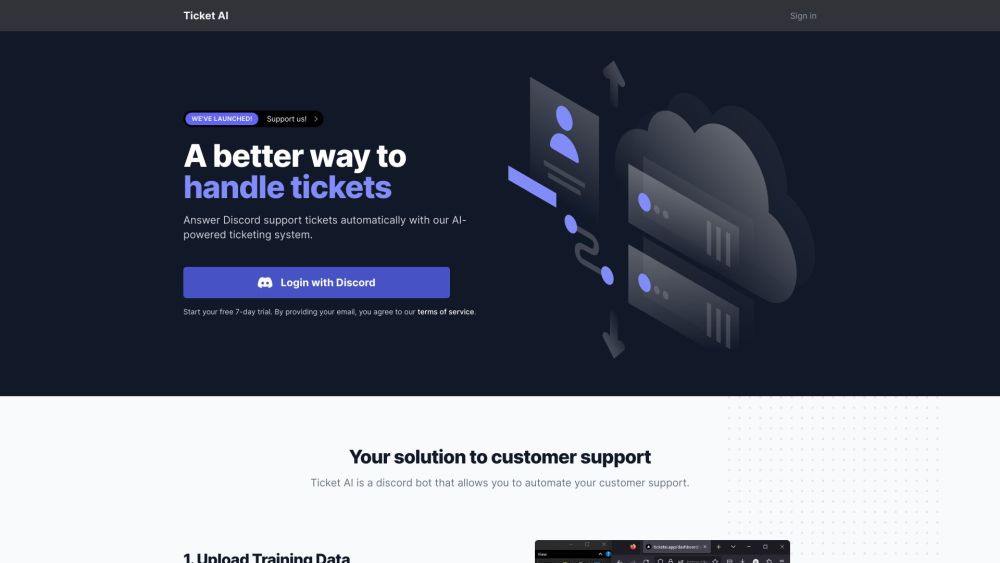
Ticket AI website preview

Ticket AI Website screenshot

What is Ticket AI?

Ticket AI is an advanced Discord bot designed to streamline customer support through automated ticket management. By leveraging artificial intelligence, it handles customer inquiries efficiently and delivers precise responses, all based on your specific training data.

How to use Ticket AI?

To get started with Ticket AI, follow these simple steps: 1. Upload your support documents to train Ticket AI on your customer service protocols. 2. Customers will open tickets using the 'Open a Ticket' button. 3. Ticket AI will then provide responses based on the provided training data. It operates around the clock, ensuring continuous support for your customers.

Ticket AI's Core Features

Automated ticket creation

AI-driven support system

Simple data upload process

Dedicated support channels

Ephemeral message handling

Generative AI responses

24/7 customer service

High accuracy and reliability

Ticket AI's Use Cases

Automated customer assistance

Streamlined inquiry management

Time-efficient response creation

Enhanced customer satisfaction

Product source: Ticket AI official website. Check the provider for current plans, limits and availability.

FAQ

Ticket AI questions and answers

Product context and practical checks for evaluating Ticket AI.

What is Ticket AI used for?

Ticket AI: Your AI-powered Discord bot for customer support and automated ticket handling. Simplify inquiries and deliver precise responses effortlessly.

How do I get started with Ticket AI?

To get started with Ticket AI, follow these simple steps: 1. Upload your support documents to train Ticket AI on your customer service protocols. 2. Customers will open tickets using the 'Open a Ticket' button. 3. Ticket AI will then provide responses based on the provided training data. It operates around the clock, ensuring continuous support for your customers.

Which capabilities are described for Ticket AI?

Automated ticket creationAI-driven support systemSimple data upload processDedicated support channelsEphemeral message handlingGenerative AI responses24/7 customer serviceHigh accuracy and reliability

What projects can I evaluate Ticket AI for?

Automated customer assistanceStreamlined inquiry managementTime-efficient response creationEnhanced customer satisfaction Ticket AI Discord Join the Ticket AI Discord community here: https://discord.gg/PeAwGMKBrC. For more information, click here(/discord/peawgmkbrc). Ticket AI Company Company name: Ticket AI Ticket AI Pricing For pricing details, visit: https://ticketai.app/pricing

What should I compare before choosing a Ticket AI plan?

For pricing details, visit: https://ticketai.app/pricing Confirm current prices and allowances on the provider’s website before purchasing.

What inputs should I prepare for a Ticket AI trial?

Identify the files, text or account connections your task needs. Confirm that the product accepts those inputs and offers controls for reviewing its work.

How can I check the quality of a Ticket AI result?

Test one representative task and inspect the result for accuracy and completeness. Record where manual corrections or extra tools are needed.

Which export options should I check in Ticket AI?

Check export formats, integrations and whether you can keep using your work outside the service. Test a real export before committing to a longer plan.

What is a practical way to test Ticket AI against alternatives?

Choose one task with a clear success condition. Keep the input consistent, record the time spent reviewing and compare the complete workflow cost.

Where is the official Ticket AI website?

The website linked from this profile is https://TicketAI.app. Use the provider’s own documentation, account area and support channels to confirm current product details.

Visit Ticket AI