AI Builder

Textomap

Textomap: Effortlessly create & view maps from any text with ChatGPT. Turn locations into visual maps in your browser tab, simplifying content creation & browsing.

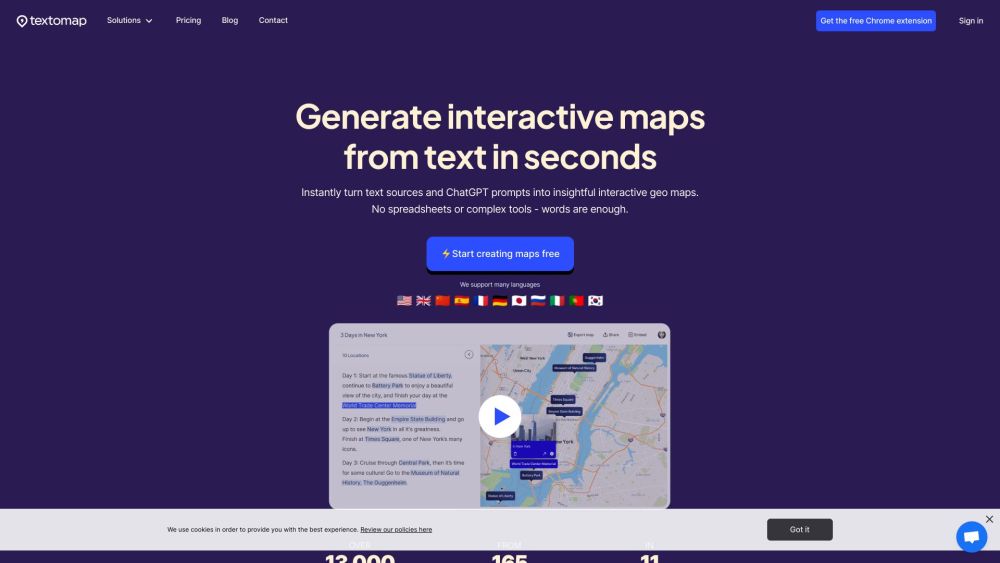
Textomap website preview

Textomap Website screenshot

Introducing Textomap

Textomap revolutionizes the way you create and interact with maps on the web. By leveraging the power of ChatGPT, you can generate detailed maps directly from any text source that includes location data. No more switching between tabs or using complex software; Textomap enables seamless map creation and viewing in your browser.

How to Get Started with Textomap

Begin your mapping journey by inputting text containing locations or geographical references. Use ChatGPT to transform this data into interactive maps, which can be viewed instantly in the same browser tab. It's as simple as that!

Key Features of Textomap

Effortless Map Generation from Text

Visualize Information on Maps via ChatGPT

Integrated Map Creation and Viewing

Who Can Benefit from Textomap?

Content Creators & Bloggers

Travel Professionals

Educational Institutions

Media Outlets

  • Contact Textomap

    For support or inquiries, visit our Contact Us page.

  • About Textomap

    Learn more about our mission and team on the About Us page.

  • Textomap Login

    Access your account via the Login page.

  • Sign Up for Textomap

    Join our community by signing up on the Sign Up page.

  • Textomap Pricing

    Explore our pricing options on the Pricing page.

  • Textomap on LinkedIn

    Follow us on LinkedIn: LinkedIn.

  • Textomap on Twitter

    Stay updated with our latest news on Twitter: Twitter.

Product source: Textomap official website. Check the provider for current plans, limits and availability.

FAQ

Textomap questions and answers

Product context and practical checks for evaluating Textomap.

What is Textomap used for?

Textomap: Effortlessly create & view maps from any text with ChatGPT. Turn locations into visual maps in your browser tab, simplifying content creation & browsing.

How do I get started with Textomap?

Begin your mapping journey by inputting text containing locations or geographical references. Use ChatGPT to transform this data into interactive maps, which can be viewed instantly in the same browser tab. It's as simple as that!

Which capabilities are described for Textomap?

Effortless Map Generation from TextVisualize Information on Maps via ChatGPTIntegrated Map Creation and Viewing

What should I compare before choosing a Textomap plan?

Explore our pricing options on the Pricing page. Confirm current prices and allowances on the provider’s website before purchasing.

What inputs should I prepare for a Textomap trial?

Compare support for source documents, style instructions, outlines and length limits. Check whether citations link to real material rather than merely looking like references.

How can I check the quality of a Textomap result?

Verify names, dates, quotations and factual claims against the original sources. Edit tone, remove repetition and make sure the text answers the intended reader’s question.

Which export options should I check in Textomap?

Check export to plain text, Markdown, documents or your publishing system. Formatting, headings and working links matter when moving a draft into production.

What is a practical way to test Textomap against alternatives?

Use a real brief and a short source document. Compare factual accuracy, structure and editing time rather than accepting the longest or most confident draft.

What should I review before uploading material to Textomap?

Read the provider’s rules on access, retention, deletion and use of uploaded material. Start with a non-confidential sample that you have permission to use.

Where is the official Textomap website?

The website linked from this profile is https://www.promptdodo.com. Use the provider’s own documentation, account area and support channels to confirm current product details.

Visit Textomap