AI Photo &amp Image Generator

TextArt AI

Transform your designs with TextArt AI: Instantly generate impactful, personalized visuals for banners, logos, posters, and more. Elevate with ease!

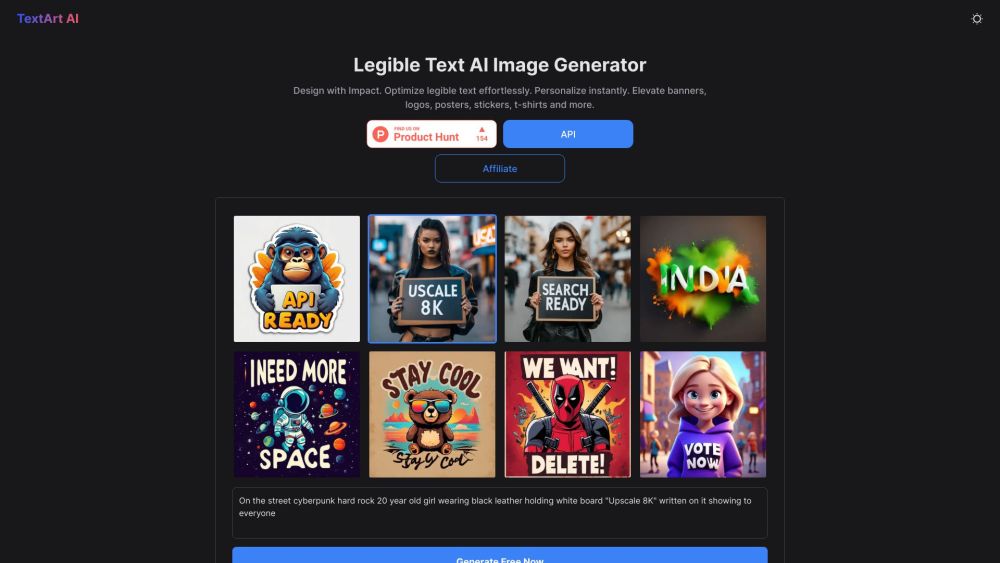
TextArt AI website preview

TextArt AI Website screenshot

Introducing TextArt AI

TextArt AI revolutionizes the way users create visually striking designs. This AI-powered image generator makes it simple to produce impactful graphics, ensuring text is always clear and easily readable while allowing for immediate personalization. It's perfect for enhancing various visual elements like banners, logos, posters, stickers, and t-shirts.

Getting Started with TextArt AI

Using TextArt AI is straightforward. Start by entering your desired text or choosing from an array of pre-made templates. Customize elements such as font, style, color, and layout to fit your vision. Once you're satisfied, preview your design and generate it. You can then download your creation or share it directly on social media.

Key Features of TextArt AI

Advanced AI Image Generation

Seamless Text Optimization

Instant Customization

Diverse Fonts, Styles, and Colors

Preview and Download Capabilities

Applications of TextArt AI

Crafting Eye-Catching Posters

Designing Unique Logos

Enhancing Banners

Personalizing Stickers

Creating Custom T-Shirts

Product source: TextArt AI official website. Check the provider for current plans, limits and availability.

FAQ

TextArt AI questions and answers

Product context and practical checks for evaluating TextArt AI.

What is TextArt AI used for?

Transform your designs with TextArt AI: Instantly generate impactful, personalized visuals for banners, logos, posters, and more. Elevate with ease!

How do I get started with TextArt AI?

Using TextArt AI is straightforward. Start by entering your desired text or choosing from an array of pre-made templates. Customize elements such as font, style, color, and layout to fit your vision. Once you're satisfied, preview your design and generate it. You can then download your creation or share it directly on social media.

Which capabilities are described for TextArt AI?

Advanced AI Image GenerationSeamless Text OptimizationInstant CustomizationDiverse Fonts, Styles, and ColorsPreview and Download Capabilities

What projects can I evaluate TextArt AI for?

Crafting Eye-Catching PostersDesigning Unique LogosEnhancing BannersPersonalizing StickersCreating Custom T-Shirts TextArt AI Pricing For detailed pricing information, visit: https://docs.quickqr.art/apis/pricing

What should I compare before choosing a TextArt AI plan?

For detailed pricing information, visit: https://docs.quickqr.art/apis/pricing Confirm current prices and allowances on the provider’s website before purchasing.

What inputs should I prepare for a TextArt AI trial?

Look for text prompts, image references, masks or sketches as appropriate. Compare composition control, supported upload types and the ability to revise a selected area.

How can I check the quality of a TextArt AI result?

Inspect text, hands, edges, reflections and repeated objects at full size. Check that important product or brand details survive editing.

Which export options should I check in TextArt AI?

Compare pixel dimensions, transparency, file formats and any enlargement options. Confirm that the downloaded result works in your design or publishing software.

What is a practical way to test TextArt AI against alternatives?

Prepare a brief with a subject, composition, lighting and required output size. Test a first generation and a targeted revision to see how much control you retain.

Where is the official TextArt AI website?

The website linked from this profile is https://textartai.com. Use the provider’s own documentation, account area and support channels to confirm current product details.

Visit TextArt AI