Table of contents
Teachfloor : AI Course Creation, Personalized Learning, Feedback
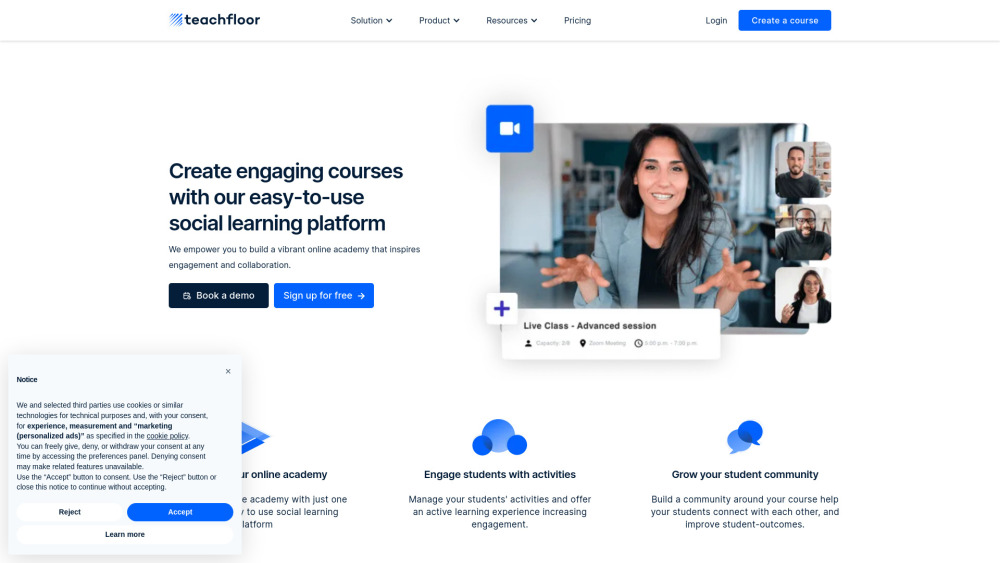
Teachfloor: AI-powered LMS that automates course creation, personalizes learning, and streamlines feedback—built for educators, by educators.
Directory : Text to Image, AI Creative Writing, AI Course, AI Teachers, AI Essay Writer, AI Summarizer, AI Image Generator, AI Copywriting
What is Teachfloor?
Teachfloor is a next-generation AI learning platform engineered for educators, instructional designers, and corporate trainers who demand speed, intelligence, and personalization — without compromise. At its core, Teachfloor reimagines course development as an AI-augmented collaboration: instructors describe a topic or upload source material, and the platform instantly delivers a pedagogically sound course architecture — complete with learning objectives, sequenced modules, and scaffolded activities. Students receive a dynamic, personalized learning experience powered by real-time behavioral insights and adaptive pathways. Meanwhile, instructors gain actionable analytics and AI-assisted workflows — from auto-generating rubrics and quiz variants to drafting empathetic, standards-aligned feedback in seconds. Built-in collaboration tools — peer review workflows, discussion prompts, and group project templates — ensure human connection remains central, even at scale.
How to use Teachfloor?
Using Teachfloor begins with intention — not infrastructure. Launch a new course by entering a simple prompt (“Intro to Sustainable UX Design”) or uploading a whitepaper, slide deck, or syllabus PDF. Within seconds, AI generates a modular, outcomes-driven curriculum — ready for refinement. Populate each lesson with AI-crafted descriptions, simplified explanations, multilingual translations, or tone-adjusted copy — all editable in-context. Embed auto-generated quizzes (with distractor logic and Bloom’s taxonomy alignment), adaptive practice sets, and self-assessment checklists — no manual question writing required. As learners submit work, the AI Feedback Assistant analyzes responses against your custom rubric and suggests nuanced, growth-oriented commentary — saving hours per week while elevating consistency and fairness. Behind the scenes, Teachfloor continuously surfaces engagement trends, knowledge gaps, and cohort-level insights — empowering data-informed teaching decisions and proactive interventions. This is AI course creation redefined: intuitive, inclusive, and deeply human-centered.
Teachfloor's Core Features
AI Course Creator – Transform ideas, outlines, or documents into full courses with learning paths, milestones, and prerequisites.
Smart Quiz Engine – Generate diverse, pedagogically grounded assessments: MCQs, scenario-based questions, reflection prompts, and drag-and-drop exercises.
Feedback Intelligence – Deliver timely, rubric-aligned, personalized feedback on written, audio, or video submissions — with revision suggestions and mastery indicators.
Rubric Studio – Build flexible, reusable evaluation frameworks with weighted criteria, proficiency descriptors, and comment banks.
Content Refinement Suite – Rewrite, summarize, localize, simplify, or expand lesson text — optimized for accessibility, readability, and learner level.
Lesson Synthesizer – Auto-generate engaging intros, key takeaways, and “why this matters” summaries for every module.
Visual Storytelling AI – Create on-brand course thumbnails, infographics, and concept illustrations directly from descriptive prompts.
Teaching Insights Assistant – Surface recommendations for pacing adjustments, remedial resources, or enrichment opportunities — based on live learner behavior.
Adaptive Learning Paths – Dynamically serve follow-up lessons, micro-challenges, or alternative explanations when learners struggle or excel.
Teachfloor's Use Cases
Launch a professional certification program in under 2 hours using AI course creation
Auto-generate formative and summative assessments aligned to learning outcomes
Scale high-touch feedback across hundreds of learners — without sacrificing quality
Power adaptive upskilling paths for sales, engineering, or compliance teams
Localize training content across 12+ languages with one click
Design accessible, multimodal learning assets — text, visuals, and audio cues
Empower non-technical subject-matter experts to build polished, interactive courses — zero coding needed
FAQ from Teachfloor
-
What is Teachfloor?
-
Do I need technical skills to use Teachfloor?
-
What kind of AI features does Teachfloor offer?
-
Does Teachfloor support live classes?
-
Is Teachfloor suitable for corporate training?
-
How does the AI Course Generator work?
-
Can the AI create quizzes and assessments?
-
How does Teachfloor support adaptive learning?
-
Can I use AI to generate lesson content?
-
Teachfloor Support Email & Customer service contact & Refund contact etc.
For help, visit the official support portal.
-
Teachfloor Company
Company name: Teachfloor
Founded to empower educators through intelligent, ethical AI.
Learn more on the About Us page. -
Teachfloor Login
Access your dashboard: https://app.teachfloor.com/login
-
Teachfloor Sign up
Start building smarter: https://www.teachfloor.com/join
-
Teachfloor LinkedIn
Follow our insights: https://www.linkedin.com/company/teachfloor/
-
Teachfloor X (Twitter)
Join the conversation: https://twitter.com/teachfloor
-
Teachfloor Instagram
See Teachfloor in action: https://www.instagram.com/teachfloor_com/
FAQ from Teachfloor
What is Teachfloor?
Teachfloor is an AI-native learning platform built for modern educators and L&D professionals. It enables rapid, high-fidelity course creation, delivers personalized learning experiences through adaptive pathways, and streamlines instructor workflows with intelligent feedback generation — all within a collaborative, community-focused environment.
How to use Teachfloor?
Begin with your expertise — not your tech stack. Describe your course goal or upload existing materials, and let AI generate a structured, pedagogically sound framework. Then enhance it with AI-powered quizzes, rubrics, and lesson narratives. As learners progress, leverage real-time analytics and automated feedback to guide instruction — turning time-intensive tasks into strategic, scalable moments of impact.
Do I need technical skills to use Teachfloor?
No. Teachfloor is purpose-built for educators — not developers. Its intuitive interface, guided AI prompts, and one-click publishing mean anyone can design rich, interactive courses — regardless of prior experience with LMS platforms or AI tools.
What kind of AI features does Teachfloor offer?
Comprehensive AI course creation, adaptive assessment generation, rubric-aware feedback, multilingual content adaptation, visual asset creation, and behavior-driven teaching recommendations — all designed to augment, not replace, educator judgment.
Does Teachfloor support live classes?
Yes. Seamlessly embed Zoom, Google Meet, or Teams sessions into your course timeline — with calendar sync, automated reminders, and post-session reflection prompts.
Is Teachfloor suitable for corporate training?
Absolutely. From onboarding bootcamps to leadership development and compliance training, Teachfloor helps L&D teams deploy personalized, measurable, and scalable learning programs — backed by ROI-ready analytics.
How does the AI Course Generator work?
Enter a topic, objective, or audience profile — or upload a document. Teachfloor’s AI interprets context, identifies core concepts, and structures a cohesive, scaffolded course outline with logical sequencing, learning outcomes, and activity suggestions — editable in seconds.
Can the AI create quizzes and assessments?
Yes. The Smart Quiz Engine generates varied, cognitively appropriate questions — including knowledge checks, application scenarios, and reflective prompts — all tied to specific learning objectives and customizable difficulty levels.
How does Teachfloor support adaptive learning?
By analyzing interaction patterns, response accuracy, time-on-task, and self-reported confidence, Teachfloor recommends targeted content, alternative explanations, challenge extensions, or just-in-time review — creating truly individualized learning journeys.
Can I use AI to generate lesson content?
Yes — intelligently. Teachfloor’s Content Refinement Suite helps you draft, translate, simplify, expand, or reframe lesson text — always preserving your voice and pedagogical intent — while ensuring clarity, inclusivity, and alignment with learning goals.