Writing Assistants

Teachally

Teachally: AI Lesson Planner turning textbooks, photos, and videos into standards-aligned lesson plans in minutes, enhancing education and communication.

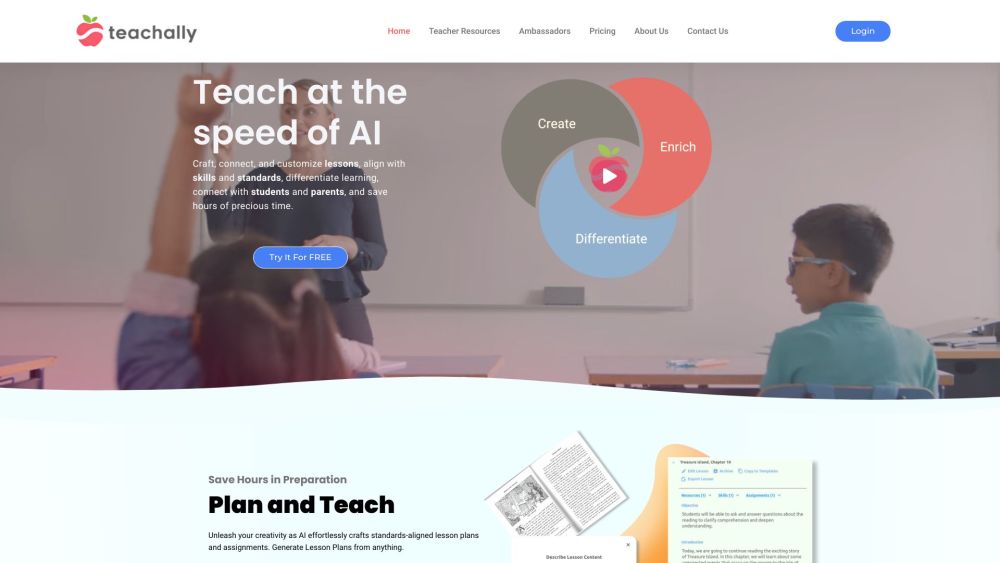
Teachally website preview

Teachally Website screenshot

What is Teachally?

Teachally is a cutting-edge AI tool designed for educators, transforming textbooks, images, and videos into curriculum-aligned lesson plans in just minutes. This platform enhances personalized learning, optimizes presentations and teaching materials, and fosters seamless communication between teachers, parents, and students.

How to use Teachally?

To begin using Teachally, teachers need to sign up and log in to the platform. They can create, connect, and tailor lessons to meet educational standards, differentiate learning experiences, and engage with students and parents efficiently. The platform supports generating lesson plans and assignments from various resources, aligning them with Common Core and SEL standards. With Teachally, educators have a unified AI tool to enrich and customize teaching materials, saving significant preparation time. Additionally, Teachally facilitates automated communication, rewards systems, and bulletin boards to keep parents and students informed and engaged through a centralized hub.

Teachally's Core Features

AI-powered educational tool

Instant standards-aligned lesson plans

Customized learning experiences

Enhanced teaching materials and presentations

Seamless teacher-parent-student interaction

Create, connect, and personalize lessons

Tailored learning differentiation

Generate assignments and solutions

Supplementary materials for classroom and home

Student engagement and parent communication

Unified app for assignments and rewards

Automated parental updates

Focus on privacy

Product source: Teachally official website. Check the provider for current plans, limits and availability.

FAQ

Teachally questions and answers

Product context and practical checks for evaluating Teachally.

What is Teachally used for?

Teachally: AI Lesson Planner turning textbooks, photos, and videos into standards-aligned lesson plans in minutes, enhancing education and communication.

How do I get started with Teachally?

To begin using Teachally, teachers need to sign up and log in to the platform. They can create, connect, and tailor lessons to meet educational standards, differentiate learning experiences, and engage with students and parents efficiently. The platform supports generating lesson plans and assignments from various resources, aligning them with Common Core and SEL standards. With Teachally, educators have a unified AI tool to enrich and customize teaching materials, saving significant preparation time. Additionally, Teachally facilitates automated communication, rewards systems, and bulletin boards to keep parents and students informed and engaged through a centralized hub.

Which capabilities are described for Teachally?

AI-powered educational toolInstant standards-aligned lesson plansCustomized learning experiencesEnhanced teaching materials and presentationsSeamless teacher-parent-student interactionCreate, connect, and personalize lessonsTailored learning differentiationGenerate assignments and solutionsSupplementary materials for classroom and homeStudent engagement and parent communicationUnified app for assignments and rewardsAutomated parental updatesFocus on privacy Teachally Support Email & Customer Service Contact For more information, visit the contact us page. Teachally Company Teachally Company address: 2020 Maltby Road, Suite 7 #319 Bothell, WA 98021. Learn more about Teachally by visiting the about us page. Teachally Login Login to Teachally: https://teacher.teachally.com/#/login Teachally Sign up Sign up for Teachally: https://teacher.teachally.com/#/register Teachally Pricing View Teachally Pricing: https://teachally.com/pricing/

What should I compare before choosing a Teachally plan?

View Teachally Pricing: https://teachally.com/pricing/ Confirm current prices and allowances on the provider’s website before purchasing.

What inputs should I prepare for a Teachally trial?

Compare text prompts, reference frames, source footage and audio support. Check duration, aspect ratio and whether the tool lets you keep a subject consistent between shots.

How can I check the quality of a Teachally result?

Watch the entire clip for motion errors, distorted objects, changing identities, lip-sync problems and abrupt transitions. Inspect the downloaded file as well as the preview.

Which export options should I check in Teachally?

Check export resolution, frame rate, aspect ratio, audio tracks and watermark rules. A good preview is not a substitute for an export that fits your publishing channel.

What is a practical way to test Teachally against alternatives?

Use a short shot with one subject and one camera movement. Keep the prompt and duration constant, then compare usable seconds and the number of regenerations.

What should I review before uploading material to Teachally?

Read the provider’s rules on access, retention, deletion and use of uploaded material. Start with a non-confidential sample that you have permission to use.

Where is the official Teachally website?

The website linked from this profile is https://teachally.com. Use the provider’s own documentation, account area and support channels to confirm current product details.

Visit Teachally