AI Product Description Generator

Taxly.ai

Taxly.ai: Simplify tax filing in Australia with AI. Go paperless, automate deductions, and get personalized savings. Effortless, optimized, and secure!

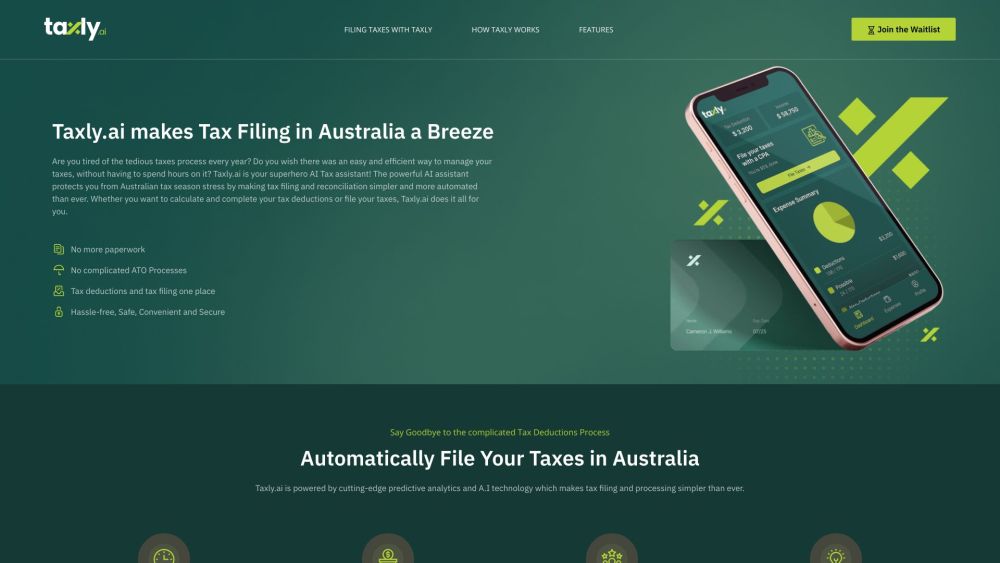
Taxly.ai website preview

Taxly.ai - Hassle-Free Tax Filing and Professional Tax Preparation Website screenshot

What is Taxly.ai - AI Tax Filing, Paperless, Automated Savings in Australia?

Taxly.ai is a cutting-edge AI-driven tax assistant designed to streamline tax filing and preparation in Australia. It removes the hassle of paperwork, automates the process of claiming tax deductions, and provides tailored advice to enhance your tax savings.

How to Use Taxly.ai for AI Tax Filing, Paperless, Automated Savings?

Getting started with Taxly.ai is simple. Sign up using your Google or Apple account, or create a new account with your email. Ensure the security of your account with two-factor authentication. Enable reminders for potential tax deductions and input details about your employment status and expenses. By linking your bank accounts, Taxly.ai will automatically import your transactions, analyze them for deductible expenses, and assist in accurately filing your Australian tax return.

Core Features of Taxly.ai - AI Tax Filing, Paperless, Automated Savings

Automated tax deductions and filing

Maximized deductions for optimal savings

Secure and intuitive interface

Expert support and guidance from CPAs

AI-driven personalized tax-saving recommendations

Seamless integration with financial tools and accounting software

Use Cases for Taxly.ai - AI Tax Filing, Paperless, Automated Savings

Individual tax filers in Australia

Small business owners and freelancers

Certified Public Accountants (CPAs) and tax professionals

Product source: Taxly.ai official website. Check the provider for current plans, limits and availability.

FAQ

Taxly.ai questions and answers

Product context and practical checks for evaluating Taxly.ai.

What is Taxly.ai used for?

Taxly.ai: Simplify tax filing in Australia with AI. Go paperless, automate deductions, and get personalized savings. Effortless, optimized, and secure!

How do I get started with Taxly.ai?

Getting started with Taxly.ai is simple. Sign up using your Google or Apple account, or create a new account with your email. Ensure the security of your account with two-factor authentication. Enable reminders for potential tax deductions and input details about your employment status and expenses. By linking your bank accounts, Taxly.ai will automatically import your transactions, analyze them for deductible expenses, and assist in accurately filing your Australian tax return.

Which capabilities are described for Taxly.ai?

Automated tax deductions and filingMaximized deductions for optimal savingsSecure and intuitive interfaceExpert support and guidance from CPAsAI-driven personalized tax-saving recommendationsSeamless integration with financial tools and accounting software

What projects can I evaluate Taxly.ai for?

Individual tax filers in AustraliaSmall business owners and freelancersCertified Public Accountants (CPAs) and tax professionals Taxly.ai Customer Service & Contact Information For more details, visit our contact page. About Taxly.ai Company Name: TAXLY PTY LTD Learn more about us at our about page. Follow Taxly.ai on Facebook Connect with us on Facebook: Taxly.ai Facebook Follow Taxly.ai on LinkedIn Follow us on LinkedIn: Taxly.ai LinkedIn Follow Taxly.ai on Twitter Stay updated via Twitter: Taxly.ai Twitter Follow Taxly.ai on Pinterest Explore our pins: Taxly.ai Pinterest

What should I compare before choosing a Taxly.ai plan?

Check Taxly.ai’s current pricing page for included usage, renewal terms and any credit charges. Compare the cost of a usable result, including retries, rather than assuming that account registration includes free usage.

What inputs should I prepare for a Taxly.ai trial?

Identify the files, text or account connections your task needs. Confirm that the product accepts those inputs and offers controls for reviewing its work.

How can I check the quality of a Taxly.ai result?

Test one representative task and inspect the result for accuracy and completeness. Record where manual corrections or extra tools are needed.

Which export options should I check in Taxly.ai?

Check export formats, integrations and whether you can keep using your work outside the service. Test a real export before committing to a longer plan.

What is a practical way to test Taxly.ai against alternatives?

Choose one task with a clear success condition. Keep the input consistent, record the time spent reviewing and compare the complete workflow cost.

Where is the official Taxly.ai website?

The website linked from this profile is https://taxly.ai. Use the provider’s own documentation, account area and support channels to confirm current product details.

Visit Taxly.ai