Writing Assistants

Taggy

Boost your social media presence with Taggy! Generate engaging captions, keywords, and hashtags for your photos to captivate and increase user engagement.

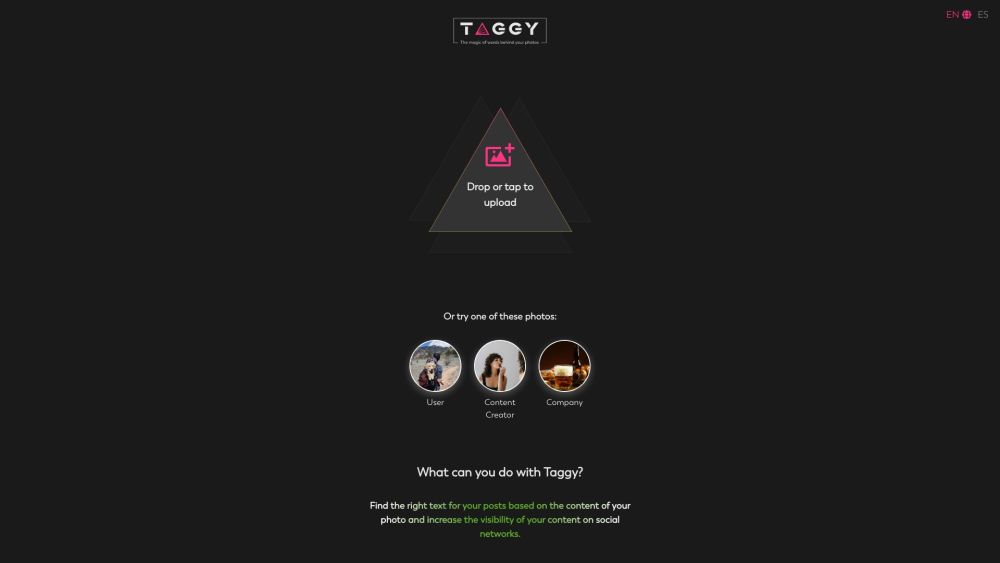
Taggy website preview

Taggy Website screenshot

What is Taggy?

Taggy is an innovative tool designed to boost your social media visibility by generating captivating captions, keywords, and hashtags tailored to your photos. With Taggy, your posts become more engaging, enhancing user interaction and reach.

How to use Taggy?

Using Taggy is straightforward: upload your photo, and Taggy will automatically generate relevant keywords and hashtags. You can then choose from these keywords and create customized captions and quotes in three distinct tones. Additionally, Taggy allows you to include extra details such as place and location, and offers text generation in 10 different languages. You can save your preferred settings and generated texts to your profile for easy access and future use. By selecting the right words, you can significantly boost the visual appeal and engagement of your social media content.

Taggy's Core Features

Automatic generation of keywords and hashtags based on picture content

Text generation in three different tones

Ability to add additional context such as place and location

Text generation in 10 different languages

Saving favorite generations and settings to profile

Enhancing visual impact and user engagement in social media posts

Taggy's Use Cases

Enhancing visibility and engagement on social media

Generating captivating captions and quotes for pictures

Describing AI creations in a compelling manner

Product source: Taggy official website. Check the provider for current plans, limits and availability.

FAQ

Taggy questions and answers

Product context and practical checks for evaluating Taggy.

What is Taggy used for?

Boost your social media presence with Taggy! Generate engaging captions, keywords, and hashtags for your photos to captivate and increase user engagement.

How do I get started with Taggy?

Using Taggy is straightforward: upload your photo, and Taggy will automatically generate relevant keywords and hashtags. You can then choose from these keywords and create customized captions and quotes in three distinct tones. Additionally, Taggy allows you to include extra details such as place and location, and offers text generation in 10 different languages. You can save your preferred settings and generated texts to your profile for easy access and future use. By selecting the right words, you can significantly boost the visual appeal and engagement of your social media content.

Which capabilities are described for Taggy?

Automatic generation of keywords and hashtags based on picture contentText generation in three different tonesAbility to add additional context such as place and locationText generation in 10 different languagesSaving favorite generations and settings to profileEnhancing visual impact and user engagement in social media posts

What projects can I evaluate Taggy for?

Enhancing visibility and engagement on social mediaGenerating captivating captions and quotes for picturesDescribing AI creations in a compelling manner Taggy Pricing Taggy Pricing Link: https://www.taggyai.com/pricing Taggy Twitter Taggy Twitter Link: https://twitter.com/taggy_aiTaggy Instagram Taggy Instagram Link: https://www.instagram.com/taggy_ai/

What should I compare before choosing a Taggy plan?

Taggy Pricing Link: https://www.taggyai.com/pricing Confirm current prices and allowances on the provider’s website before purchasing.

What inputs should I prepare for a Taggy trial?

Look for text prompts, image references, masks or sketches as appropriate. Compare composition control, supported upload types and the ability to revise a selected area.

How can I check the quality of a Taggy result?

Inspect text, hands, edges, reflections and repeated objects at full size. Check that important product or brand details survive editing.

Which export options should I check in Taggy?

Compare pixel dimensions, transparency, file formats and any enlargement options. Confirm that the downloaded result works in your design or publishing software.

What is a practical way to test Taggy against alternatives?

Prepare a brief with a subject, composition, lighting and required output size. Test a first generation and a targeted revision to see how much control you retain.

Where is the official Taggy website?

The website linked from this profile is https://www.taggy.com.mx. Use the provider’s own documentation, account area and support channels to confirm current product details.

Visit Taggy