AI Email Assistant

TabSherpa.ai

TabSherpa.ai: Get email summaries of open tabs, monitor memory, and find similar links effortlessly with this Chrome extension's smart sidebar features.

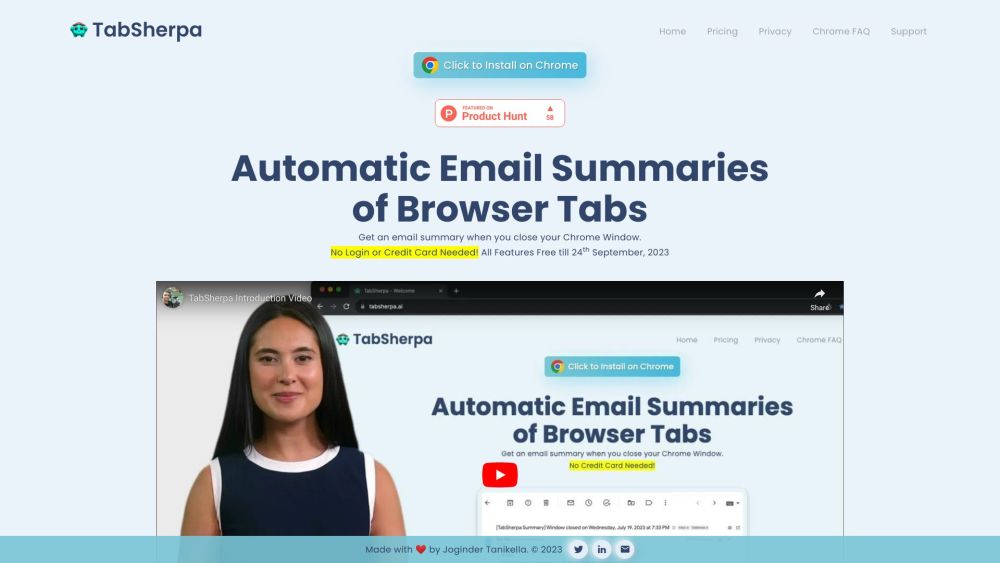
TabSherpa.ai website preview

TabSherpa.ai Website screenshot

What is TabSherpa.ai?

TabSherpa.ai is an innovative browser extension designed to streamline your browsing experience by providing email summaries of your open tabs, alongside detailed insights for each. When you close Chrome, TabSherpa.ai compiles a comprehensive list of your active tabs and sends a summary via email. The extension also features a sidebar that displays these summaries, offers similar link suggestions, and helps manage memory usage while browsing.

How to use TabSherpa.ai?

Using TabSherpa.ai is simple. Start by installing the extension for Chrome. Once installed, it will automatically monitor your open tabs and generate summaries when you close Chrome. Accessing the summarized list and additional features is easy—just click the TabSherpa.ai icon in your browser's toolbar.

TabSherpa.ai's Core Features

Comprehensive list of open tabs

Tab summaries emailed after closing Chrome

Sidebar with tab summaries and similar link suggestions

Efficient tab search functionality

Memory usage monitoring while browsing

TabSherpa.ai's Use Cases

Managing multiple open tabs efficiently

Saving tab summaries for future reference

Finding related links to enhance your research

Improving tab search and management

Monitoring and optimizing memory usage during browsing sessions

Product source: TabSherpa.ai official website. Check the provider for current plans, limits and availability.

FAQ

TabSherpa.ai questions and answers

Product context and practical checks for evaluating TabSherpa.ai.

What is TabSherpa.ai used for?

TabSherpa.ai: Get email summaries of open tabs, monitor memory, and find similar links effortlessly with this Chrome extension's smart sidebar features.

How do I get started with TabSherpa.ai?

Using TabSherpa.ai is simple. Start by installing the extension for Chrome. Once installed, it will automatically monitor your open tabs and generate summaries when you close Chrome. Accessing the summarized list and additional features is easy—just click the TabSherpa.ai icon in your browser's toolbar.

Which capabilities are described for TabSherpa.ai?

Comprehensive list of open tabsTab summaries emailed after closing ChromeSidebar with tab summaries and similar link suggestionsEfficient tab search functionalityMemory usage monitoring while browsing

What projects can I evaluate TabSherpa.ai for?

Managing multiple open tabs efficientlySaving tab summaries for future referenceFinding related links to enhance your researchImproving tab search and managementMonitoring and optimizing memory usage during browsing sessions TabSherpa.ai Support Email & Customer service contact & Refund contact etc. For customer service, you can reach TabSherpa.ai support at: [email protected]. TabSherpa.ai Pricing Find detailed pricing information here: https://www.tabsherpa.ai/Pricing. TabSherpa.ai LinkedIn Connect with us on LinkedIn: https://www.linkedin.com/in/jogindertanikella/. TabSherpa.ai Twitter Follow us on Twitter: https://twitter.com/jogitanikella.

What should I compare before choosing a TabSherpa.ai plan?

Find detailed pricing information here: https://www.tabsherpa.ai/Pricing. Confirm current prices and allowances on the provider’s website before purchasing.

What inputs should I prepare for a TabSherpa.ai trial?

Look for text prompts, image references, masks or sketches as appropriate. Compare composition control, supported upload types and the ability to revise a selected area.

How can I check the quality of a TabSherpa.ai result?

Inspect text, hands, edges, reflections and repeated objects at full size. Check that important product or brand details survive editing.

Which export options should I check in TabSherpa.ai?

Compare pixel dimensions, transparency, file formats and any enlargement options. Confirm that the downloaded result works in your design or publishing software.

What is a practical way to test TabSherpa.ai against alternatives?

Prepare a brief with a subject, composition, lighting and required output size. Test a first generation and a targeted revision to see how much control you retain.

Where is the official TabSherpa.ai website?

The website linked from this profile is https://heydola.com/. Use the provider’s own documentation, account area and support channels to confirm current product details.

Visit TabSherpa.ai