AI Productivity Tools

TabHub

Boost productivity with TabHub: the ultimate browser extension for tab management, team collaboration, and insightful browsing. Manage, track, and collaborate seamlessly.

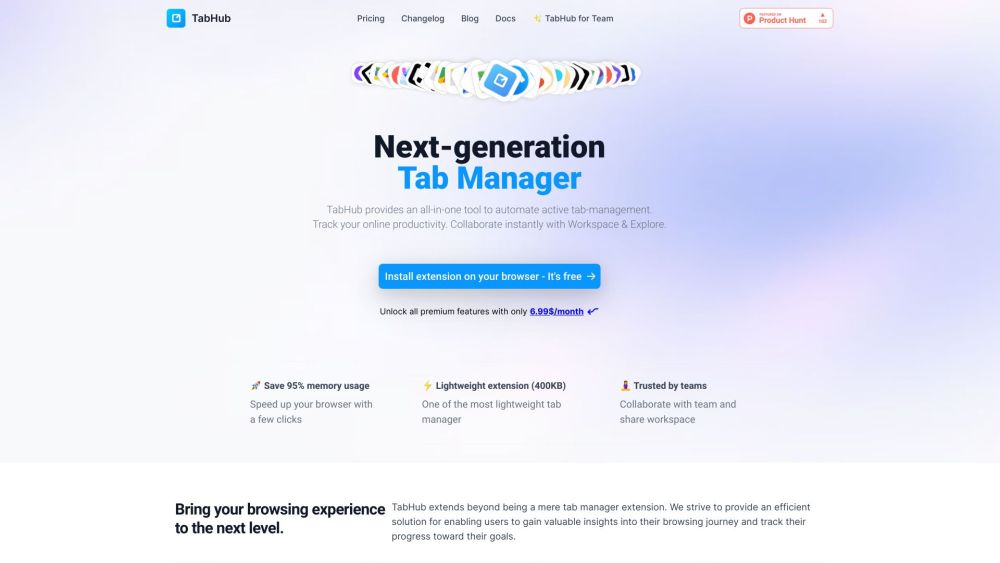
TabHub website preview

TabHub Website screenshot

Discover TabHub

TabHub is an innovative browser extension designed to enhance productivity by streamlining active tab management. It offers a comprehensive suite of tools for tracking online activities, facilitating team collaboration, and providing detailed insights into browsing patterns.

Getting Started with TabHub

To begin using TabHub, install the extension on your preferred browser, whether it's Chrome or Arc. Post-installation, users can explore features such as efficient tab organization, real-time collaboration, synchronized bookmarks, AI-assisted tab grouping, and time tracking. Customize your workspace and take advantage of cloud synchronization to ensure a seamless experience across multiple devices.

Key Features of TabHub

Tab Management: Easily sort, group, save, and restore tabs

Time Tracking: Monitor web usage and analyze time spent on various sites

AI-Powered Grouping: Automatically organize tabs into structured groups

Bookmark Synchronization: Sync and manage bookmarks across devices

Quick Access: Pin and access favorite links with ease

Team Collaboration: Share tabs and collaborate with team members in real-time

Applications of TabHub

Individuals seeking to enhance browsing efficiency and gain insights

Teams requiring a collaborative browsing tool for better coordination

Users wanting organized tabs, activity tracking, and synchronized bookmarks

Product source: TabHub official website. Check the provider for current plans, limits and availability.

FAQ

TabHub questions and answers

Product context and practical checks for evaluating TabHub.

What is TabHub used for?

Boost productivity with TabHub: the ultimate browser extension for tab management, team collaboration, and insightful browsing. Manage, track, and collaborate seamlessly.

How do I get started with TabHub?

To begin using TabHub, install the extension on your preferred browser, whether it's Chrome or Arc. Post-installation, users can explore features such as efficient tab organization, real-time collaboration, synchronized bookmarks, AI-assisted tab grouping, and time tracking. Customize your workspace and take advantage of cloud synchronization to ensure a seamless experience across multiple devices.

Which capabilities are described for TabHub?

Tab Management: Easily sort, group, save, and restore tabsTime Tracking: Monitor web usage and analyze time spent on various sitesAI-Powered Grouping: Automatically organize tabs into structured groupsBookmark Synchronization: Sync and manage bookmarks across devicesQuick Access: Pin and access favorite links with easeTeam Collaboration: Share tabs and collaborate with team members in real-time

What projects can I evaluate TabHub for?

Individuals seeking to enhance browsing efficiency and gain insightsTeams requiring a collaborative browsing tool for better coordinationUsers wanting organized tabs, activity tracking, and synchronized bookmarks Support & Contact Information For customer service, reach out to TabHub via email at: [email protected]. Company Information Company Name: TabHub Pricing Details Find pricing information here: https://tabhub.io/pricing.html Social Media Follow us on Twitter: https://twitter.com/tabhub_io Check out our GitHub: https://github.com/tabhub-official

What should I compare before choosing a TabHub plan?

Find pricing information here: https://tabhub.io/pricing.html Confirm current prices and allowances on the provider’s website before purchasing.

What inputs should I prepare for a TabHub trial?

Identify the files, text or account connections your task needs. Confirm that the product accepts those inputs and offers controls for reviewing its work.

How can I check the quality of a TabHub result?

Test one representative task and inspect the result for accuracy and completeness. Record where manual corrections or extra tools are needed.

Which export options should I check in TabHub?

Check export formats, integrations and whether you can keep using your work outside the service. Test a real export before committing to a longer plan.

What is a practical way to test TabHub against alternatives?

Choose one task with a clear success condition. Keep the input consistent, record the time spent reviewing and compare the complete workflow cost.

Where is the official TabHub website?

The website linked from this profile is https://tabhub.io. Use the provider’s own documentation, account area and support channels to confirm current product details.

Visit TabHub