AI Productivity Tools

Swift Board

Swift Board: Agile project management & instant team collaboration. Plan sprints, brainstorm, and share boards instantly without sign-up. Perfect for remote teams!

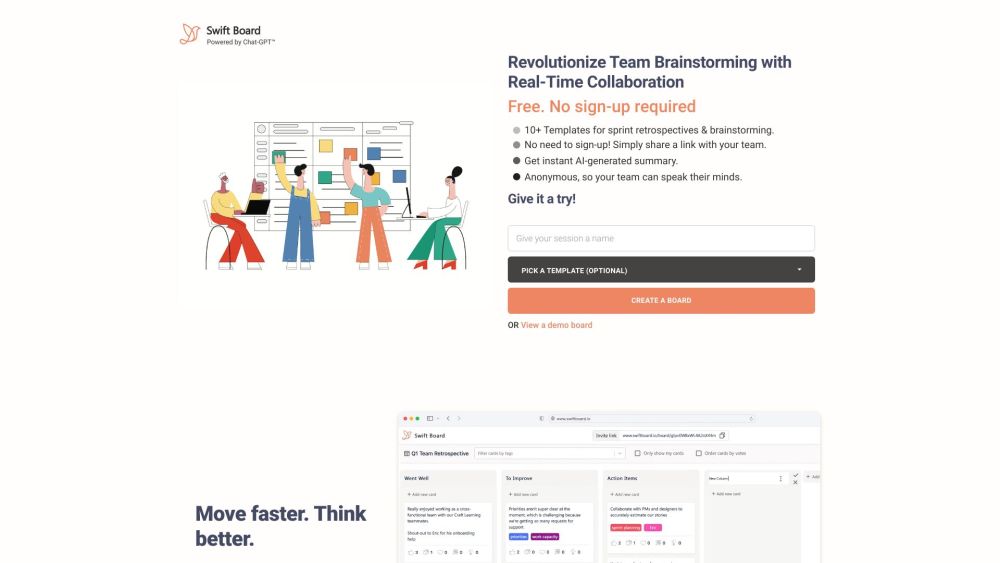
Swift Board website preview

Swift Board Website screenshot

What is Swift Board?

In the dynamic realm of Agile project management, continuous evolution and enhancement are key. As remote work and distributed teams become more prevalent, the necessity for tools that promote efficient collaboration and communication has surged. Enter Swift Board, a solution designed to streamline sprint planning and idea generation for teams. Uniquely, Swift Board eliminates the need for sign-ups; simply share your board link with your team to begin collaborating instantly.

How to use Swift Board?

Swift Board is an intuitive, AI-driven tool tailored for real-time brainstorming and sprint retrospectives. It enables you to craft and share customizable brainstorming boards without the hassle of sign-ups or hidden costs. To start, click on 'Create A Board' or 'View a demo board'. Engage with your team in real-time, prioritize ideas, and distill them into actionable items. With Chat-GPT, generating session summaries is effortless. Designed for speed and complete anonymity, Swift Board allows team members to voice their thoughts freely.

Swift Board's Core Features

Real-time brainstorming

Sprint retrospective planning

Anonymous participation

Customizable brainstorming boards

Chat-GPT powered session summary

Visual interface for brainstorming

Integration with popular project management tools

Secure and confidential data protection

Enterprise-level support and data hosting services

Swift Board's Use Cases

Agile project management

Remote team collaboration

Distributed team communication

Sprint planning and retrospectives

Brainstorming sessions

Product source: Swift Board official website. Check the provider for current plans, limits and availability.

FAQ

Swift Board questions and answers

Product context and practical checks for evaluating Swift Board.

What is Swift Board used for?

Swift Board: Agile project management & instant team collaboration. Plan sprints, brainstorm, and share boards instantly without sign-up. Perfect for remote teams!

How do I get started with Swift Board?

Swift Board is an intuitive, AI-driven tool tailored for real-time brainstorming and sprint retrospectives. It enables you to craft and share customizable brainstorming boards without the hassle of sign-ups or hidden costs. To start, click on 'Create A Board' or 'View a demo board'. Engage with your team in real-time, prioritize ideas, and distill them into actionable items. With Chat-GPT, generating session summaries is effortless. Designed for speed and complete anonymity, Swift Board allows team members to voice their thoughts freely.

Which capabilities are described for Swift Board?

Real-time brainstormingSprint retrospective planningAnonymous participationCustomizable brainstorming boardsChat-GPT powered session summaryVisual interface for brainstormingIntegration with popular project management toolsSecure and confidential data protectionEnterprise-level support and data hosting services

What projects can I evaluate Swift Board for?

Agile project managementRemote team collaborationDistributed team communicationSprint planning and retrospectivesBrainstorming sessions Swift Board Support Email & Customer service contact & Refund contact etc. More Contact, visit the contact us page(https://www.swiftboard.io/#contacts-1) Swift Board Company Swift Board Company name: Swift Board.

What should I compare before choosing a Swift Board plan?

Check Swift Board’s current pricing page for included usage, renewal terms and any credit charges. Compare the cost of a usable result, including retries, rather than assuming that account registration includes free usage.

What inputs should I prepare for a Swift Board trial?

Identify the files, text or account connections your task needs. Confirm that the product accepts those inputs and offers controls for reviewing its work.

How can I check the quality of a Swift Board result?

Test one representative task and inspect the result for accuracy and completeness. Record where manual corrections or extra tools are needed.

Which export options should I check in Swift Board?

Check export formats, integrations and whether you can keep using your work outside the service. Test a real export before committing to a longer plan.

What is a practical way to test Swift Board against alternatives?

Choose one task with a clear success condition. Keep the input consistent, record the time spent reviewing and compare the complete workflow cost.

Where is the official Swift Board website?

The website linked from this profile is https://www.swiftBoard.io. Use the provider’s own documentation, account area and support channels to confirm current product details.

Visit Swift Board