AI Chatbot

SupportGuy

SupportGuy is a customer support platform powered by ChatGPT, an AI chatbot, which revolutionizes customer support by efficiently handling customer queries 24/7.

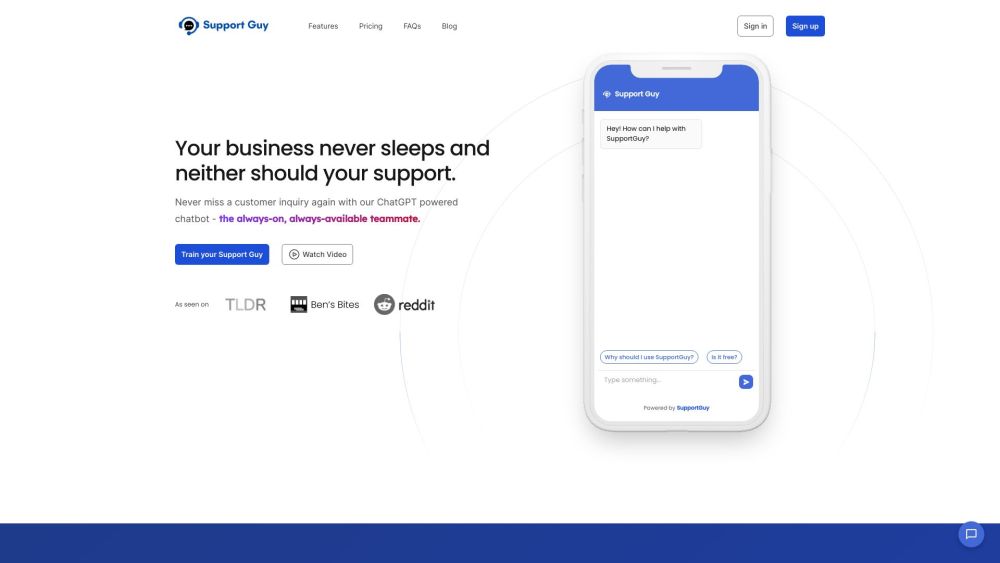
SupportGuy website preview

SupportGuy Website screenshot

Understanding SupportGuy

SupportGuy is an advanced customer support platform driven by ChatGPT, an AI-powered chatbot, designed to transform customer service by providing round-the-clock assistance and handling inquiries efficiently.

Getting Started with SupportGuy

To begin using SupportGuy, follow these straightforward steps: 1. Configure the chatbot by incorporating data from sources such as websites, links, or PDF files. 2. Integrate the SupportGuy Slack bot into your workspace. 3. Use the /supportguy command in Slack to get instant support and information.

Key Features of SupportGuy

SupportGuy provides the following key features: 1. AI-driven chatbot available 24/7. 2. Seamless integration with Slack for easy access. 3. Quick setup, taking less than 10 minutes. 4. Ability to incorporate knowledge from diverse sources. 5. Rapid query resolution with a 10x faster response time.

Practical Applications of SupportGuy

SupportGuy can be utilized in various scenarios: 1. Customer support for businesses. 2. Managing customer queries and delivering relevant information. 3. Enhancing customer satisfaction through immediate support. 4. Streamlining support operations and cutting down response time.

Product source: SupportGuy official website. Check the provider for current plans, limits and availability.

FAQ

SupportGuy questions and answers

Product context and practical checks for evaluating SupportGuy.

What is SupportGuy used for?

SupportGuy is a customer support platform powered by ChatGPT, an AI chatbot, which revolutionizes customer support by efficiently handling customer queries 24/7.

How do I get started with SupportGuy?

To begin using SupportGuy, follow these straightforward steps: 1. Configure the chatbot by incorporating data from sources such as websites, links, or PDF files. 2. Integrate the SupportGuy Slack bot into your workspace. 3. Use the /supportguy command in Slack to get instant support and information.

Which capabilities are described for SupportGuy?

SupportGuy provides the following key features: 1. AI-driven chatbot available 24/7. 2. Seamless integration with Slack for easy access. 3. Quick setup, taking less than 10 minutes. 4. Ability to incorporate knowledge from diverse sources. 5. Rapid query resolution with a 10x faster response time.

What projects can I evaluate SupportGuy for?

SupportGuy can be utilized in various scenarios: 1. Customer support for businesses. 2. Managing customer queries and delivering relevant information. 3. Enhancing customer satisfaction through immediate support. 4. Streamlining support operations and cutting down response time. SupportGuy Login SupportGuy Login Link: https://supportguy.co/login SupportGuy Sign up SupportGuy Sign up Link: https://supportguy.co/register SupportGuy Pricing SupportGuy Pricing Link: https://supportguy.co/ SupportGuy Twitter SupportGuy Twitter Link: https://twitter.com/_supportguy

What should I compare before choosing a SupportGuy plan?

SupportGuy Pricing Link: https://supportguy.co/ Confirm current prices and allowances on the provider’s website before purchasing.

What inputs should I prepare for a SupportGuy trial?

Identify the files, text or account connections your task needs. Confirm that the product accepts those inputs and offers controls for reviewing its work.

How can I check the quality of a SupportGuy result?

Test one representative task and inspect the result for accuracy and completeness. Record where manual corrections or extra tools are needed.

Which export options should I check in SupportGuy?

Check export formats, integrations and whether you can keep using your work outside the service. Test a real export before committing to a longer plan.

What is a practical way to test SupportGuy against alternatives?

Choose one task with a clear success condition. Keep the input consistent, record the time spent reviewing and compare the complete workflow cost.

Where is the official SupportGuy website?

The website linked from this profile is https://www.promptdodo.com. Use the provider’s own documentation, account area and support channels to confirm current product details.

Visit SupportGuy