Copywriting

Sune AI OS

Boost teamwork and streamline processes with Sune AI: the ultimate collaborative OS for document integration and workflow automation.

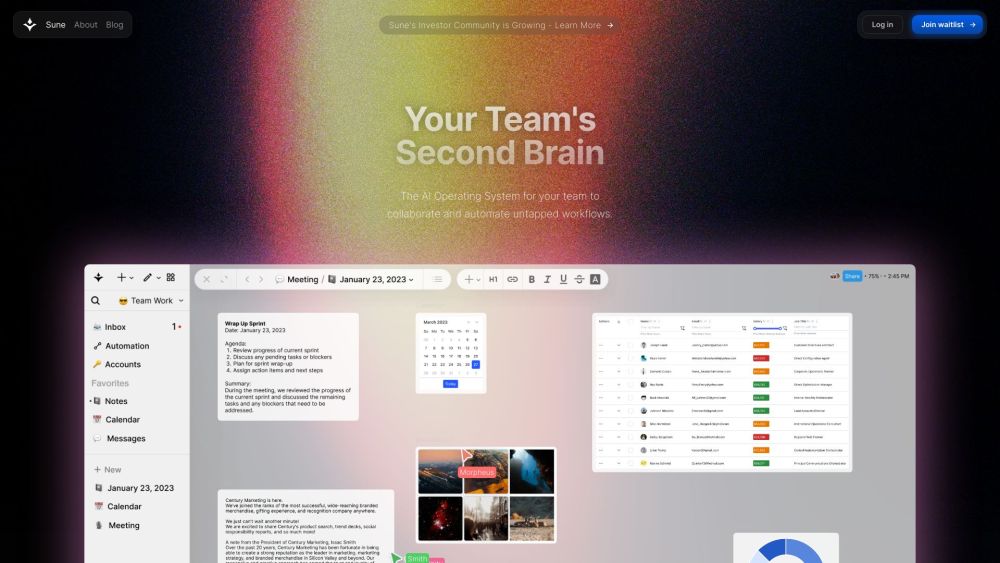
Sune AI OS website preview

Sune AI Website screenshot

What is Sune AI?

Sune AI is an advanced operating system designed to enhance team collaboration and streamline workflow automation. It integrates various documents and services, enabling teams to work together more effectively and automate previously overlooked processes.

How to use Sune AI?

Collaborate with your team in real-time across documents, spreadsheets, projects, and other integrations. You can add and manage text, tables, images, kanban boards, calendars, sketches, and more. Centralize important files and documents in a unified database. Share links to any document or the entire workspace effortlessly. Connect a wide range of services using enterprise-level compliance standards. Leverage integrated AI to uncover hidden insights, delegate tasks to virtual agents, and develop custom tools. Create multistep automations to accelerate any workflow, even those requiring context-specific actions.

Sune AI's Core Features

Real-time collaboration

Document and project management

Centralized storage

Enterprise-grade compliance

Integrated artificial intelligence

Multistep automations

Sune AI's Use Cases

Team collaboration

Document and project management

Enterprise workflow automation

Product source: Sune AI OS official website. Check the provider for current plans, limits and availability.

FAQ

Sune AI OS questions and answers

Product context and practical checks for evaluating Sune AI OS.

What is Sune AI OS used for?

Boost teamwork and streamline processes with Sune AI: the ultimate collaborative OS for document integration and workflow automation.

How do I get started with Sune AI OS?

Collaborate with your team in real-time across documents, spreadsheets, projects, and other integrations. You can add and manage text, tables, images, kanban boards, calendars, sketches, and more. Centralize important files and documents in a unified database. Share links to any document or the entire workspace effortlessly. Connect a wide range of services using enterprise-level compliance standards. Leverage integrated AI to uncover hidden insights, delegate tasks to virtual agents, and develop custom tools. Create multistep automations to accelerate any workflow, even those requiring context-specific actions.

Which capabilities are described for Sune AI OS?

Real-time collaborationDocument and project managementCentralized storageEnterprise-grade complianceIntegrated artificial intelligenceMultistep automations

What projects can I evaluate Sune AI OS for?

Team collaborationDocument and project managementEnterprise workflow automation Sune AI Discord Join the Sune AI Discord community here: https://discord.gg/8ntbAvA9QQ. For more information on our Discord server, click here(/discord/8ntbava9qq-1). Sune AI Company Sune AI is developed by Sune Tech Inc. Learn more about Sune AI by visiting our about page(https://www.sunebeyond.com/about). Sune AI Pricing For pricing details, visit: https://www.sunebeyond.com/pricing Sune AI Twitter Follow us on Twitter: https://twitter.com/sunebeyondSune AI Instagram Check out our Instagram: https://www.instagram.com/sunebeyond/

What should I compare before choosing a Sune AI OS plan?

For pricing details, visit: https://www.sunebeyond.com/pricing Confirm current prices and allowances on the provider’s website before purchasing.

What inputs should I prepare for a Sune AI OS trial?

Identify the files, text or account connections your task needs. Confirm that the product accepts those inputs and offers controls for reviewing its work.

How can I check the quality of a Sune AI OS result?

Test one representative task and inspect the result for accuracy and completeness. Record where manual corrections or extra tools are needed.

Which export options should I check in Sune AI OS?

Check export formats, integrations and whether you can keep using your work outside the service. Test a real export before committing to a longer plan.

What is a practical way to test Sune AI OS against alternatives?

Choose one task with a clear success condition. Keep the input consistent, record the time spent reviewing and compare the complete workflow cost.

Where is the official Sune AI OS website?

The website linked from this profile is https://sunebeyond.com. Use the provider’s own documentation, account area and support channels to confirm current product details.

Visit Sune AI OS