AI Productivity Tools

Study Space

Study Space transforms your docs into engaging, personalized video courses—learn smarter, faster, and your way.

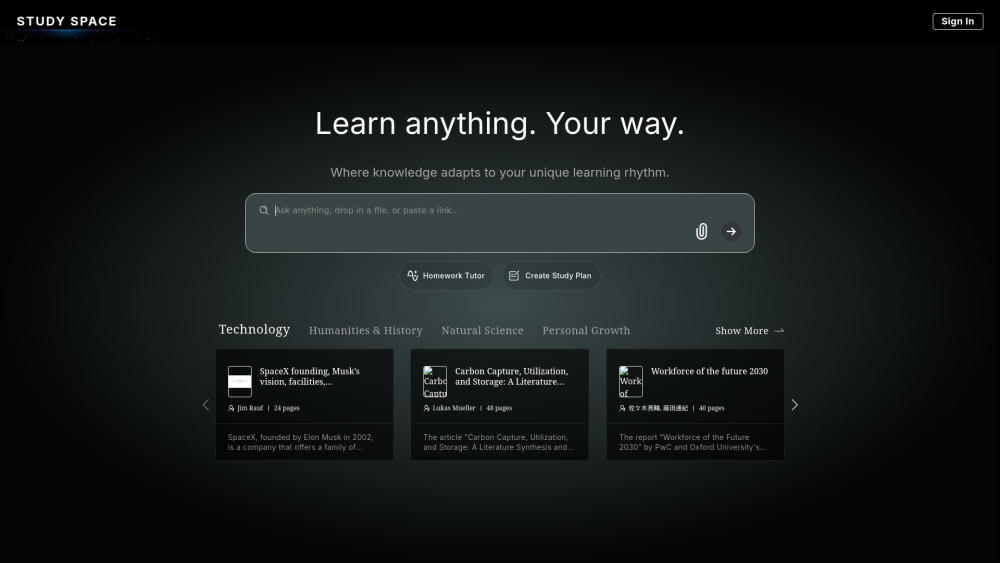
Study Space website preview

Study Space Website screenshot

What Is Study Space?

Study Space is a next-generation AI learning ecosystem—designed by educators and AI researchers from leading institutions worldwide. It transforms static knowledge into dynamic, personalized video courses, making deep learning accessible, intuitive, and genuinely engaging for every learner.

How Does Study Space Work?

Simply drop in a PDF, Word doc, or paste any web link—and in seconds, Study Space crafts a fully narrated, visually rich video course. Each output includes intelligent slide breakdowns, contextual animations, natural-sounding voiceovers, and concept-driven pacing. Whether you're mastering quantum computing basics or skimming a 50-page policy brief, Study Space adapts to *your* goals, pace, and learning style.

Study Space’s Core Capabilities

Doc-to-Video Course Engine

AI Homework Companion

Adaptive Study Planner

  • Support & Contact Information

    For assistance, reach our dedicated support team at: [email protected]. Additional help resources, live chat, and refund inquiries are available on our Contact Us page.

  • About Study Space

    Study Space Company name: Study Space Technologies Inc.

    Study Space Company address: 123 Innovation Drive, San Francisco, CA 94103, USA

    Learn more about our mission, team, and educational philosophy on the About Us page.

  • Study Space Login

    Access your personalized learning dashboard: https://study.space/sp-login?to=https%3A%2F%2Fstudy.space%2F

  • Get Started with Study Space

    Create your free account in under 30 seconds: https://study.space/signup

Product source: Study Space official website. Check the provider for current plans, limits and availability.

FAQ

Study Space questions and answers

Product context and practical checks for evaluating Study Space.

What is Study Space used for?

Study Space transforms your docs into engaging, personalized video courses—learn smarter, faster, and your way.

How do I get started with Study Space?

Simply drop in a PDF, Word doc, or paste any web link—and in seconds, Study Space crafts a fully narrated, visually rich video course. Each output includes intelligent slide breakdowns, contextual animations, natural-sounding voiceovers, and concept-driven pacing. Whether you're mastering quantum computing basics or skimming a 50-page policy brief, Study Space adapts to *your* goals, pace, and learning style.

Which capabilities are described for Study Space?

Doc-to-Video Course EngineAI Homework CompanionAdaptive Study Planner Support & Contact Information For assistance, reach our dedicated support team at: [email protected]. Additional help resources, live chat, and refund inquiries are available on our Contact Us page. About Study Space Study Space Company name: Study Space Technologies Inc. Study Space Company address: 123 Innovation Drive, San Francisco, CA 94103, USA Learn more about our mission, team, and educational philosophy on the About Us page. Study Space Login Access your personalized learning dashboard: https://study.space/sp-login?to=https%3A%2F%2Fstudy.space%2F Get Started with Study Space Create your free account in under 30 seconds: https://study.space/signup

What should I compare before choosing a Study Space plan?

Check Study Space’s current pricing page for included usage, renewal terms and any credit charges. Compare the cost of a usable result, including retries, rather than assuming that account registration includes free usage.

What inputs should I prepare for a Study Space trial?

Compare text prompts, reference frames, source footage and audio support. Check duration, aspect ratio and whether the tool lets you keep a subject consistent between shots.

How can I check the quality of a Study Space result?

Watch the entire clip for motion errors, distorted objects, changing identities, lip-sync problems and abrupt transitions. Inspect the downloaded file as well as the preview.

Which export options should I check in Study Space?

Check export resolution, frame rate, aspect ratio, audio tracks and watermark rules. A good preview is not a substitute for an export that fits your publishing channel.

What is a practical way to test Study Space against alternatives?

Use a short shot with one subject and one camera movement. Keep the prompt and duration constant, then compare usable seconds and the number of regenerations.

What should I review before uploading material to Study Space?

Read the provider’s rules on access, retention, deletion and use of uploaded material. Start with a non-confidential sample that you have permission to use.

Where is the official Study Space website?

The website linked from this profile is https://study.space. Use the provider’s own documentation, account area and support channels to confirm current product details.

Visit Study Space