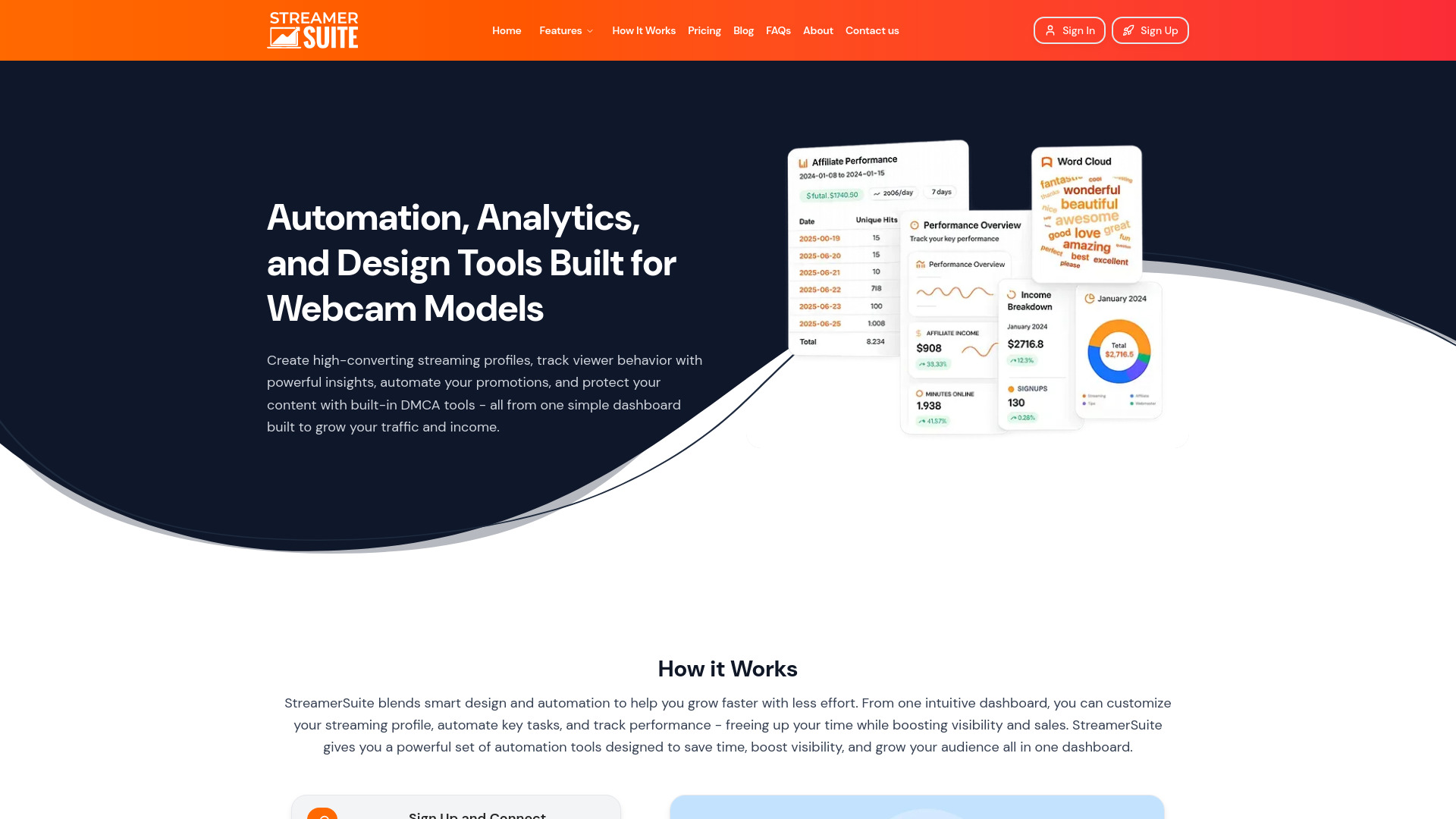
What is StreamerSuite?
StreamerSuite is an AI-powered toolkit for streamers and webcam models who want to strengthen their online presence, understand their audience, and simplify everyday content management. Bringing profile design, streaming analytics, promotional automation, and content protection into one dashboard, the platform helps creators organize the work that supports a growing streaming business. Rather than switching between disconnected services, users can manage several important parts of their workflow from a central workspace. Its combination of creative and analytical tools is intended to help streamers make informed decisions while spending less time on repetitive administrative tasks.
For new creators, StreamerSuite offers a starting point for building a recognizable brand and presenting content more professionally. For established streamers, its tools can support a more structured approach to audience engagement, promotion, and revenue development. The central idea is straightforward: combine AI-assisted tools with useful performance insights so creators can spend more time producing content and less time managing the processes around it. Results will depend on factors such as content quality, audience demand, consistency, and how effectively the available features are used.
How to Use StreamerSuite
Getting started with StreamerSuite begins with creating an account and configuring the tools relevant to your streaming goals. Review the available profile connections and permissions before linking any supported accounts. Once your workspace is set up, select the features that address your immediate priorities, whether that means improving your profile, organizing audience links, reviewing performance data, or simplifying promotional work. Starting with a focused set of tools makes it easier to establish a manageable workflow and assess what is helping your channel.
Next, customize your public-facing assets to reflect your brand. Use the profile-building tools to create a consistent visual identity, then organize your important destinations through a branded Link Hub. As streaming data becomes available, review audience activity and content performance to identify patterns worth testing. Make gradual adjustments to your schedule, profile messaging, or promotional approach, and compare results over time. Analytics are most useful when they guide practical experiments rather than encourage changes based on isolated spikes or short-term fluctuations.
Creators with more developed workflows can explore automation and DMCA-related tools alongside their analytics setup. Where supported, automation can reduce repetitive promotional or audience-management tasks, while content protection services can help organize responses to unauthorized distribution. Check the scope of each feature before relying on it, especially when connecting external accounts or enabling automated actions. A thoughtful setup keeps the platform aligned with your working style and helps preserve the personal interaction that makes your streaming community distinctive.
Key Features of StreamerSuite
- AI-Assisted Profile Builder: Create a more polished streaming presence with tools designed to simplify profile design and presentation. A clear layout, consistent branding, and well-organized information can help visitors understand your content and find relevant links. Profile optimization supports a stronger first impression without requiring every creator to handle the design process manually.
- Streaming Analytics Dashboard: Review performance information to better understand audience activity and evaluate your content strategy. Available metrics can help you assess viewing patterns, compare streaming sessions, and identify promising times or formats to test. Using these insights consistently supports more informed planning than relying on guesswork alone.
- DMCA Takedown Support: Access content protection tools intended to help address unauthorized sharing of your work. Depending on the service offered, these tools may assist with monitoring, reporting, or managing takedown requests. Review the coverage and process carefully, as removal depends on the circumstances and the response of the receiving website or provider.
- Workflow Automation Tools: Reduce manual work with apps focused on recurring streaming and promotional activities. Relevant automation features can help creators maintain a more organized workflow while freeing up time for content production and direct audience interaction. Available functions and account compatibility should be checked before building a workflow around them.
- Branded Link Hub: Give your audience a central destination for discovering your streaming channels, social profiles, and other content. A customized link page makes navigation easier and helps maintain a consistent identity across your online presence. It can also simplify promotion by giving creators one primary destination to share.
Together, these features address several connected needs: professional presentation, audience understanding, workflow efficiency, and content protection. Their practical value comes from using them as part of a consistent strategy, rather than treating any single tool as a guaranteed route to higher traffic or earnings.
Why Choose StreamerSuite?
StreamerSuite may appeal to creators who want a more coordinated approach to managing their streaming business. Profile design, analytics, promotional tasks, and content protection often require different processes, which can become difficult to maintain as a channel develops. Bringing these functions into a shared toolkit can reduce unnecessary switching between services and make routine work easier to organize. For independent creators, that convenience can be especially useful when the same person is responsible for producing content, promoting it, and managing audience relationships.
Another advantage is the connection between presentation and performance analysis. A polished profile helps communicate what your channel offers, while analytics provide context for evaluating how your broader strategy is working. Automation can support the recurring tasks around that strategy, and a Link Hub can make your different channels easier to discover. Used together, these tools create a more structured foundation for streaming growth without replacing the creative decisions and community-building efforts that remain the creator's responsibility.
Before choosing StreamerSuite, compare its current plans, supported platforms, and feature limits with your actual needs. A beginner may prioritize profile design and simple audience insights, while an established creator may place greater value on automation or DMCA support. The right fit depends on which tasks consume your time and which capabilities you will use regularly. Evaluating the platform against those priorities provides a more realistic basis for a purchase than relying on broad promises about growth or monetization.
Use Cases and Applications
New streamers can use StreamerSuite to develop a more cohesive online identity. Profile-building tools help organize their presentation, while a branded Link Hub gives visitors an accessible route to related channels and social accounts. This is useful for creators who are still establishing their niche and want their public profiles to communicate a consistent message. An organized setup also makes it easier to update links and branding as their content evolves.
Active streamers can use analytics to refine their scheduling and content decisions. By examining patterns across multiple sessions, creators can develop hypotheses about when their audience is most engaged and which approaches deserve further testing. These insights can inform practical adjustments, such as experimenting with different start times or improving promotional messaging. Performance data does not explain every change in viewership, but it can provide a clearer foundation for ongoing improvement.
Creators working across multiple channels may find value in centralizing audience destinations and reducing repetitive promotional tasks. Where the relevant integrations and automation features are available, StreamerSuite can support a more consistent management routine. Meanwhile, streamers concerned about unauthorized redistribution can evaluate its DMCA services as part of a broader content protection process. Each use case serves the same broader goal: keeping the operational side of streaming organized so creators can devote more attention to their content and community.