Writing Assistants

StoryCanvas

StoryCanvas: Unlock your creativity with this AI tool designed to enhance writing, inspire ideas, and elevate your storytelling—where imagination meets innovation!

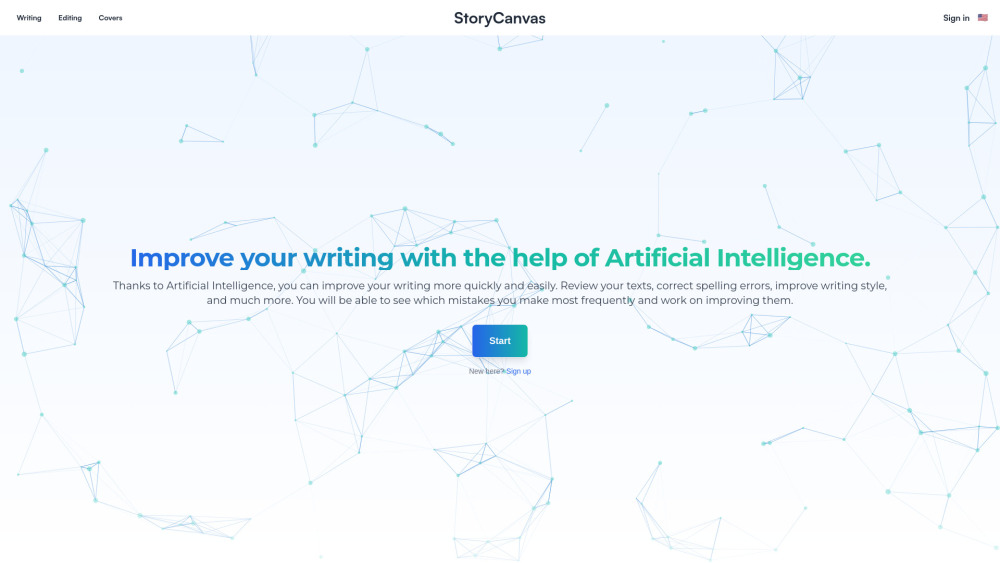
StoryCanvas website preview

StoryCanvas Website screenshot

Introducing StoryCanvas

StoryCanvas is an innovative AI-driven platform designed to support writers in their creative endeavors. By combining advanced artificial intelligence with intuitive tools, it helps users refine their writing, organize ideas, and even design visual elements like characters and covers. This tool not only improves the quality of your work but also provides valuable feedback on common writing pitfalls, making it easier than ever to craft compelling narratives.

Getting Started with StoryCanvas

To begin using StoryCanvas, simply log in or sign up, create a new project, and explore its range of features for composing chapters, managing notes, and creating engaging visuals. Its user-friendly interface ensures that even beginners can quickly adapt and take advantage of its powerful capabilities.

Key Features of StoryCanvas

AI-Enhanced Writing Assistance

Visual Content Creation

Interactive Idea Mapping

Chronological Timeline Building

Seamless WhatsApp Integration

Applications of StoryCanvas

Authors can produce and revise stories more effectively with AI support for grammar and style.

Develop characters and settings swiftly, reducing the time spent during composition.

Common Queries About StoryCanvas

What exactly is StoryCanvas?

StoryCanvas is an all-in-one writing solution powered by AI that assists authors in elevating their creativity. It includes tools for drafting, revising, organizing thoughts, and designing visual components such as characters and covers. The ultimate aim is to boost the quality of your writing while offering insights into frequent errors and simplifying the entire writing experience.

How do I start using StoryCanvas?

Just sign in, establish a new project, and leverage its diverse functionalities for composing chapters, arranging notes, and crafting characters and covers.

Which types of documents are supported by StoryCanvas?

You can compose books, novels, and standalone chapters utilizing StoryCanvas’s robust writing instrument.

Are there options to refine my writing's grammar and style?

Absolutely, StoryCanvas comes equipped with an AI-driven text correction feature that aids in enhancing spelling, grammar, and overall writing style.

Is it feasible to generate imagery for my story or cover?

Yes, StoryCanvas provides an image creation utility that lets you design and modify visuals for your stories.

Product source: StoryCanvas official website. Check the provider for current plans, limits and availability.

FAQ

StoryCanvas questions and answers

Product context and practical checks for evaluating StoryCanvas.

What is StoryCanvas used for?

StoryCanvas: Unlock your creativity with this AI tool designed to enhance writing, inspire ideas, and elevate your storytelling—where imagination meets innovation!

How do I get started with StoryCanvas?

To begin using StoryCanvas, simply log in or sign up, create a new project, and explore its range of features for composing chapters, managing notes, and creating engaging visuals. Its user-friendly interface ensures that even beginners can quickly adapt and take advantage of its powerful capabilities.

Which capabilities are described for StoryCanvas?

AI-Enhanced Writing AssistanceVisual Content CreationInteractive Idea MappingChronological Timeline BuildingSeamless WhatsApp Integration

What projects can I evaluate StoryCanvas for?

Authors can produce and revise stories more effectively with AI support for grammar and style.Develop characters and settings swiftly, reducing the time spent during composition.

What should I compare before choosing a StoryCanvas plan?

Check StoryCanvas’s current pricing page for included usage, renewal terms and any credit charges. Compare the cost of a usable result, including retries, rather than assuming that account registration includes free usage.

What inputs should I prepare for a StoryCanvas trial?

Look for text prompts, image references, masks or sketches as appropriate. Compare composition control, supported upload types and the ability to revise a selected area.

How can I check the quality of a StoryCanvas result?

Inspect text, hands, edges, reflections and repeated objects at full size. Check that important product or brand details survive editing.

Which export options should I check in StoryCanvas?

Compare pixel dimensions, transparency, file formats and any enlargement options. Confirm that the downloaded result works in your design or publishing software.

What is a practical way to test StoryCanvas against alternatives?

Prepare a brief with a subject, composition, lighting and required output size. Test a first generation and a targeted revision to see how much control you retain.

Where is the official StoryCanvas website?

The website linked from this profile is https://storycanvas.app. Use the provider’s own documentation, account area and support channels to confirm current product details.

Visit StoryCanvas