Text to Image

Stockimg AI

Stockimg AI is an AI-powered image generation platform that allows teams to easily create AI logos, book covers, posters, and more.

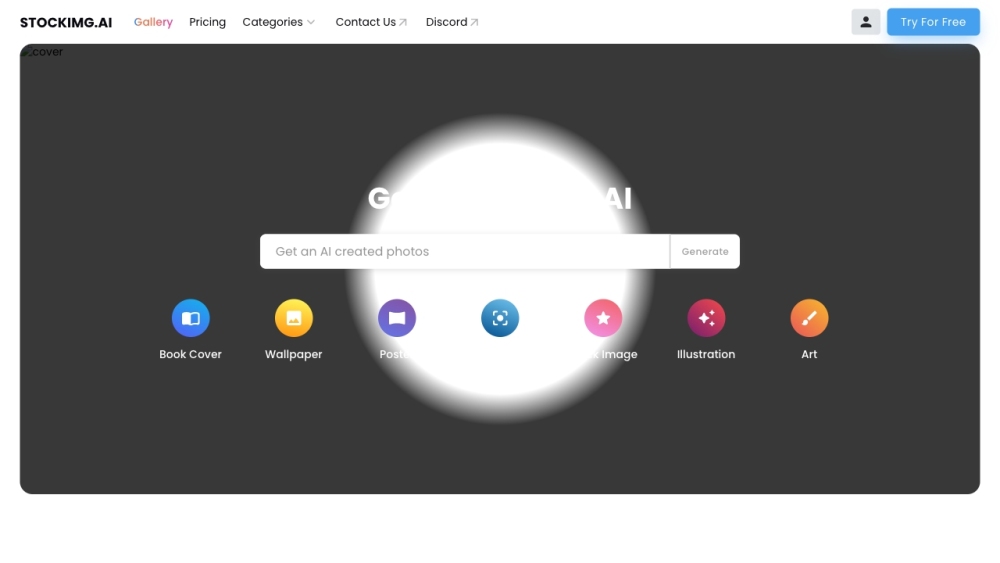
Stockimg AI website preview

Stockimg AI Website screenshot

Introduction to Stockimg AI

Stockimg AI is a cutting-edge platform that leverages artificial intelligence to assist teams in creating a variety of images effortlessly. Whether you need AI-generated logos, book covers, posters, or other visuals, Stockimg AI provides the tools you need.

Getting Started with Stockimg AI

To begin using Stockimg AI, sign up for a free account on their website. After logging in, you have access to an array of AI-generated image options, including wallpapers, stock photos, logos, posters, illustrations, book covers, QR codes, and text effects. You can upload your own images for enhancement or create new designs from scratch. The platform simplifies the design process, offering a cost-effective and time-saving solution.

Key Features of Stockimg AI

AI-Driven Image Creation

Diverse Image Options (Wallpapers, Stock Images, Logos, Posters, Illustrations, Book Covers, QR Codes, Text Effects)

Upload and Enhance Your Images

Design from Scratch

Streamline Design Workflow

Time and Cost Efficiency

Applications of Stockimg AI

Logo Design with AI

AI-Enhanced Book Covers

Poster Creation via AI

Generating Illustrations with AI

Creating Enhanced Stock Images

QR Code Generation

Creating Text Effects

Product source: Stockimg AI official website. Check the provider for current plans, limits and availability.

FAQ

Stockimg AI questions and answers

Product context and practical checks for evaluating Stockimg AI.

What is Stockimg AI used for?

Stockimg AI is an AI-powered image generation platform that allows teams to easily create AI logos, book covers, posters, and more.

How do I get started with Stockimg AI?

To begin using Stockimg AI, sign up for a free account on their website. After logging in, you have access to an array of AI-generated image options, including wallpapers, stock photos, logos, posters, illustrations, book covers, QR codes, and text effects. You can upload your own images for enhancement or create new designs from scratch. The platform simplifies the design process, offering a cost-effective and time-saving solution.

Which capabilities are described for Stockimg AI?

AI-Driven Image CreationDiverse Image Options (Wallpapers, Stock Images, Logos, Posters, Illustrations, Book Covers, QR Codes, Text Effects)Upload and Enhance Your ImagesDesign from ScratchStreamline Design WorkflowTime and Cost Efficiency

What projects can I evaluate Stockimg AI for?

Logo Design with AIAI-Enhanced Book CoversPoster Creation via AIGenerating Illustrations with AICreating Enhanced Stock ImagesQR Code GenerationCreating Text Effects Stockimg AI Customer Support For customer service, contact Stockimg AI at: [email protected]. About Stockimg AI Company name: Stockimg.ai Login to Stockimg AI Access your account: https://stockimg.ai/login Sign Up for Stockimg AI Create an account: https://stockimg.ai/signup Stockimg AI Pricing View pricing details: https://stockimg.ai/pricing Follow Stockimg AI on TikTok Follow us: Stockimg AI on TikTok Connect on LinkedIn Connect with us: Stockimg AI on LinkedIn Follow on Twitter Stay updated: Stockimg AI on Twitter Follow on Instagram See our latest posts: Stockimg AI on Instagram

What should I compare before choosing a Stockimg AI plan?

View pricing details: https://stockimg.ai/pricing Confirm current prices and allowances on the provider’s website before purchasing.

What inputs should I prepare for a Stockimg AI trial?

Look for text prompts, image references, masks or sketches as appropriate. Compare composition control, supported upload types and the ability to revise a selected area.

How can I check the quality of a Stockimg AI result?

Inspect text, hands, edges, reflections and repeated objects at full size. Check that important product or brand details survive editing.

Which export options should I check in Stockimg AI?

Compare pixel dimensions, transparency, file formats and any enlargement options. Confirm that the downloaded result works in your design or publishing software.

What is a practical way to test Stockimg AI against alternatives?

Prepare a brief with a subject, composition, lighting and required output size. Test a first generation and a targeted revision to see how much control you retain.

Where is the official Stockimg AI website?

The website linked from this profile is https://stockimg.ai. Use the provider’s own documentation, account area and support channels to confirm current product details.

Visit Stockimg AI