Table of contents
Stitch: AI-Powered UI Generator for Mobile & Web Apps
Stitch: AI-powered UI generator for stunning mobile & web apps—fast, intuitive, and code-ready. Design smarter, ship faster.
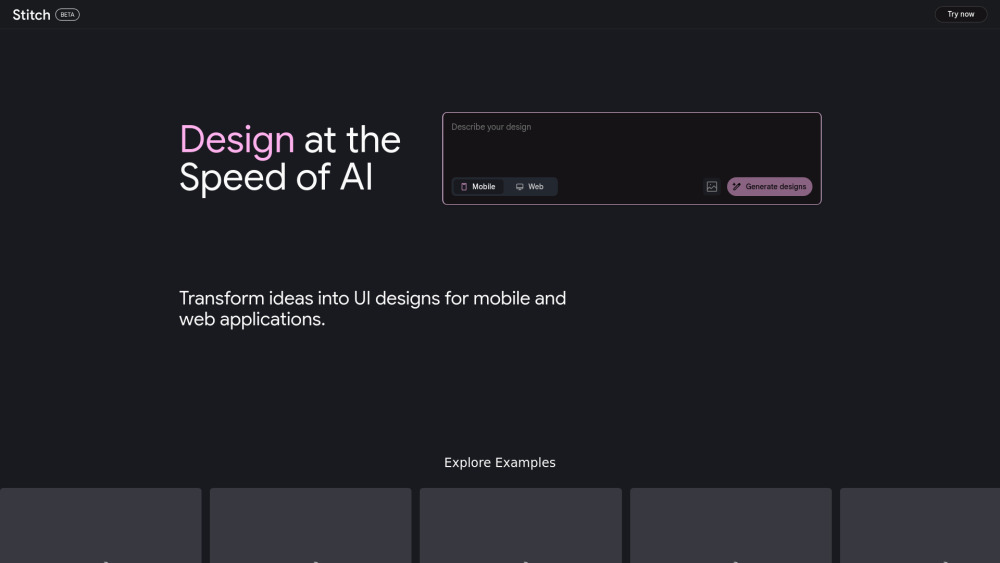
Introducing Stitch: Where Ideas Become Interfaces
Stitch is a next-generation AI interface builder engineered for product teams, indie developers, and designers who need to turn concepts into production-ready UIs—fast. Whether you're prototyping a mobile app or refining a web dashboard, Stitch generates pixel-accurate, responsive layouts in seconds using advanced multimodal AI. Seamlessly export to Figma for collaboration or grab clean, semantic HTML/CSS for immediate frontend integration—all powered by Google DeepMind’s state-of-the-art Gemini models.
Getting Started with Stitch Is Effortless
No design degree required. Describe your vision in plain language (“a dark-mode fitness tracker landing page with animated stats cards”) or upload a sketch, wireframe, or reference image. Stitch interprets context, layout intent, and platform conventions—then delivers editable, high-fidelity UIs. Tweak colors, spacing, components, or device targets in real time, then export ready-to-use assets with one click.
Why Developers & Designers Choose Stitch
Generate native-feeling UIs for iOS, Android, and responsive web
Describe or sketch → instantly generate polished interfaces
Iterate visually—no coding needed to refine layouts, typography, or interactions
Export production-ready Figma files or static HTML/CSS/JS bundles
Full IP ownership—your designs, your code, no restrictions
Built on Gemini Ultra and Flash—Google DeepMind’s most capable multimodal foundation models
Real-World Applications, Built in Minutes
Board game club planner (with event RSVP & collection tracking)
Employee Feedback Dashboard (real-time sentiment charts + anonymized insights)
Personal photo library (AI-tagged albums, facial grouping, offline-first)
Homemade Pizza Cooking Elite Class (step-by-step video guides + ingredient timers)
Indoor Plant Care Dashboard (watering reminders, light-sensor integration UI)
Alps skiing guide (offline trail maps, avalanche risk overlays, gear checklist)
Ceramic & Pottery Marketplace (3D-glaze preview, artisan profiles, studio booking flow)
Frequently Asked Questions
-
What is Stitch?
-
Is Stitch free to use?
-
What happens when I hit my monthly generation limit?
-
Where is Stitch available?
-
Can I use Stitch-generated UIs commercially?
-
Can I migrate my Galileo AI project history?
-
How do I contact the Stitch team?
-
Support & Contact
For help, feedback, or refund requests, visit our contact us page.
-
About Stitch
Stitch Company name: Stitch
Stitch Company address: —
Learn more about our mission and technology: about us page. -
Stitch Login
Access your workspace: Stitch Login
-
Stitch Sign Up
Start building in seconds: Stitch Sign Up
FAQ from Stitch
What is Stitch?
Stitch is an AI-powered UI generation platform that transforms natural language prompts and visual inputs into production-grade interfaces for mobile and web applications. It accelerates early-stage design, reduces handoff friction between designers and engineers, and supports rapid iteration—all without compromising fidelity or accessibility standards. Under the hood, it leverages Google DeepMind’s Gemini family of models for contextual understanding, layout reasoning, and cross-platform adaptation.
How to use Stitch?
Begin by describing your interface goal—or uploading a rough sketch, screenshot, or mood board. Stitch analyzes your input and generates multiple UI variants optimized for your chosen platform (iOS, Android, or responsive web). Refine using intuitive controls (swap components, adjust breakpoints, toggle themes), then export directly to Figma for handoff or download self-contained HTML/CSS/JS for frontend integration.
Is Stitch free of charge?
Yes—Stitch offers a generous free tier: 350 generations per month in Flash mode (ideal for quick iterations) and 50 generations in Experimental mode (for exploring advanced layouts and interactions). These allowances reset monthly. Pricing plans for higher-volume or enterprise usage are forthcoming.
What happens if I exceed my monthly limits?
Once your monthly quota is exhausted, new generation requests will be paused until the start of the next billing cycle. You’ll receive in-app notifications before hitting your limit—and can always check your usage dashboard. For urgent needs, follow @stitchbygoogle on X for updates on expanded access.
Where is Stitch available?
Stitch is currently accessible worldwide to users aged 18+ in English. We’re actively localizing the interface and expanding regional support—including RTL languages and region-specific design patterns—to better serve global creators.
Can I use designs generated from Stitch for commercial purposes?
Absolutely. As stated in the Google Terms of Service: *“Some of our services allow you to generate original content. Google won’t claim ownership over that content.”* You retain full rights to all UIs, code, and assets created with Stitch—whether for internal tools, client projects, or public-facing SaaS products.
Can I import data from Galileo AI?
Yes. Former Galileo AI users can import their conversation history via Stitch’s Settings > Migration panel. Your past prompts and generated outputs will be archived and viewable—enabling continuity of thought and reference. Note: Imported conversations are read-only and cannot be regenerated or edited within Stitch.
I want to get in touch with the Stitch team, how can I reach out?
We welcome your questions, suggestions, and bug reports! The fastest way to connect is via X (formerly Twitter): @stitchbygoogle. For detailed feature requests or partnership inquiries, email [email protected] (monitored daily).