Table of contents
StickerStudio: AI Photo to Custom Sticker Maker for WhatsApp, Telegram & Instagram
Turn selfies into custom AI stickers in seconds! Perfect for WhatsApp, Telegram & Instagram. ✨ Get your free sticker now with StickerStudio!
What is StickerStudio?
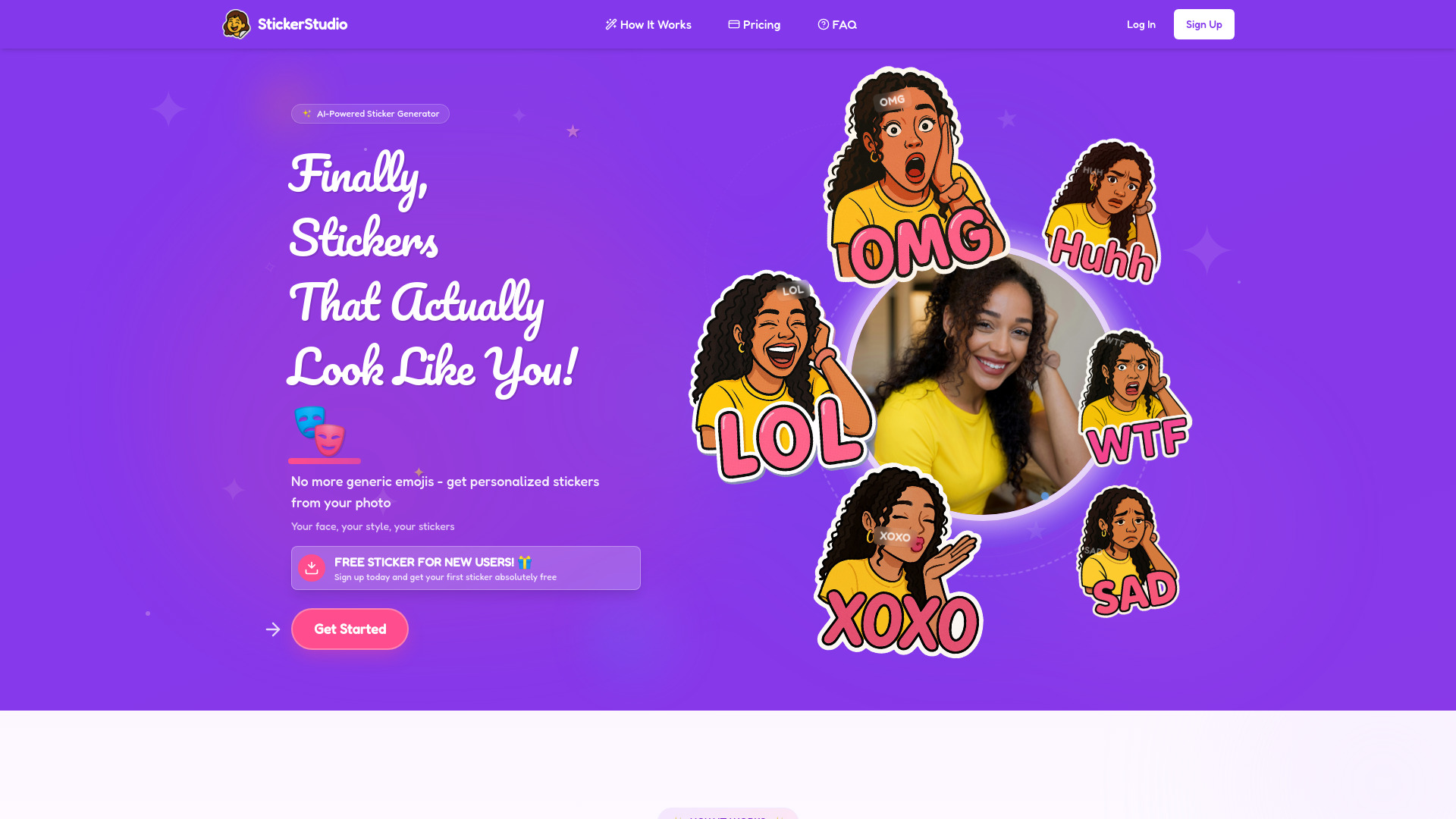
StickerStudio is a next-generation AI sticker creation platform designed for the modern digital communicator. It transforms everyday portrait photos—especially selfies and clean front-facing shots—into expressive, high-fidelity custom stickers tailored for WhatsApp, Telegram, Instagram, and beyond. Unlike static emoji sets or generic clipart, StickerStudio leverages generative AI to produce stickers that reflect *you*: your facial structure, signature expressions, and emotional range. Each sticker pack is uniquely generated in real time, preserving identity while dynamically adapting to moods—from playful winks to thoughtful nods—so your messages feel more human, more memorable, and unmistakably yours.
How to Use StickerStudio
Creating your personalized sticker collection takes just three simple steps—and no design skills required. First, upload a well-lit, high-resolution portrait where your face occupies the center of the frame. Next, let StickerStudio’s proprietary AI model process your image: it detects micro-expressions, contours, skin tone, and distinguishing features to build a cohesive, lifelike sticker set. Within seconds, you’ll receive a curated gallery of 10–15 emotion-accurate stickers—each optimized for clarity, transparency, and visual impact. Finally, download your pack as PNGs with transparent backgrounds and install them directly into WhatsApp (via sticker app), Telegram (as a custom pack), or Instagram DMs (using third-party sticker managers). For best results, avoid hats, heavy filters, or extreme angles—clean, natural lighting yields the most authentic AI interpretation.
Pro tip: Build layered sticker collections over time—start with core expressions (smile, surprise, thumbs-up), then expand with themed variants (work-mode, weekend vibes, reaction-only) to match your evolving digital voice across platforms.
Key Features of StickerStudio
- Intelligent Identity Mapping: Proprietary facial encoding ensures stickers retain your unique jawline, eye shape, smile asymmetry, and even subtle quirks—so your digital avatar never feels like a cartoon, but a true extension of your presence.
- Mood-Adaptive AI Generation: Goes beyond static duplication—our model interprets context and generates nuanced variations (e.g., “grinning sideways,” “raised-eyebrow skepticism,” “quiet nod”) that respond naturally to conversational tone.
- Cross-Platform Ready Output: Every sticker is exported at optimal dimensions (512×512 px, 300 DPI) with alpha-channel transparency—fully compliant with WhatsApp’s strict format requirements, Telegram’s animated/webp support, and Instagram’s story-friendly sizing.
- One-Click Platform Integration: With built-in export guides and platform-specific setup tutorials (including QR-code-based Telegram pack installation and WhatsApp sticker app compatibility), sharing your stickers is faster than typing a reply.
These capabilities converge to solve a real communication gap: the loss of nuance in text-based messaging. StickerStudio restores expressiveness—not through abstraction, but through intelligent personalization—making every “got it,” “lol,” or “thinking…” feel emotionally grounded and authentically *you*.
Why Choose StickerStudio?
In an era of algorithmic feeds and homogenized emojis, StickerStudio champions intentional self-representation. It’s not just another sticker maker—it’s a digital identity toolkit trusted by creators, remote teams, educators, and everyday users who refuse to default to generic symbols when they can speak with their own face, voice, and vibe. The interface is deliberately minimalist, the AI is rigorously trained on diverse global faces (with strong bias mitigation protocols), and the output prioritizes usability without sacrificing artistry.
New users get instant access to one free AI-generated sticker—no email required—to experience the precision and personality firsthand. And because StickerStudio supports seamless export to *all* major messaging ecosystems—including legacy platforms like Facebook Messenger and emerging ones like Signal—your sticker identity travels with you, consistently and effortlessly, wherever your conversations live.
Use Cases and Applications
Frequently Asked Questions About StickerStudio
How does StickerStudio AI technology work?
StickerStudio uses a multi-stage neural pipeline: first, a vision transformer analyzes your photo for anatomical landmarks and texture consistency; second, a diffusion-based expression generator creates photorealistic yet stylized sticker frames; finally, a refinement network optimizes each output for compression resilience, edge sharpness, and cross-platform rendering fidelity—all completed in under 12 seconds.
What kind of photos work best for creating stickers?
Ideal inputs are unfiltered, front-facing portraits taken in daylight or soft indoor lighting, with neutral backgrounds and minimal accessories. Avoid sunglasses, masks, or dramatic shadows—AI thrives on visibility, not mystery. Bonus tip: A slight smile often yields richer expression diversity than a completely neutral face.
What mood stickers can I create with StickerStudio?
The AI intelligently extrapolates from your base photo to generate stickers spanning 12+ emotional categories—including affirmation (“yes!”), hesitation (“hm…”), celebration (“woohoo!”), sarcasm (“sure, sure”), empathy (“sending hugs”), and even niche tones like “professional nod” or “creative brainstorm mode.” You’re not limited to presets—the AI learns *your* expressive vocabulary.
How do I use my custom stickers in conversations?
Download your pack as a ZIP file containing PNGs (and optional WebP/animated versions). For WhatsApp: use any certified sticker app (like Sticker Maker by Zombo) to import and install. For Telegram: upload via @stickers bot or use StickerStudio’s direct QR code generator. For Instagram: save stickers to your phone gallery and add them manually to DMs or Stories using the sticker tool. Full step-by-step walkthroughs are available in-app and on our help hub.
Are StickerStudio stickers watermarked?
No. All exported stickers are clean, commercial-use-ready assets—free of logos, branding, or hidden identifiers. Your creations belong entirely to you. License terms (including personal/commercial usage rights and attribution guidelines) are clearly outlined before generation, ensuring full transparency and creative control.