Text&ampWriting

Stakly.dev

Turn your idea into a complete web app with Stakly.dev AI. No coding needed. Get production-ready code and database integration

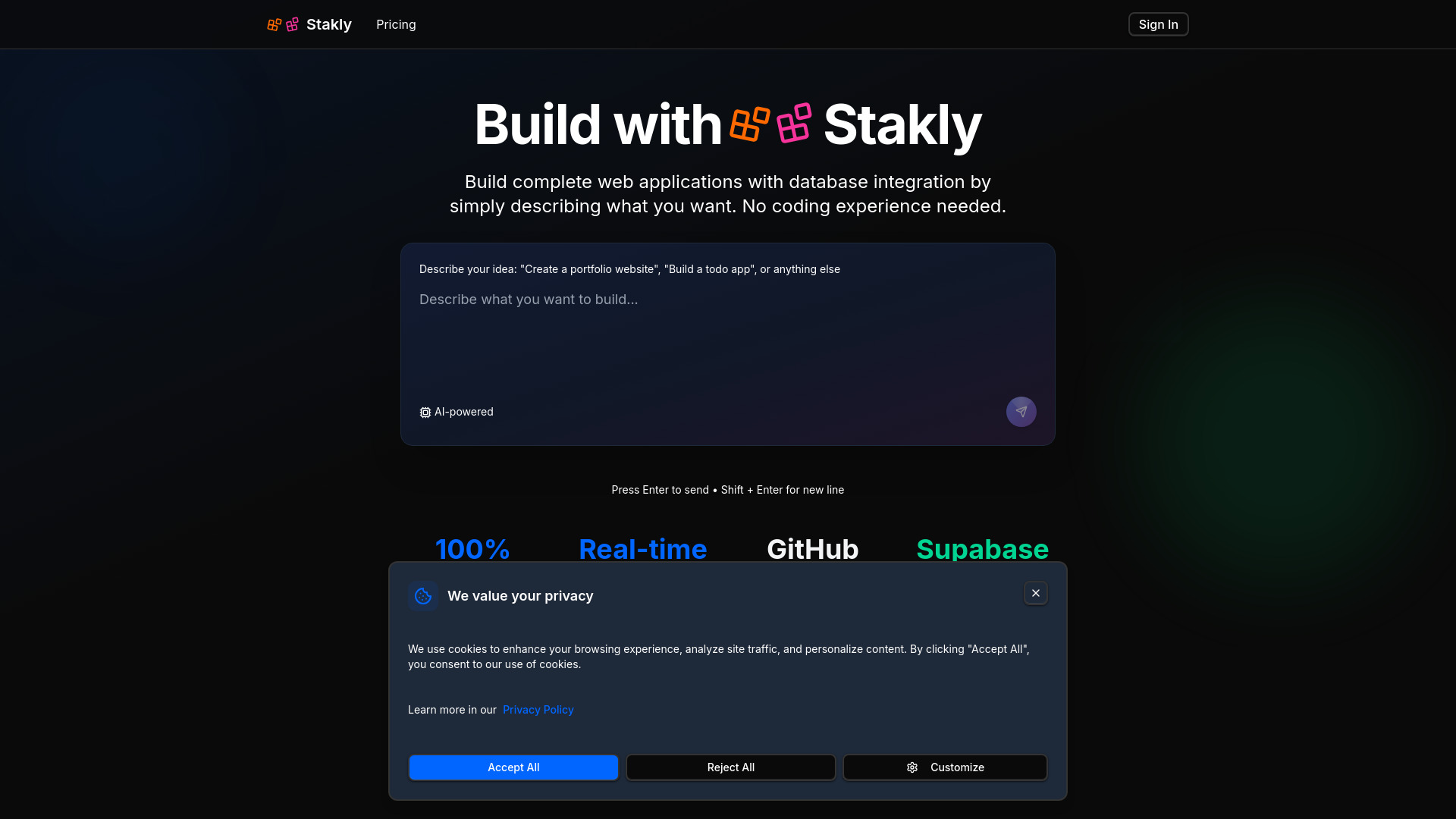
Stakly.dev website preview

What Is Stakly.dev?

Stakly.dev is an AI web app builder that helps turn written ideas into working web applications with editable code and database connectivity. Instead of starting with an empty code editor, you describe what you want to create and use AI-generated output as the foundation for your project. From portfolio sites and business dashboards to SaaS prototypes and online stores, Stakly.dev offers a more accessible starting point for web development.

For anyone exploring a free AI web app builder with code and databases, Stakly.dev brings together natural-language prompting, live previews, source code access, and Supabase integration. Nontechnical users can develop their ideas without handling every implementation detail, while developers can use the platform to accelerate early-stage work. Before choosing a plan, check the current pricing information to understand any free access, usage allowances, and feature restrictions.

How to Use Stakly.dev

Begin by explaining your application in clear, practical terms. Include its purpose, intended audience, essential pages, and the actions visitors should be able to take. For example, you might request a portfolio website with categorized projects, individual project pages, and a contact form. More specific instructions give the AI a clearer direction and make it easier to assess whether the generated application matches your goals.

As Stakly.dev creates your project, use the live preview to review the layout and functionality. Refine your instructions when something needs adjustment, or edit the generated code directly when you want more precise control. This iterative approach lets you develop an initial concept into a more complete application without rebuilding everything from scratch after each change.

For projects that need persistent data, connect Supabase and configure the relevant database functionality. When your application is ready for the next stage, use the available export options to move the code into your preferred development workflow. GitHub can support version control and collaboration, while a downloaded codebase gives you flexibility to prepare deployment on services such as Vercel or Netlify. Test functionality, security, and deployment settings before making the application publicly available.

Key Features of Stakly.dev

  • AI Web App Generation: Describe your requirements in everyday language and let Stakly.dev generate an application foundation. This prompt-based workflow can reduce the time spent on initial setup, interface scaffolding, and repetitive coding tasks, helping you move more quickly from an idea to a testable version.
  • Accessible Development Workflow: Start creating web applications without needing to write every line of code yourself. Founders, designers, and business owners can explore product ideas through prompts and previews, while more technical users can inspect and extend the implementation as their requirements become more detailed.
  • Live Preview and Editable Code: Review the application as it develops and make targeted changes to its appearance or behavior. Combining visual feedback with direct code access makes it easier to spot problems, compare design choices, and refine features throughout the development process.
  • Supabase Database Integration: Connect your application to Supabase to support data-driven functionality. Depending on your configuration, this can provide the foundation for stored records, user accounts, and real-time interactions. Database structure, access permissions, and authentication settings should be reviewed carefully for each project.
  • Code Export and Deployment Flexibility: Keep access to your generated source code rather than relying only on a hosted editing environment. GitHub export and code downloads support ongoing development, external collaboration, and hosting workflows that can include platforms such as Vercel and Netlify.

Together, these features support a practical build-review-refine workflow. AI handles portions of the implementation, while you remain responsible for defining requirements and checking the results. The potential benefits include faster prototyping, less repetitive work, and greater flexibility when moving from an early experiment to a maintained application.

Why Choose Stakly.dev?

Stakly.dev combines the convenience of prompt-based building with the flexibility of editable source code. That combination is useful for people who want an approachable way to start a project without giving up the ability to customize it later. Rather than treating the first generated version as a finished product, you can use it as a working foundation and improve it through successive revisions.

For startup founders, this approach can make it easier to demonstrate a concept before committing to a larger development budget. For agencies and freelancers, it can shorten the path to an initial client preview. Developers may find it helpful for generating routine interface elements and testing product directions before investing time in more specialized implementation work.

Stakly.dev is also featured on aitop-tools.com as an AI development solution. When comparing it with other builders, consider your need for database integration, code portability, customization, and ongoing maintenance. Review the latest product documentation and plan details rather than assuming that every feature or usage allowance is included at no cost.

Use Cases and Applications

SaaS prototypes and MVPs: Entrepreneurs can use Stakly.dev to create early versions of software products, demonstrate core workflows, and collect feedback from potential customers. Starting with a working prototype makes it easier to identify which features deserve further development and which assumptions need to change.

Portfolio websites and business sites: Creatives, consultants, and small businesses can build sites that present their services, highlight previous work, and help visitors make contact. AI-generated layouts offer a starting point that can be adapted to the brand, audience, and content of each project.

E-commerce concepts and customer portals: Teams can explore storefront interfaces, product displays, account areas, and customer-facing tools. Projects involving payments, personal information, or business-critical transactions require additional integration work and careful testing before launch.

Internal dashboards and business tools: Organizations can prototype applications for tracking records, displaying operational information, or managing routine workflows. Supabase connectivity can help support data-backed interfaces, while access to the source code allows developers to refine business rules and permissions.

Learning and client collaboration: Students can examine generated code alongside the live application to explore how interface components fit together. Agencies can use early previews to gather client feedback, clarify requirements, and reduce misunderstandings before moving into more detailed development.

Product source: Stakly.dev official website. Check the provider for current plans, limits and availability.

FAQ

Stakly.dev questions and answers

Product context and practical checks for evaluating Stakly.dev.

What is Stakly.dev used for?

Turn your idea into a complete web app with Stakly.dev AI. No coding needed. Get production-ready code and database integration

How do I get started with Stakly.dev?

Begin by explaining your application in clear, practical terms. Include its purpose, intended audience, essential pages, and the actions visitors should be able to take. For example, you might request a portfolio website with categorized projects, individual project pages, and a contact form. More specific instructions give the AI a clearer direction and make it easier to assess whether the generated application matches your goals.As Stakly.dev creates your project, use the live preview to review the layout and functionality. Refine your instructions when something needs adjustment, or edit the generated code directly when you want more precise control. This iterative approach lets you develop an initial concept into a more complete application without rebuilding everything from scratch after each change.For projects that need persistent data, connect Supabase and configure the relevant database functionality. When your application is ready for the next stage, use the available export options to move the code into your preferred development workflow. GitHub can support version control and collaboration, while a downloaded codebase gives you flexibility to prepare deployment on services such as Vercel or Netlify. Test functionality, security, and deployment settings before making the application publicly available.

Which capabilities are described for Stakly.dev?

AI Web App Generation: Describe your requirements in everyday language and let Stakly.dev generate an application foundation. This prompt-based workflow can reduce the time spent on initial setup, interface scaffolding, and repetitive coding tasks, helping you move more quickly from an idea to a testable version. Accessible Development Workflow: Start creating web applications without needing to write every line of code yourself. Founders, designers, and business owners can explore product ideas through prompts and previews, while more technical users can inspect and extend the implementation as their requirements become more detailed. Live Preview and Editable Code: Review the application as it develops and make targeted changes to its appearance or behavior. Combining visual feedback with direct code access makes it easier to spot problems, compare design choices, and refine features throughout the development process. Supabase Database Integration: Connect your application to Supabase to support data-driven functionality. Depending on your configuration, this can provide the foundation for stored records, user accounts, and real-time interactions. Database structure, access permissions, and authentication settings should be reviewed carefully for each project. Code Export and Deployment Flexibility: Keep access to your generated source code rather than relying only on a hosted editing environment. GitHub export and code downloads support ongoing development, external collaboration, and hosting workflows that can include platforms such as Vercel and Netlify. Together, these features support a practical build-review-refine workflow. AI handles portions of the implementation, while you remain responsible for defining requirements and checking the results. The potential benefits include faster prototyping, less repetitive work, and greater flexibility when moving from an early experiment to a maintained application.

What projects can I evaluate Stakly.dev for?

SaaS prototypes and MVPs: Entrepreneurs can use Stakly.dev to create early versions of software products, demonstrate core workflows, and collect feedback from potential customers. Starting with a working prototype makes it easier to identify which features deserve further development and which assumptions need to change.Portfolio websites and business sites: Creatives, consultants, and small businesses can build sites that present their services, highlight previous work, and help visitors make contact. AI-generated layouts offer a starting point that can be adapted to the brand, audience, and content of each project.E-commerce concepts and customer portals: Teams can explore storefront interfaces, product displays, account areas, and customer-facing tools. Projects involving payments, personal information, or business-critical transactions require additional integration work and careful testing before launch.Internal dashboards and business tools: Organizations can prototype applications for tracking records, displaying operational information, or managing routine workflows. Supabase connectivity can help support data-backed interfaces, while access to the source code allows developers to refine business rules and permissions.Learning and client collaboration: Students can examine generated code alongside the live application to explore how interface components fit together. Agencies can use early previews to gather client feedback, clarify requirements, and reduce misunderstandings before moving into more detailed development.

How does Stakly.dev handle ai web app generation?

AI Web App Generation: Describe your requirements in everyday language and let Stakly.dev generate an application foundation. This prompt-based workflow can reduce the time spent on initial setup, interface scaffolding, and repetitive coding tasks, helping you move more quickly from an idea to a testable version.

How does Stakly.dev handle accessible development workflow?

Accessible Development Workflow: Start creating web applications without needing to write every line of code yourself. Founders, designers, and business owners can explore product ideas through prompts and previews, while more technical users can inspect and extend the implementation as their requirements become more detailed.

What should I compare before choosing a Stakly.dev plan?

Check Stakly.dev’s current pricing page for included usage, renewal terms and any credit charges. Compare the cost of a usable result, including retries, rather than assuming that account registration includes free usage.

What inputs should I prepare for a Stakly.dev trial?

Compare repository access, context limits, supported languages and tool permissions. Check whether the assistant can read relevant files and run your existing checks.

How can I check the quality of a Stakly.dev result?

Review the diff, run tests and inspect error handling and dependency changes. Generated code should meet the same review standard as a human contribution.

Where is the official Stakly.dev website?

The website linked from this profile is https://www.stakly.dev. Use the provider’s own documentation, account area and support channels to confirm current product details.

Visit Stakly.dev