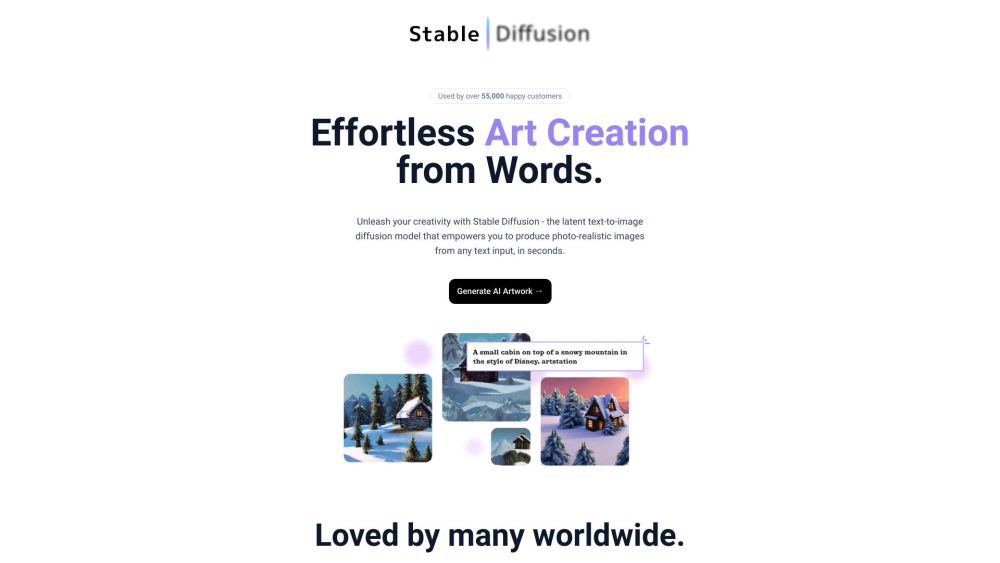
Text to Image

Stable Diffusion Web

Unleash your creativity with Stable Diffusion Web: AI Art! Transform text into stunning, lifelike images and personalized avatars effortlessly.

Stable Diffusion Web website preview

Stable Diffusion Web - AI Art and Avatar Generator Website screenshot

Introducing Stable Diffusion Web: AI Art, Realistic Images, Custom Avatars

Discover Stable Diffusion Web, a cutting-edge platform that harnesses the power of AI to create stunning photo-realistic images and personalized avatars from simple text inputs.

Exploring Stable Diffusion Web - AI Art and Avatar Generator

Embark on a journey of creativity with Stable Diffusion Web. By entering your desired text prompt, you can choose from a vast array of options to generate unique artwork or avatars in a matter of seconds. The intuitive process ensures quick and impressive results every time.

Unveiling the Core Features of Stable Diffusion Web - AI Art and Avatar Generator

AI Art Generation

Custom AI Avatar Creation

Seamless Integration with DALL·E 2

Support from OpenArt.AI

Anime AI Generation Capabilities

Free and Open-Source Platform

AI Art Creation based on Prompts

Access to Helpful Tutorials

Image-Based AI Generation with Dreambooth

Diverse Use Cases of Stable Diffusion Web - AI Art and Avatar Generator

Unleash Your Creativity with AI-Generated Art

Craft Personalized Avatars for Digital Profiles

Revive Old Photos and Preserve Memories

Explore a Wealth of Prompts for Varied AI Creations

  • About Stable Diffusion Web - AI Art and Avatar Generator Company

    Stability AI is the driving force behind Stable Diffusion Web - AI Art and Avatar Generator, dedicated to pushing the boundaries of AI art creation.

  • Connect with Stable Diffusion Web - AI Art and Avatar Generator on Twitter

    Stay updated with the latest news and developments by following Stable Diffusion Web - AI Art and Avatar Generator on Twitter: https://twitter.com/absurdfounder

Product source: Stable Diffusion Web official website. Check the provider for current plans, limits and availability.

FAQ

Stable Diffusion Web questions and answers

Product context and practical checks for evaluating Stable Diffusion Web.

What is Stable Diffusion Web used for?

Unleash your creativity with Stable Diffusion Web: AI Art! Transform text into stunning, lifelike images and personalized avatars effortlessly.

How do I get started with Stable Diffusion Web?

Open the official Stable Diffusion Web website and identify the workflow that matches your task. Use a short shot with one subject and one camera movement. Keep the prompt and duration constant, then compare usable seconds and the number of regenerations.

Which capabilities are described for Stable Diffusion Web?

AI Art GenerationCustom AI Avatar CreationSeamless Integration with DALL·E 2Support from OpenArt.AIAnime AI Generation CapabilitiesFree and Open-Source PlatformAI Art Creation based on PromptsAccess to Helpful TutorialsImage-Based AI Generation with Dreambooth

What projects can I evaluate Stable Diffusion Web for?

Unleash Your Creativity with AI-Generated ArtCraft Personalized Avatars for Digital ProfilesRevive Old Photos and Preserve MemoriesExplore a Wealth of Prompts for Varied AI Creations About Stable Diffusion Web - AI Art and Avatar Generator Company Stability AI is the driving force behind Stable Diffusion Web - AI Art and Avatar Generator, dedicated to pushing the boundaries of AI art creation. Connect with Stable Diffusion Web - AI Art and Avatar Generator on Twitter Stay updated with the latest news and developments by following Stable Diffusion Web - AI Art and Avatar Generator on Twitter: https://twitter.com/absurdfounder

What should I compare before choosing a Stable Diffusion Web plan?

Check Stable Diffusion Web’s current pricing page for included usage, renewal terms and any credit charges. Compare the cost of a usable result, including retries, rather than assuming that account registration includes free usage.

What inputs should I prepare for a Stable Diffusion Web trial?

Compare text prompts, reference frames, source footage and audio support. Check duration, aspect ratio and whether the tool lets you keep a subject consistent between shots.

How can I check the quality of a Stable Diffusion Web result?

Watch the entire clip for motion errors, distorted objects, changing identities, lip-sync problems and abrupt transitions. Inspect the downloaded file as well as the preview.

Which export options should I check in Stable Diffusion Web?

Check export resolution, frame rate, aspect ratio, audio tracks and watermark rules. A good preview is not a substitute for an export that fits your publishing channel.

What is a practical way to test Stable Diffusion Web against alternatives?

Use a short shot with one subject and one camera movement. Keep the prompt and duration constant, then compare usable seconds and the number of regenerations.

Where is the official Stable Diffusion Web website?

The website linked from this profile is https://stablediffusion.in. Use the provider’s own documentation, account area and support channels to confirm current product details.

Visit Stable Diffusion Web