Text-to-Speech

Speechify

Convert text into natural-sounding speech with Speechify, the top-rated app on Chrome, iOS, and Android. Listen to docs, articles, PDFs, and more, effortlessly.

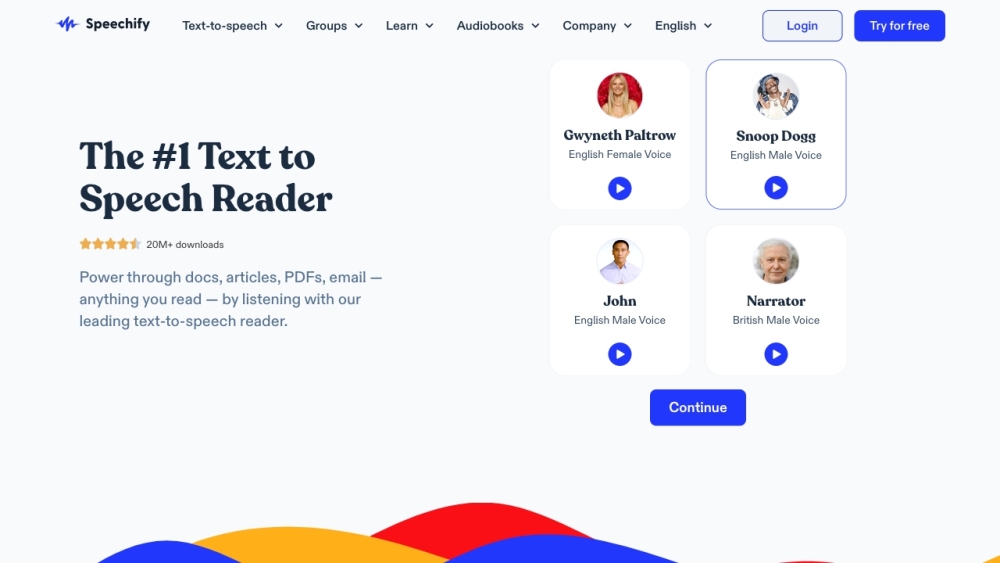
Speechify website preview

Speechify Website screenshot

Introduction to Speechify

Speechify is a top-rated text-to-speech application accessible on Chrome, iOS, and Android platforms. It enables users to transform text into clear, natural-sounding speech, enhancing the convenience of listening to documents, articles, PDFs, emails, and more across various devices. With millions of downloads and countless 5-star reviews, Speechify has become a preferred choice for many.

Getting Started with Speechify

To begin using Speechify, download the app on your smartphone or add the Chrome extension to your computer. Once set up, you can listen to any text by highlighting it and clicking the play button. Additional features include organizing files, and listening to content from Google Docs, web articles, Gmail, Twitter, and more.

Key Features of Speechify

Text-to-Speech: Turn any text into lifelike speech.

Online Listening: Manage and listen to files directly in your browser.

Chrome Extension: Access and listen to Google Docs, web articles, Gmail, Twitter, and more.

Mobile Apps: Enjoy on-the-go listening with iOS and Android apps.

Mac App: Listen to content on your computer seamlessly.

AI Voice Over: Convert content into voice over and download it as .MP3, .OGG, or .WAV files.

Voice Cloning: Create high-quality AI replicas of human voices in seconds.

AI Dubbing: Translate and dub videos in over 100 languages using AI.

Transcription: Efficiently transcribe videos in over 20 languages.

AI Video Generator: Produce AI-generated videos swiftly.

Audiobooks: Access a vast catalog of audiobooks with superior narration quality.

Applications of Speechify

Individuals: Enhance reading speed, concentration, and retention.

Education: Improve learning and accessibility for students, including those with disabilities.

Business: Utilize voice-over studios to boost business productivity.

Content Creators: Leverage AI Voice Over for content conversion and AI Dubbing for translating and dubbing videos.

Audiobook Enthusiasts: Delight in a broad selection of high-quality narrated audiobooks.

Product source: Speechify official website. Check the provider for current plans, limits and availability.

FAQ

Speechify questions and answers

Product context and practical checks for evaluating Speechify.

What is Speechify used for?

Convert text into natural-sounding speech with Speechify, the top-rated app on Chrome, iOS, and Android. Listen to docs, articles, PDFs, and more, effortlessly.

How do I get started with Speechify?

To begin using Speechify, download the app on your smartphone or add the Chrome extension to your computer. Once set up, you can listen to any text by highlighting it and clicking the play button. Additional features include organizing files, and listening to content from Google Docs, web articles, Gmail, Twitter, and more.

Which capabilities are described for Speechify?

Text-to-Speech: Turn any text into lifelike speech.Online Listening: Manage and listen to files directly in your browser.Chrome Extension: Access and listen to Google Docs, web articles, Gmail, Twitter, and more.Mobile Apps: Enjoy on-the-go listening with iOS and Android apps.Mac App: Listen to content on your computer seamlessly.AI Voice Over: Convert content into voice over and download it as .MP3, .OGG, or .WAV files.Voice Cloning: Create high-quality AI replicas of human voices in seconds.AI Dubbing: Translate and dub videos in over 100 languages using AI.Transcription: Efficiently transcribe videos in over 20 languages.AI Video Generator: Produce AI-generated videos swiftly.Audiobooks: Access a vast catalog of audiobooks with superior narration quality.

What projects can I evaluate Speechify for?

Individuals: Enhance reading speed, concentration, and retention.Education: Improve learning and accessibility for students, including those with disabilities.Business: Utilize voice-over studios to boost business productivity.Content Creators: Leverage AI Voice Over for content conversion and AI Dubbing for translating and dubbing videos.Audiobook Enthusiasts: Delight in a broad selection of high-quality narrated audiobooks. Speechify Support and Contact Information For more contact options, visit the contact us page. About Speechify Company name: Speechify Inc. For more information, visit the about us page. Speechify Login Login at: https://app.speechify.com/login Speechify Pricing View pricing details at: https://speechify.com/pricing/ Follow Speechify on Social Media Facebook: https://www.facebook.com/getspeechify/ YouTube: https://www.youtube.com/channel/UCdVAkcFLzG-nAWWASbZb4ZA TikTok: https://www.tiktok.com/@speechifyapp/ LinkedIn: https://www.linkedin.com/company/getspeechify/ Twitter: https://twitter.com/SpeechifyAI/ Instagram: https://www.instagram.com/speechifyapp/?hl=en

What should I compare before choosing a Speechify plan?

View pricing details at: https://speechify.com/pricing/ Confirm current prices and allowances on the provider’s website before purchasing.

What inputs should I prepare for a Speechify trial?

Look for text prompts, image references, masks or sketches as appropriate. Compare composition control, supported upload types and the ability to revise a selected area.

How can I check the quality of a Speechify result?

Inspect text, hands, edges, reflections and repeated objects at full size. Check that important product or brand details survive editing.

Which export options should I check in Speechify?

Compare pixel dimensions, transparency, file formats and any enlargement options. Confirm that the downloaded result works in your design or publishing software.

What is a practical way to test Speechify against alternatives?

Prepare a brief with a subject, composition, lighting and required output size. Test a first generation and a targeted revision to see how much control you retain.

Where is the official Speechify website?

The website linked from this profile is . Use the provider’s own documentation, account area and support channels to confirm current product details.