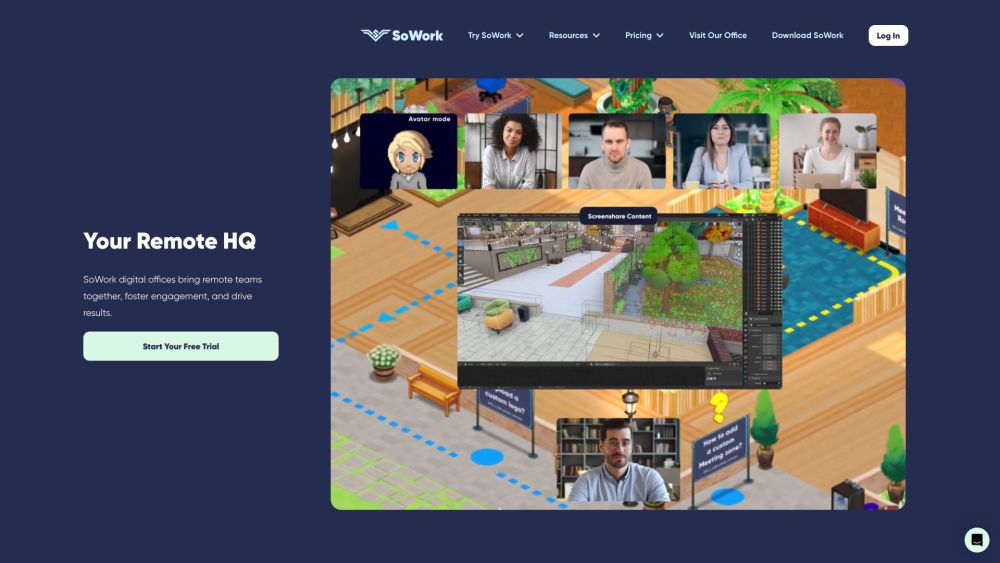
What is SoWork?
SoWork is an AI-driven virtual office platform designed to enhance remote collaboration. As a 'Smart Office', it provides seamless communication tools such as fluid video chat, HD recordings, and screenshare options. SoWork also includes AI-powered meeting summaries, customizable office layouts, and teammate insights to optimize productivity, spontaneity, and team connection.
How to use SoWork?
Getting started with SoWork is simple: create a free virtual office and personalize it with your unique avatar. Within this digital workspace, users can engage in spontaneous video chats, schedule meetings, collaborate with peers, and focus on tasks. Sophia Bot, the AI assistant, captures meeting notes, action points, and decisions. SoWork’s interface is flexible, offering customization options for office spaces to reflect your team’s identity. It is accessible via desktop or mobile devices, ensuring connectivity anywhere.
Key Features of SoWork
Effortless video chats with your team
High-quality video and recording options
Integrated screenshare
Options for public and private meetings
AI-generated meeting summaries
Customizable workspaces
Team insights and performance tracking
Use Cases for SoWork
Virtual events for sales and marketing teams
Real-time collaboration for engineering teams
Effective management for distributed teams
Seamless teamwork for product and design teams
About SoWork
SoWork, a Harvard i-Lab alum, is dedicated to revolutionizing remote work.
Learn more about SoWork here.
SoWork Login
Access your SoWork account via this login page.
SoWork Pricing
Find pricing details for SoWork's plans here.
SoWork on LinkedIn
Connect with SoWork on LinkedIn here.
SoWork on Twitter
Follow SoWork on Twitter here.
SoWork on Instagram
Check out SoWork's Instagram here.