Text to Image

SOREAL.AI

Create AI images with SOREAL.AI! Our cloud-based Dreambooth Studio lets you fine-tune models for unique, text-driven art. Start your creative journey today!

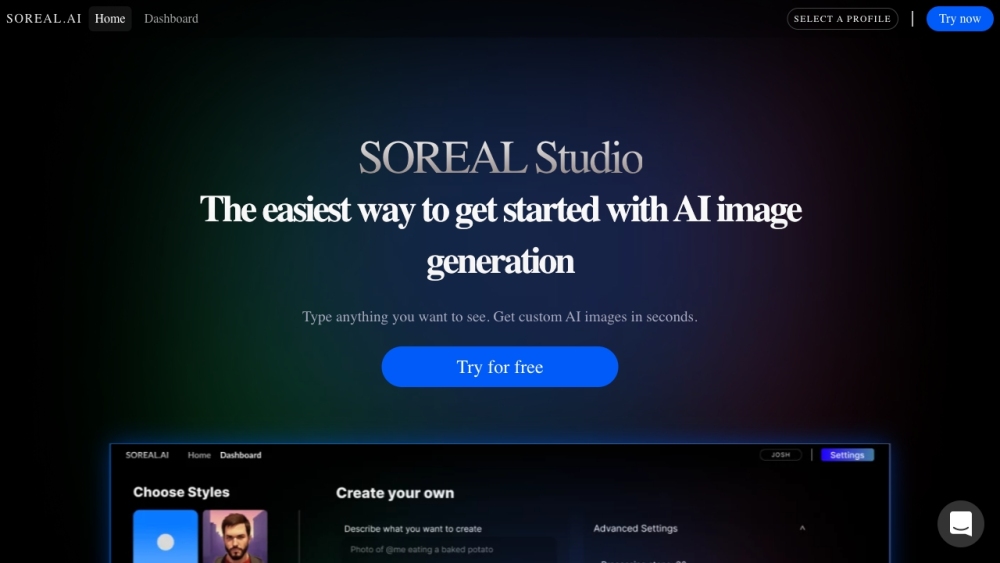
SOREAL.AI website preview

SOREAL.AI Website screenshot

What is SOREAL.AI?

SOREAL.AI is a cloud-based platform that utilizes advanced stable diffusion techniques to provide robust AI image generation services. At its core, it features Dreambooth Studio, an innovative online environment where users can customize and train AI models to generate unique images from textual descriptions.

How to use SOREAL.AI?

To begin with SOREAL.AI, access the Home Dashboard on their website. Enter any descriptive text, and the system will swiftly create an AI-generated image for you. You can also enhance the AI’s capabilities by uploading personal photos, allowing for the creation of a tailored AI model. These images can be utilized for various creative needs such as design, artwork, and more.

SOREAL.AI's Core Features

Key features offered by SOREAL.AI include: 1. AI Image Generation: Produce bespoke images based on text inputs or uploaded pictures. 2. Dreambooth Studio: Personalize and train AI models for specific image generation tasks. 3. Stable Diffusion 1.5: A reliable, cloud-hosted stable diffusion service for consistent high-quality image creation.

SOREAL.AI's Use Cases

SOREAL.AI serves multiple applications, such as: 1. Design and Artwork: Create distinct AI-generated visuals for use in creative projects. 2. Content Creation: Develop visual content quickly for websites, social media, and marketing campaigns. 3. Personalization: Craft images tailored to specific requirements or preferences.

Product source: SOREAL.AI official website. Check the provider for current plans, limits and availability.

FAQ

SOREAL.AI questions and answers

Product context and practical checks for evaluating SOREAL.AI.

What is SOREAL.AI used for?

Create AI images with SOREAL.AI! Our cloud-based Dreambooth Studio lets you fine-tune models for unique, text-driven art. Start your creative journey today!

How do I get started with SOREAL.AI?

To begin with SOREAL.AI, access the Home Dashboard on their website. Enter any descriptive text, and the system will swiftly create an AI-generated image for you. You can also enhance the AI’s capabilities by uploading personal photos, allowing for the creation of a tailored AI model. These images can be utilized for various creative needs such as design, artwork, and more.

Which capabilities are described for SOREAL.AI?

Key features offered by SOREAL.AI include: 1. AI Image Generation: Produce bespoke images based on text inputs or uploaded pictures. 2. Dreambooth Studio: Personalize and train AI models for specific image generation tasks. 3. Stable Diffusion 1.5: A reliable, cloud-hosted stable diffusion service for consistent high-quality image creation.

What projects can I evaluate SOREAL.AI for?

SOREAL.AI serves multiple applications, such as: 1. Design and Artwork: Create distinct AI-generated visuals for use in creative projects. 2. Content Creation: Develop visual content quickly for websites, social media, and marketing campaigns. 3. Personalization: Craft images tailored to specific requirements or preferences. SOREAL.AI Support Email & Customer Service Contact & Refund Contact For more details, visit the contact us page (https://www.soreal.ai/contact). SOREAL.AI Company SOREAL.AI is provided by SOREAL. SOREAL.AI Pricing For pricing information, please refer to the pricing page (https://www.soreal.ai/pricing). SOREAL.AI Facebook Connect with us on Facebook: https://www.facebook.com/getSoRealSOREAL.AI LinkedIn Follow us on LinkedIn: https://linkedin.com/in/avishayalonSOREAL.AI Twitter Stay updated on Twitter: https://twitter.com/sorealai

What should I compare before choosing a SOREAL.AI plan?

For pricing information, please refer to the pricing page (https://www.soreal.ai/pricing). Confirm current prices and allowances on the provider’s website before purchasing.

What inputs should I prepare for a SOREAL.AI trial?

Look for text prompts, image references, masks or sketches as appropriate. Compare composition control, supported upload types and the ability to revise a selected area.

How can I check the quality of a SOREAL.AI result?

Inspect text, hands, edges, reflections and repeated objects at full size. Check that important product or brand details survive editing.

Which export options should I check in SOREAL.AI?

Compare pixel dimensions, transparency, file formats and any enlargement options. Confirm that the downloaded result works in your design or publishing software.

What is a practical way to test SOREAL.AI against alternatives?

Prepare a brief with a subject, composition, lighting and required output size. Test a first generation and a targeted revision to see how much control you retain.

Where is the official SOREAL.AI website?

The website linked from this profile is https://www.soreal.ai. Use the provider’s own documentation, account area and support channels to confirm current product details.

Visit SOREAL.AI