What Is SocialRails?
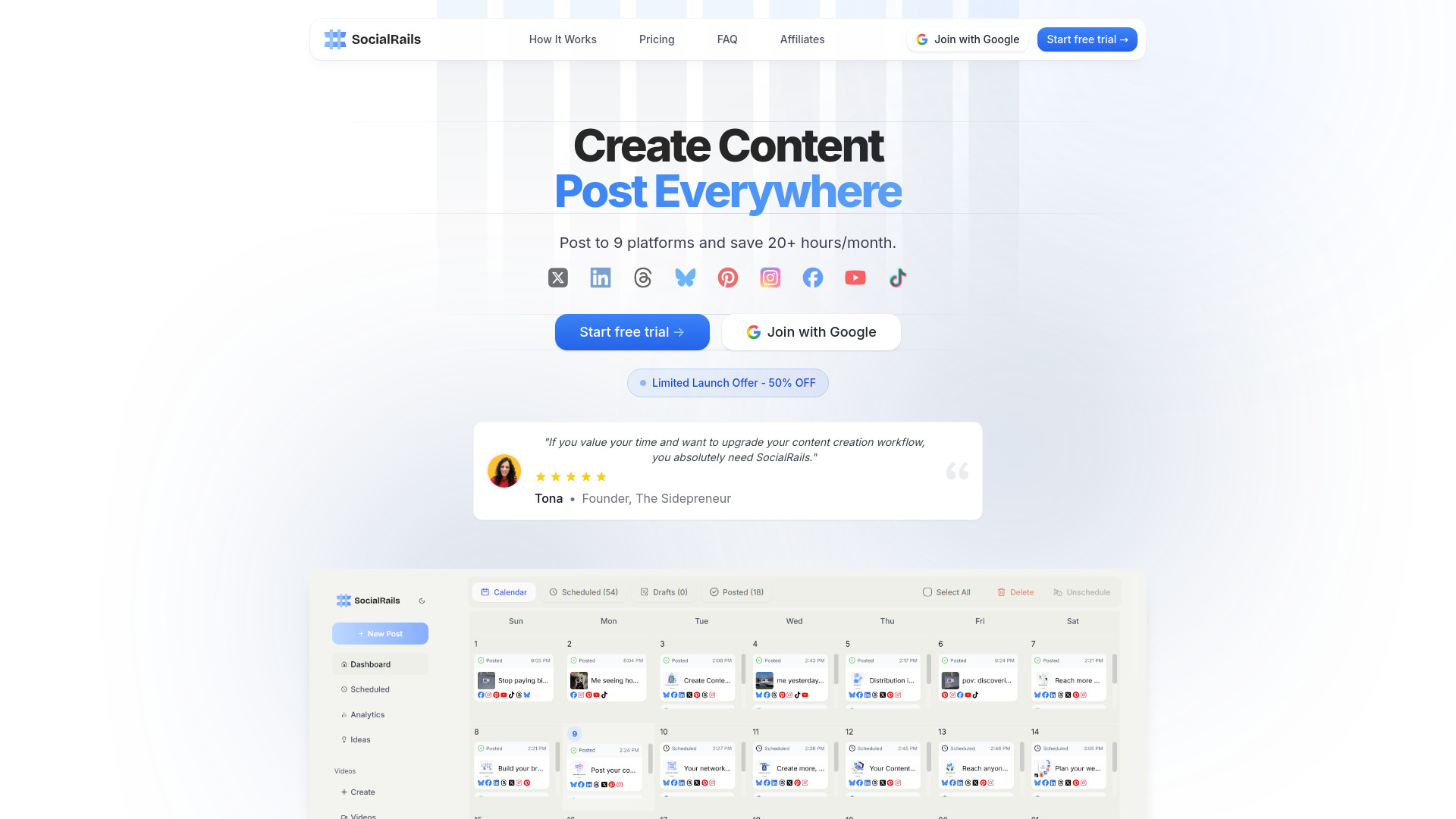
SocialRails is an AI-powered social media management platform designed to simplify content creation, publishing, automation, and performance tracking. Instead of switching between separate tools for every channel, businesses, creators, and agencies can plan and manage their social media activity from one centralized dashboard. The platform supports Instagram, Facebook, Twitter/X, LinkedIn, TikTok, YouTube, Pinterest, Bluesky, and Threads, allowing users to coordinate campaigns across nine major networks.
SocialRails combines artificial intelligence with practical scheduling and analytics tools to make social media workflows faster and more organized. Users can develop post ideas, write captions, create hashtags, prepare short-form videos, and schedule content well in advance. By automating repetitive tasks and supporting consistent publishing, SocialRails can help users save more than 20 hours each month while maintaining an active and professional online presence.
How to Use SocialRails
Getting started with SocialRails is straightforward. Begin by connecting your social media profiles to the platform’s unified workspace. Once your accounts are linked, you can use the AI content tools to generate captions, post concepts, hashtags, and video scripts based on your topic, audience, and brand style. Review and customize the suggestions before adding them to your content calendar.
After preparing your content, use the visual scheduling timeline to organize posts across multiple platforms. The drag-and-drop interface makes it easy to move content, adjust publishing dates, and build campaigns weeks or months ahead. You can also create recurring posts for evergreen messages and assign content to recommended timeslots to maintain a reliable publishing routine.
For more advanced workflows, SocialRails provides tools for resizing images, creating video thumbnails, adding alt text, and producing short-form videos from more than 350 templates. Agencies and larger teams can organize their work across as many as 25 workspaces, while role-based permissions help different contributors collaborate without losing control of the publishing process.
SocialRails Features for Smarter Social Media Management
- Centralized Multi-Network Publishing: Plan, schedule, and publish posts to Instagram, Facebook, Twitter/X, LinkedIn, TikTok, YouTube, Pinterest, Bluesky, and Threads without managing each platform separately. Batch publishing and a visual calendar make large content plans easier to coordinate.
- AI Content Assistance: Generate fresh social media ideas, captions, hashtags, and scripts with AI support. Suggestions can be adapted to your brand voice, content goals, and target audience, helping you produce useful content even when inspiration is limited.
- Short-Form Video Production: Create TikTok videos, Instagram Reels, and other short-form content with a library of more than 350 templates. The feature helps users produce polished videos without needing advanced editing knowledge or costly creative software.
- Scheduling and Workflow Automation: Automate evergreen content with recurring posts, organize campaigns around preferred publishing times, and prepare content in bulk. Image optimization, video thumbnail creation, and alt text tools further streamline the publishing process.
- Analytics and Workspace Management: Review content performance, identify engagement trends, and use reporting insights to refine your strategy. Up to 25 workspaces make it possible to separate brands, clients, or campaigns while keeping each account organized.
- Team-Based Collaboration: Invite team members to participate in content planning and approval workflows. Different roles and permissions support efficient collaboration while helping managers maintain quality and publishing oversight.
Together, these tools create a complete social media workflow, from the first content idea to final performance analysis. SocialRails is built to reduce manual work while helping users publish more consistently and make informed content decisions.
Why Use SocialRails for Content, Scheduling, and Analytics?
SocialRails is useful for users who want to bring content generation, scheduling, analytics, and automation into one platform. Its AI features can shorten the time required to develop social posts, while the centralized calendar provides a clear view of upcoming campaigns. This combination is especially valuable for teams that need to coordinate several channels without maintaining separate spreadsheets or disconnected applications.
The platform also supports a more consistent approach to social media marketing. Automated recurring posts can keep important evergreen messages in circulation, while scheduled timeslots help businesses maintain regular activity. Built-in analytics provide a way to assess which posts generate engagement and where adjustments may be needed. By combining creative support with performance data, SocialRails helps users move from simply publishing content to managing a more purposeful social strategy.
Features such as X Communities scheduling can support more focused audience outreach, while workspace organization and user permissions make the platform suitable for both individual creators and collaborative marketing departments. Whether you manage one brand or several client accounts, the interface is designed to scale with your publishing needs.
Who Can Benefit From SocialRails?
Marketing agencies can use SocialRails to coordinate multiple client accounts from separate workspaces. Each brand can have its own publishing calendar, content style, and campaign structure, while team members can receive specific responsibilities for writing, reviewing, or scheduling posts. This helps agencies reduce repetitive administrative work and maintain a consistent process across their client portfolio.
Content creators can use the AI writing tools to develop new post concepts, captions, and hashtag combinations when they need fresh ideas. The short-form video templates make it easier to produce Reels and TikToks regularly, which can be helpful for creators building an audience through frequent visual content.
Small businesses can use SocialRails to maintain an active social media presence without dedicating every day to manual publishing. By preparing content in advance, setting recurring posts, and reviewing analytics periodically, business owners can stay visible online while focusing on customer service, sales, and daily operations.
Larger marketing teams can benefit from shared workspaces, role-based access, and centralized campaign planning. These features help teams coordinate approvals, reduce publishing errors, and keep brand messaging aligned across several social networks.