AI SEO Assistant

Social Share

Your all-in-one social tool - Social Share - The #1 Bio Link Directory

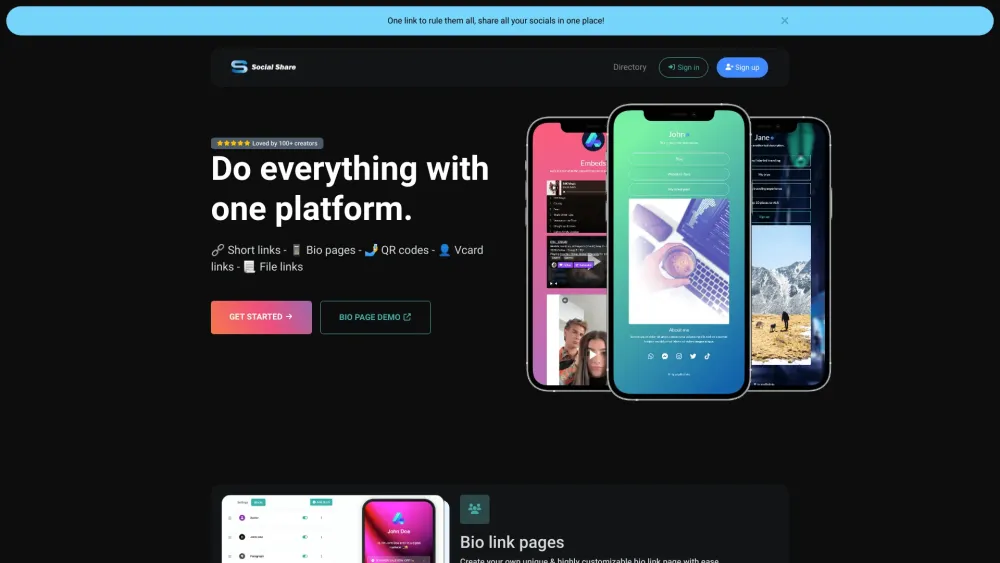
Social Share website preview

Social Share Website screenshot

What is Social Share?

Your ultimate social media toolkit - Social Share - offers a comprehensive suite of tools to enhance your online presence.

Short Links

Bio Pages

QR Codes

Vcard Links

File Links

How to Use Social Share

Create Custom Bio Link Pages

Design and personalize your own bio link page to showcase your online profile.

URL Shortener

Transform long URLs into concise, shareable links.

Generate QR Codes

Quickly create QR codes for easy sharing and access.

Track Link Performance

Monitor and analyze the performance of your shared links with comprehensive analytics.

Create Downloadable File Links

Generate links for downloadable files to streamline sharing.

Create Vcard Links

Create digital contact cards to easily share your contact details.

Create Event Links

Generate event links with downloadable and trackable calendar files.

Organize Your Projects

Utilize Social Share to manage and organize your various projects efficiently.

Product source: Social Share official website. Check the provider for current plans, limits and availability.

FAQ

Social Share questions and answers

Product context and practical checks for evaluating Social Share.

What is Social Share used for?

Your all-in-one social tool - Social Share - The #1 Bio Link Directory

How do I get started with Social Share?

Create Custom Bio Link PagesDesign and personalize your own bio link page to showcase your online profile.URL ShortenerTransform long URLs into concise, shareable links.Generate QR CodesQuickly create QR codes for easy sharing and access.Track Link PerformanceMonitor and analyze the performance of your shared links with comprehensive analytics.Create Downloadable File LinksGenerate links for downloadable files to streamline sharing.Create Vcard LinksCreate digital contact cards to easily share your contact details.Create Event LinksGenerate event links with downloadable and trackable calendar files.Organize Your ProjectsUtilize Social Share to manage and organize your various projects efficiently. Contact Social Share Support For customer service, reach out via email: [email protected]. For more contact options, visit the contact us page. About Social Share Company Name: Social Share - The #1 Bio Link Directory. Login to Social Share Access your account here: https://socialshare.me/login Sign Up for Social Share Create a new account: https://socialshare.me/register Follow Social Share on Twitter Stay updated: https://twitter.com/Socialsharelink Follow Social Share on Instagram Follow us: https://instagram.com/Socialshare.me

What should I compare before choosing a Social Share plan?

Check Social Share’s current pricing page for included usage, renewal terms and any credit charges. Compare the cost of a usable result, including retries, rather than assuming that account registration includes free usage.

What inputs should I prepare for a Social Share trial?

Identify the files, text or account connections your task needs. Confirm that the product accepts those inputs and offers controls for reviewing its work.

How can I check the quality of a Social Share result?

Test one representative task and inspect the result for accuracy and completeness. Record where manual corrections or extra tools are needed.

Which export options should I check in Social Share?

Check export formats, integrations and whether you can keep using your work outside the service. Test a real export before committing to a longer plan.

What is a practical way to test Social Share against alternatives?

Choose one task with a clear success condition. Keep the input consistent, record the time spent reviewing and compare the complete workflow cost.

What should I review before uploading material to Social Share?

Read the provider’s rules on access, retention, deletion and use of uploaded material. Start with a non-confidential sample that you have permission to use.

How can I check whether Social Share fits my existing workflow?

List the steps before and after using Social Share, including preparation, review and export. Test that complete sequence and check whether handoffs require manual conversion or another paid service.

Where is the official Social Share website?

The website linked from this profile is https://socialshare.me. Use the provider’s own documentation, account area and support channels to confirm current product details.

Visit Social Share