Resume Builder

Soca Chrome Extension

Soca Chrome Extension: Empower job seekers with AI-powered tools to optimize resumes, ace interviews, and land jobs faster. Your AI job search assistant!

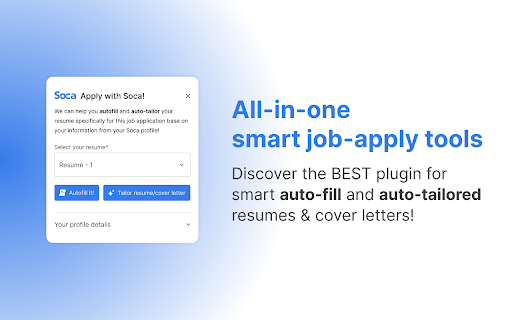
Soca Chrome Extension website preview

Soca Chrome Extension - Chrome Extension Website screenshot

What is the Soca Chrome Extension?

Soca Chrome Extension is an AI-powered tool designed to help job seekers streamline their application process and improve their chances of landing their desired job.

How Does the Soca Chrome Extension Work?

1. Download and install the Soca Chrome Extension from the Chrome Web Store.
2. Set up your personal profile with relevant career information.
3. Effortlessly apply to jobs across various platforms using its AI-powered tools.

Key Features of the Soca Chrome Extension

Seamless Job Applications

The extension simplifies job applications by automatically filling out your details, making the process fast and stress-free.

AI-Powered Resume Enhancements

Leverage the power of AI to fine-tune your resume, ensuring it's optimized for each job you apply for.

Applicant Tracking System (ATS) Optimization

Boost your chances of getting noticed by tailoring your resume to pass through ATS filters effectively.

Customized Cover Letters

Create personalized cover letters for each job, powered by AI suggestions, to increase your appeal to employers.

Job Application Tracking

Keep track of every application you submit, and monitor their status effortlessly with the built-in tracking tool.

Soca Chrome Extension's Practical Use Cases

Apply for Jobs with Ease

Use the extension to streamline the process of applying for various job opportunities.

Tailor Your Resume for Specific Roles

Enhance and customize your resume to suit each job, improving your chances of getting shortlisted.

Product source: Soca Chrome Extension official website. Check the provider for current plans, limits and availability.

FAQ

Soca Chrome Extension questions and answers

Product context and practical checks for evaluating Soca Chrome Extension.

What is Soca Chrome Extension used for?

Soca Chrome Extension: Empower job seekers with AI-powered tools to optimize resumes, ace interviews, and land jobs faster. Your AI job search assistant!

How do I get started with Soca Chrome Extension?

1. Download and install the Soca Chrome Extension from the Chrome Web Store. 2. Set up your personal profile with relevant career information. 3. Effortlessly apply to jobs across various platforms using its AI-powered tools.

Which capabilities are described for Soca Chrome Extension?

Seamless Job ApplicationsThe extension simplifies job applications by automatically filling out your details, making the process fast and stress-free.AI-Powered Resume EnhancementsLeverage the power of AI to fine-tune your resume, ensuring it's optimized for each job you apply for.Applicant Tracking System (ATS) OptimizationBoost your chances of getting noticed by tailoring your resume to pass through ATS filters effectively.Customized Cover LettersCreate personalized cover letters for each job, powered by AI suggestions, to increase your appeal to employers.Job Application TrackingKeep track of every application you submit, and monitor their status effortlessly with the built-in tracking tool.

What projects can I evaluate Soca Chrome Extension for?

Apply for Jobs with EaseUse the extension to streamline the process of applying for various job opportunities.Tailor Your Resume for Specific RolesEnhance and customize your resume to suit each job, improving your chances of getting shortlisted.

What should I compare before choosing a Soca Chrome Extension plan?

Check Soca Chrome Extension’s current pricing page for included usage, renewal terms and any credit charges. Compare the cost of a usable result, including retries, rather than assuming that account registration includes free usage.

What inputs should I prepare for a Soca Chrome Extension trial?

Check supported documents, datasets and source access. Establish whether the product can inspect your actual material rather than answer from general knowledge.

How can I check the quality of a Soca Chrome Extension result?

Follow citations to the original source, recalculate important numbers and check the date and scope of the evidence. Distinguish an explanation from a verified result.

Which export options should I check in Soca Chrome Extension?

Look for usable citations, tables, downloadable data and reproducible steps. A clear answer should let another person inspect how the conclusion was reached.

What is a practical way to test Soca Chrome Extension against alternatives?

Choose a question with known sources and a checkable result. Compare citation accuracy, omissions and reproducibility rather than response length.

Where is the official Soca Chrome Extension website?

The website linked from this profile is https://chromewebstore.google.com/detail/soca/fnhcdmabeaeekbnigeiaempoefemdngf. Use the provider’s own documentation, account area and support channels to confirm current product details.

Visit Soca Chrome Extension