Captions or Subtitle

SNAPVID

SNAPVID: Effortlessly create viral videos in seconds with AI. No skills needed, just quick and results every time.

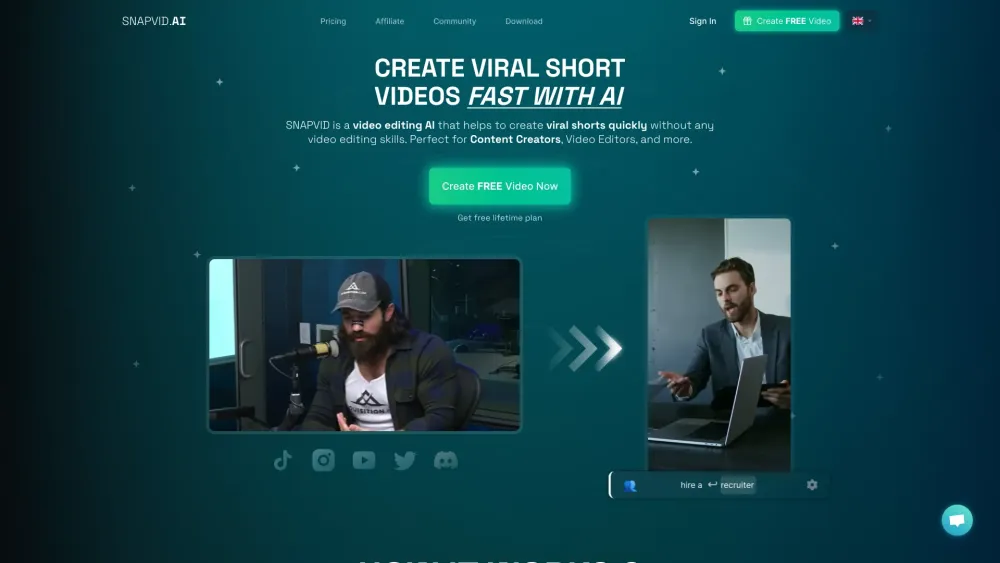
SNAPVID website preview

SNAPVID Website screenshot

Discover SNAPVID

SNAPVID is a powerful AI-driven video editing tool designed to help users effortlessly create viral short videos, even without any prior editing experience.

Getting Started with SNAPVID

Creating engaging short videos is a breeze with SNAPVID. Just sign up, upload your video clips, customize with subtitles and emojis, utilize AI-powered smart cuts, and export your polished video.

Key Features of SNAPVID

Smart Cut AI for optimizing viral content

Customizable subtitles and animated emojis

Flexible export and branding options

Smart Footage AI for enhanced video quality

Who Benefits from SNAPVID?

Content creators looking to save time and resources

Video editors seeking to streamline their workflow

Users aiming to enrich their videos with automated features like subtitles and emojis

Product source: SNAPVID official website. Check the provider for current plans, limits and availability.

FAQ

SNAPVID questions and answers

Product context and practical checks for evaluating SNAPVID.

What is SNAPVID used for?

SNAPVID: Effortlessly create viral videos in seconds with AI. No skills needed, just quick and results every time.

How do I get started with SNAPVID?

Creating engaging short videos is a breeze with SNAPVID. Just sign up, upload your video clips, customize with subtitles and emojis, utilize AI-powered smart cuts, and export your polished video.

Which capabilities are described for SNAPVID?

Smart Cut AI for optimizing viral contentCustomizable subtitles and animated emojisFlexible export and branding optionsSmart Footage AI for enhanced video quality

What should I compare before choosing a SNAPVID plan?

Learn about pricing here: https://snapvid.ai/pricing Confirm current prices and allowances on the provider’s website before purchasing.

What inputs should I prepare for a SNAPVID trial?

Compare text prompts, reference frames, source footage and audio support. Check duration, aspect ratio and whether the tool lets you keep a subject consistent between shots.

How can I check the quality of a SNAPVID result?

Watch the entire clip for motion errors, distorted objects, changing identities, lip-sync problems and abrupt transitions. Inspect the downloaded file as well as the preview.

Which export options should I check in SNAPVID?

Check export resolution, frame rate, aspect ratio, audio tracks and watermark rules. A good preview is not a substitute for an export that fits your publishing channel.

What is a practical way to test SNAPVID against alternatives?

Use a short shot with one subject and one camera movement. Keep the prompt and duration constant, then compare usable seconds and the number of regenerations.

What should I review before uploading material to SNAPVID?

Read the provider’s rules on access, retention, deletion and use of uploaded material. Start with a non-confidential sample that you have permission to use.

Where is the official SNAPVID website?

The website linked from this profile is https://snapvid.ai. Use the provider’s own documentation, account area and support channels to confirm current product details.

Visit SNAPVID