AI Background Remover

Snapied

Snapied is a simple yet powerful online graphic design tool that helps both professional and non-designers create amazing designs easily and quickly.

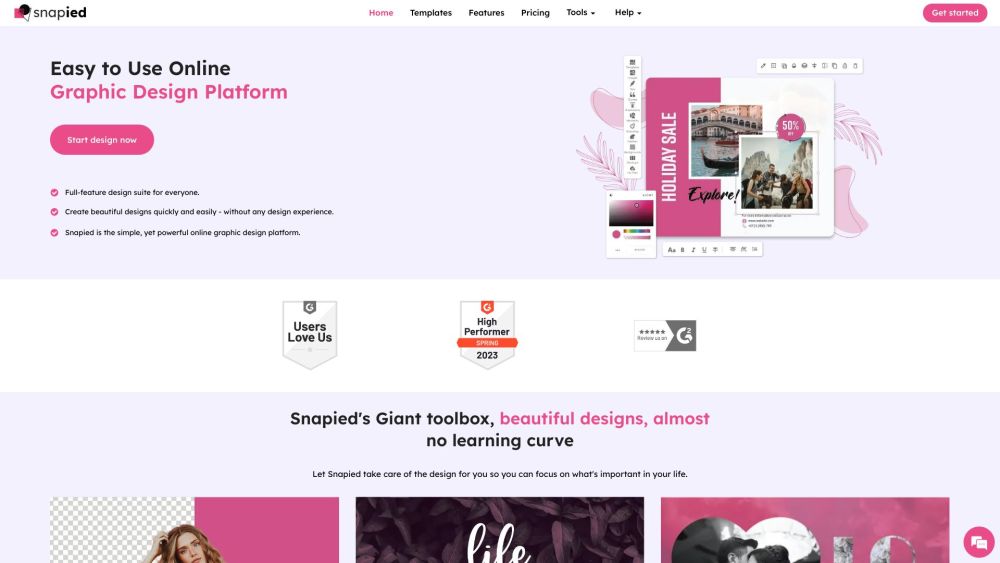
Snapied website preview

Snapied Website screenshot

What is Snapied?

Snapied is an intuitive and robust online graphic design tool that empowers both professionals and non-designers to create stunning designs quickly and effortlessly.

How to use Snapied?

To embed Snapied's design editor on your website, start by generating the embed code from the Snapied application. Customize the editor's appearance to match your site, then copy and paste the code into your website. This allows you to utilize all of Snapied's powerful features directly on your site.

Snapied's Core Features

4000+ templates

Popular fonts

AI-powered resizing

Collaboration tools

Download in multiple formats

Snapied's Use Cases

Bloggers

Content creators

Graphic designers

Product source: Snapied official website. Check the provider for current plans, limits and availability.

FAQ

Snapied questions and answers

Product context and practical checks for evaluating Snapied.

What is Snapied used for?

Snapied is a simple yet powerful online graphic design tool that helps both professional and non-designers create amazing designs easily and quickly.

How do I get started with Snapied?

To embed Snapied's design editor on your website, start by generating the embed code from the Snapied application. Customize the editor's appearance to match your site, then copy and paste the code into your website. This allows you to utilize all of Snapied's powerful features directly on your site.

Which capabilities are described for Snapied?

4000+ templatesPopular fontsAI-powered resizingCollaboration toolsDownload in multiple formats

What projects can I evaluate Snapied for?

BloggersContent creatorsGraphic designers Snapied Support Email & Customer service contact & Refund contact etc. For more information, visit the contact us page Snapied Company Company Name: DiviSocial Tech Solutions Snapied Login Login Link: https://www.snapied.com/login Snapied Pricing Pricing Information: https://www.snapied.com/pricing Snapied Facebook Facebook Page: https://www.facebook.com/snapied/ Snapied YouTube YouTube Channel: https://www.youtube.com/channel/UCVPZDG-L0hGmyRwU3gkQ4hQ Snapied LinkedIn LinkedIn Page: https://www.linkedin.com/company/snapied/ Snapied Twitter Twitter Handle: https://www.twitter.com/snapied/ Snapied Instagram Instagram Profile: https://www.instagram.com/TheSnapied/

What should I compare before choosing a Snapied plan?

Pricing Information: https://www.snapied.com/pricing Confirm current prices and allowances on the provider’s website before purchasing.

What inputs should I prepare for a Snapied trial?

Look for text prompts, image references, masks or sketches as appropriate. Compare composition control, supported upload types and the ability to revise a selected area.

How can I check the quality of a Snapied result?

Inspect text, hands, edges, reflections and repeated objects at full size. Check that important product or brand details survive editing.

Which export options should I check in Snapied?

Compare pixel dimensions, transparency, file formats and any enlargement options. Confirm that the downloaded result works in your design or publishing software.

What is a practical way to test Snapied against alternatives?

Prepare a brief with a subject, composition, lighting and required output size. Test a first generation and a targeted revision to see how much control you retain.

Where is the official Snapied website?

The website linked from this profile is https://www.snapied.com. Use the provider’s own documentation, account area and support channels to confirm current product details.

Visit Snapied