AI Photo &amp Image Generator

**SketchMe.App

AI-generated social media icon illustrations

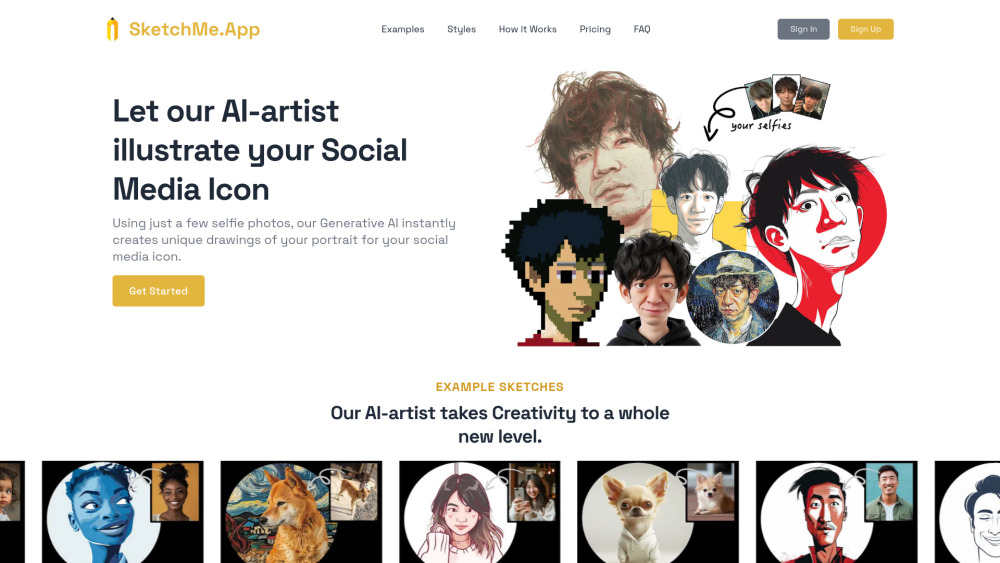
**SketchMe.App website preview

SketchMe.App Website screenshot

Discover SketchMe.App

SketchMe.App is an innovative platform that leverages Generative AI to craft custom illustrations from your selfies, perfect for use as social media avatars. Users can upload their photos and choose from a range of artistic styles, with the AI delivering personalized illustrations in just a minute. The service also accommodates images of pets and babies, making it versatile for various needs.

How to Get Started with SketchMe.App

Creating your Social Media Icon is straightforward: simply upload your selfies, choose a style and color, and click the 'Generate' button. The AI will produce eight distinct images within a few minutes, which you can download as many times as you like.

Key Features of SketchMe.App

AI-Generated Social Media Icons from Selfies

Multiple Artistic Styles Available

Applications of SketchMe.App

Effortlessly create one-of-a-kind social media profile images

Product source: **SketchMe.App official website. Check the provider for current plans, limits and availability.

FAQ

**SketchMe.App questions and answers

Product context and practical checks for evaluating **SketchMe.App.

What is **SketchMe.App used for?

AI-generated social media icon illustrations

How do I get started with **SketchMe.App?

Creating your Social Media Icon is straightforward: simply upload your selfies, choose a style and color, and click the 'Generate' button. The AI will produce eight distinct images within a few minutes, which you can download as many times as you like.

Which capabilities are described for **SketchMe.App?

AI-Generated Social Media Icons from SelfiesMultiple Artistic Styles Available

What projects can I evaluate **SketchMe.App for?

Effortlessly create one-of-a-kind social media profile images About SketchMe.App SketchMe.App is a service provided by Gibberish Lab Ltd., located in Setagaya City, Tokyo. You can reach them at their office: 3-chōme-45-8 Okusawa Flat, 102, Tokyo, 158-0083. Access SketchMe.App Login: https://www.sketchme.app/ Sign up: https://www.sketchme.app/ Pricing: https://www.sketchme.app/#pricing Connect with SketchMe.App Twitter: https://x.com/SketchmeApp Instagram: https://www.instagram.com/sketchme.app/

How does **SketchMe.App handle login?

Access SketchMe.App Login: https://www.sketchme.app/ Sign up: https://www.sketchme.app/ Pricing: https://www.sketchme.app/#pricing

How does **SketchMe.App handle twitter?

Connect with SketchMe.App Twitter: https://x.com/SketchmeApp Instagram: https://www.instagram.com/sketchme.app/

What should I compare before choosing a **SketchMe.App plan?

Check **SketchMe.App’s current pricing page for included usage, renewal terms and any credit charges. Compare the cost of a usable result, including retries, rather than assuming that account registration includes free usage.

What inputs should I prepare for a **SketchMe.App trial?

Look for text prompts, image references, masks or sketches as appropriate. Compare composition control, supported upload types and the ability to revise a selected area.

How can I check the quality of a **SketchMe.App result?

Inspect text, hands, edges, reflections and repeated objects at full size. Check that important product or brand details survive editing.

Where is the official **SketchMe.App website?

The website linked from this profile is https://sketchme.app. Use the provider’s own documentation, account area and support channels to confirm current product details.

Visit **SketchMe.App