AI Photo &amp Image Generator

Sketchar™

Sketchar™ AI Drawing App: Join 10M+ creators worldwide! Unleash your creativity with AI-powered tools and features, right from your mobile.

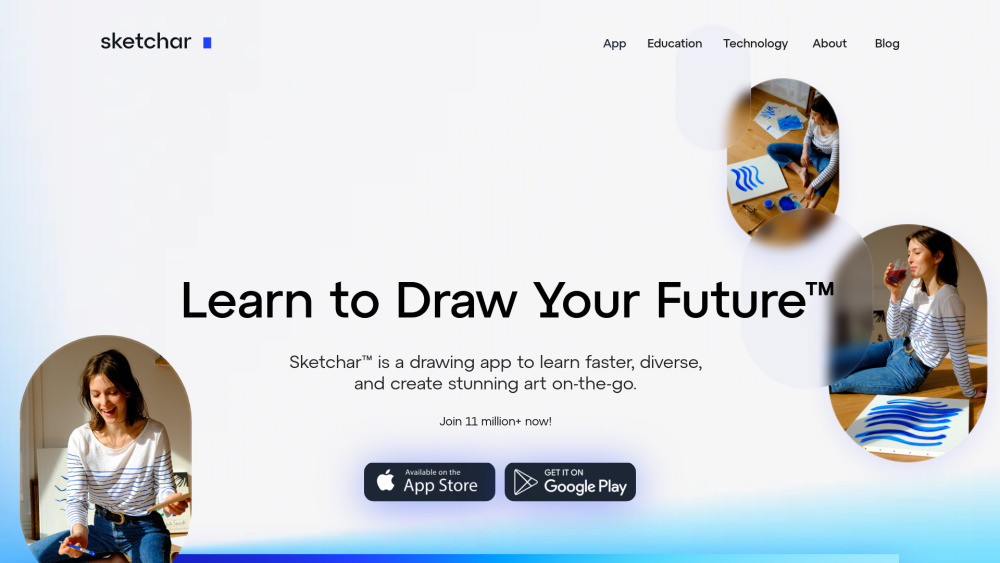
Sketchar™ website preview

Sketchar™ Website screenshot

Discover Sketchar™: The Ultimate AI Mobile Drawing App

Sketchar™ is a revolutionary AI-powered mobile app designed for artists and creators worldwide. With over 10 million global users, Sketchar™ bridges the gap between creativity and technology, offering an engaging platform for both beginners and professionals to enhance their drawing skills.

Getting Started with Sketchar™

Begin your artistic journey with Sketchar™ by simply downloading the app. Dive into a variety of tools, explore different drawing techniques, and start creating stunning artwork either solo or with a community of artists.

Key Features of Sketchar™

Collaborate with a Global Community of 10M+ Creators

Leverage AI for Enhanced Drawing Assistance

Access a Wide Range of Creative Tools

How Creators Use Sketchar™

Collaborate on Art Projects with Global Artists

Product source: Sketchar™ official website. Check the provider for current plans, limits and availability.

FAQ

Sketchar™ questions and answers

Product context and practical checks for evaluating Sketchar™.

What is Sketchar™ used for?

Sketchar™ AI Drawing App: Join 10M+ creators worldwide! Unleash your creativity with AI-powered tools and features, right from your mobile.

How do I get started with Sketchar™?

Begin your artistic journey with Sketchar™ by simply downloading the app. Dive into a variety of tools, explore different drawing techniques, and start creating stunning artwork either solo or with a community of artists.

Which capabilities are described for Sketchar™?

Collaborate with a Global Community of 10M+ CreatorsLeverage AI for Enhanced Drawing AssistanceAccess a Wide Range of Creative Tools

What should I compare before choosing a Sketchar™ plan?

Check Sketchar™’s current pricing page for included usage, renewal terms and any credit charges. Compare the cost of a usable result, including retries, rather than assuming that account registration includes free usage.

What inputs should I prepare for a Sketchar™ trial?

Identify the files, text or account connections your task needs. Confirm that the product accepts those inputs and offers controls for reviewing its work.

How can I check the quality of a Sketchar™ result?

Test one representative task and inspect the result for accuracy and completeness. Record where manual corrections or extra tools are needed.

Which export options should I check in Sketchar™?

Check export formats, integrations and whether you can keep using your work outside the service. Test a real export before committing to a longer plan.

What is a practical way to test Sketchar™ against alternatives?

Choose one task with a clear success condition. Keep the input consistent, record the time spent reviewing and compare the complete workflow cost.

What should I review before uploading material to Sketchar™?

Read the provider’s rules on access, retention, deletion and use of uploaded material. Start with a non-confidential sample that you have permission to use.

Where is the official Sketchar™ website?

The website linked from this profile is https://sketchar.io. Use the provider’s own documentation, account area and support channels to confirm current product details.

Visit Sketchar™