AI Productivity Tools

Sheet+

Boost your Google Sheets & Excel skills with Sheet+, the AI-powered tool that generates, explains, and debugs formulas. Save time and simplify spreadsheets!

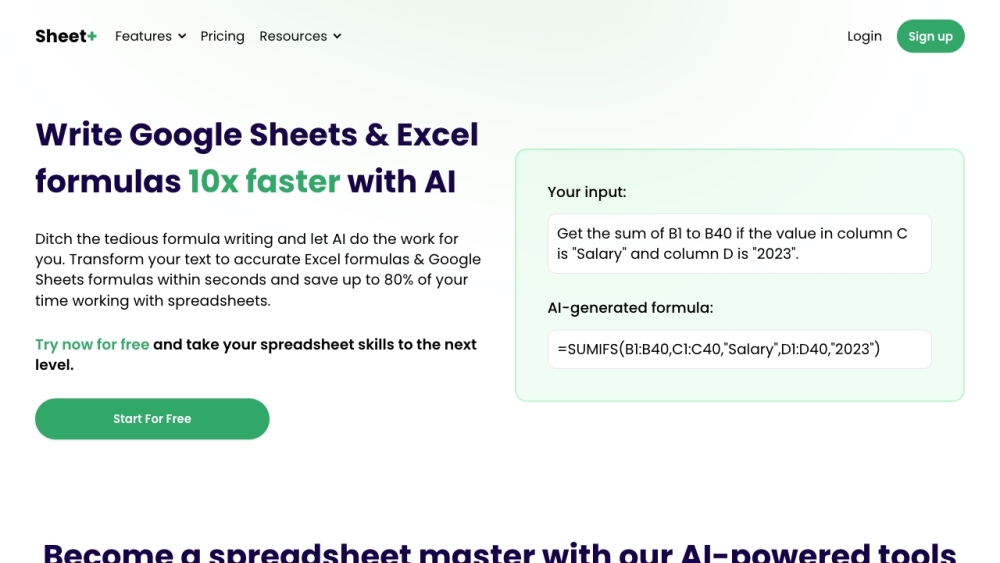
Sheet+ website preview

Sheet+ Website screenshot

What is Sheet+?

Sheet+ is an AI-driven solution designed to assist users in creating formulas for Google Sheets and Excel. It also offers functionality to translate complex formulas into simple explanations and debug existing formulas. The tool aims to save users' time and improve their spreadsheet proficiency by leveraging artificial intelligence.

How to use Sheet+?

Using Sheet+ is straightforward: describe the formula you need for Google Sheets or Excel, and the AI will generate it accurately and promptly. You can also input a current formula to get detailed explanations of each part. Furthermore, Sheet+ includes a debugging feature to help find and correct errors in formulas.

Sheet+'s Core Features

Formula Generator: AI-generated formulas for Google Sheets and Excel based on text input.

Formula Explainer: Step-by-step breakdowns and explanations of existing formulas.

Debugger: Assistance in identifying and resolving formula errors.

Sheet+'s Use Cases

Automated Formula Generation: Save time by having AI create precise formulas from your descriptions.

Formula Explanation: Gain a clear understanding of existing formulas through detailed AI-generated explanations.

Formula Debugging: Quickly find and fix errors in your formulas with AI assistance.

Enhanced Spreadsheet Skills: Boost your spreadsheet expertise and productivity with AI-powered tools.

Product source: Sheet+ official website. Check the provider for current plans, limits and availability.

FAQ

Sheet+ questions and answers

Product context and practical checks for evaluating Sheet+.

What is Sheet+ used for?

Boost your Google Sheets & Excel skills with Sheet+, the AI-powered tool that generates, explains, and debugs formulas. Save time and simplify spreadsheets!

How do I get started with Sheet+?

Using Sheet+ is straightforward: describe the formula you need for Google Sheets or Excel, and the AI will generate it accurately and promptly. You can also input a current formula to get detailed explanations of each part. Furthermore, Sheet+ includes a debugging feature to help find and correct errors in formulas.

Which capabilities are described for Sheet+?

Formula Generator: AI-generated formulas for Google Sheets and Excel based on text input.Formula Explainer: Step-by-step breakdowns and explanations of existing formulas.Debugger: Assistance in identifying and resolving formula errors.

What projects can I evaluate Sheet+ for?

Automated Formula Generation: Save time by having AI create precise formulas from your descriptions.Formula Explanation: Gain a clear understanding of existing formulas through detailed AI-generated explanations.Formula Debugging: Quickly find and fix errors in your formulas with AI assistance.Enhanced Spreadsheet Skills: Boost your spreadsheet expertise and productivity with AI-powered tools. Sheet+ Login Sheet+ Login Link: https://app.formulashq.com/ Sheet+ Sign up Sheet+ Sign up Link: https://app.formulashq.com?m=signup Sheet+ Pricing Sheet+ Pricing Link: https://formulashq.com/#pricing Sheet+ YouTube Sheet+ YouTube Link: https://www.youtube.com/watch?v=3jdubICIlJc Sheet+ LinkedIn Sheet+ LinkedIn Link: https://www.linkedin.com/company/formulashq/ Sheet+ Twitter Sheet+ Twitter Link: https://twitter.com/FormulasHQ

What should I compare before choosing a Sheet+ plan?

Sheet+ Pricing Link: https://formulashq.com/#pricing Confirm current prices and allowances on the provider’s website before purchasing.

What inputs should I prepare for a Sheet+ trial?

Compare repository access, context limits, supported languages and tool permissions. Check whether the assistant can read relevant files and run your existing checks.

How can I check the quality of a Sheet+ result?

Review the diff, run tests and inspect error handling and dependency changes. Generated code should meet the same review standard as a human contribution.

Which export options should I check in Sheet+?

Prefer changes you can inspect and keep in version control. Check whether code, tests and configuration can be exported without depending on a hosted preview.

What is a practical way to test Sheet+ against alternatives?

Choose a small reproducible bug with an existing failing check. Measure whether the tool fixes the cause, preserves behavior and produces a reviewable change.

Where is the official Sheet+ website?

The website linked from this profile is . Use the provider’s own documentation, account area and support channels to confirm current product details.