Writing Assistants

SermonGPT

SermonGPT is an app powered by Machine Learning and AI technology, designed to help you write sermons faster. With just a few seconds, you can generate impactful sermons for various occasions.

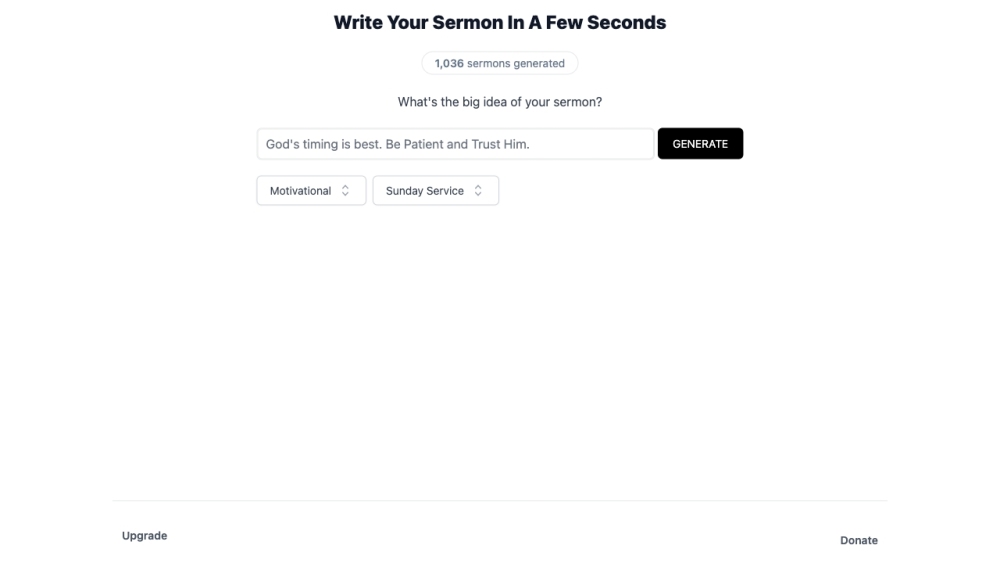
SermonGPT website preview

SermonGPT Website screenshot

What is SermonGPT?

SermonGPT is an innovative app utilizing Machine Learning and AI technology to streamline the sermon writing process. In mere seconds, it enables you to create powerful sermons tailored to various events.

How to use SermonGPT?

1. Launch the SermonGPT app.
2. Input the main theme or idea of your sermon.
3. Click the 'GENERATE' button.
4. Within moments, SermonGPT will craft a sermon for you.
5. Adjust and personalize the generated sermon to meet your specific needs.
6. Save, publish, or share your completed sermon.

SermonGPT's Core Features

1. Instant Sermon Creation: Quickly produce sermons by entering your central idea. 2. Advanced AI and Machine Learning: Uses sophisticated algorithms to deliver relevant and cohesive sermon content. 3. Customization: Easily modify and personalize the sermons to align with your unique preaching style and audience. 4. Time Efficiency: Dramatically reduce sermon preparation time from hours to mere seconds.

SermonGPT's Use Cases

- Church pastors and preachers seeking to optimize their sermon preparation time. - Individuals in need of inspiration and guidance for crafting impactful sermons. - Ministers and clergy members looking for support in sermon creation. - Christian speakers and evangelists requiring sermon content for their engagements.

Product source: SermonGPT official website. Check the provider for current plans, limits and availability.

FAQ

SermonGPT questions and answers

Product context and practical checks for evaluating SermonGPT.

What is SermonGPT used for?

SermonGPT is an app powered by Machine Learning and AI technology, designed to help you write sermons faster. With just a few seconds, you can generate impactful sermons for various occasions.

How do I get started with SermonGPT?

1. Launch the SermonGPT app. 2. Input the main theme or idea of your sermon. 3. Click the 'GENERATE' button. 4. Within moments, SermonGPT will craft a sermon for you. 5. Adjust and personalize the generated sermon to meet your specific needs. 6. Save, publish, or share your completed sermon.

Which capabilities are described for SermonGPT?

1. Instant Sermon Creation: Quickly produce sermons by entering your central idea. 2. Advanced AI and Machine Learning: Uses sophisticated algorithms to deliver relevant and cohesive sermon content. 3. Customization: Easily modify and personalize the sermons to align with your unique preaching style and audience. 4. Time Efficiency: Dramatically reduce sermon preparation time from hours to mere seconds.

What projects can I evaluate SermonGPT for?

- Church pastors and preachers seeking to optimize their sermon preparation time. - Individuals in need of inspiration and guidance for crafting impactful sermons. - Ministers and clergy members looking for support in sermon creation. - Christian speakers and evangelists requiring sermon content for their engagements. SermonGPT Pricing For detailed pricing information, visit: https://forms.gle/qQJg2Pn9ngAGXTgg7

What should I compare before choosing a SermonGPT plan?

For detailed pricing information, visit: https://forms.gle/qQJg2Pn9ngAGXTgg7 Confirm current prices and allowances on the provider’s website before purchasing.

What inputs should I prepare for a SermonGPT trial?

Look for text prompts, image references, masks or sketches as appropriate. Compare composition control, supported upload types and the ability to revise a selected area.

How can I check the quality of a SermonGPT result?

Inspect text, hands, edges, reflections and repeated objects at full size. Check that important product or brand details survive editing.

Which export options should I check in SermonGPT?

Compare pixel dimensions, transparency, file formats and any enlargement options. Confirm that the downloaded result works in your design or publishing software.

What is a practical way to test SermonGPT against alternatives?

Prepare a brief with a subject, composition, lighting and required output size. Test a first generation and a targeted revision to see how much control you retain.

Where is the official SermonGPT website?

The website linked from this profile is https://www.sermongpt.com. Use the provider’s own documentation, account area and support channels to confirm current product details.

Visit SermonGPT