Text&ampWriting

Serif

Serif’s AI assistant cuts email time by 50%. Automate drafts, scheduling, and inbox management for Gmail & Outlook. Save 10+ hours weekly

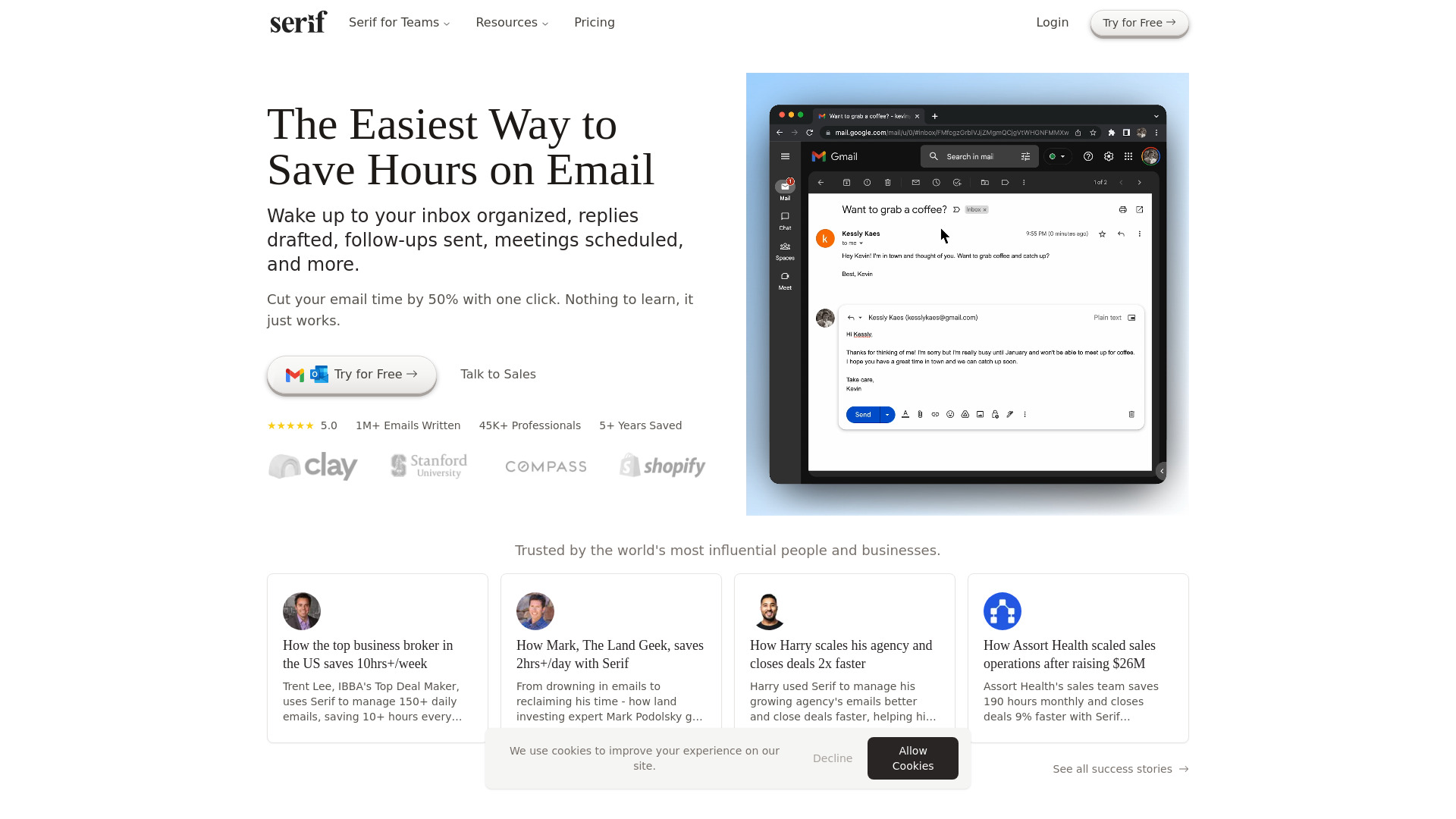
Serif website preview

What is Serif?

Serif is an AI email assistant, scheduling tool, and smart inbox manager designed to reduce the administrative work behind everyday business communication. It helps professionals prepare replies, sort incoming messages, arrange meetings, and keep conversations moving through timely follow-ups. Working with Gmail and Outlook, Serif brings these capabilities into familiar email workflows. Its personalized drafting adapts to your communication style, helping you respond consistently without composing every message from scratch. For executives, entrepreneurs, and busy teams, Serif offers a practical way to spend less time managing an inbox and more time on clients, decisions, and business priorities.

How to Use Serif

Start by connecting Serif to your Gmail or Outlook account through its account authorization process. Once connected, the assistant can use your email context and writing patterns to prepare relevant responses. When a message needs an answer, use the drafting feature to generate a suggested reply, check the details, make any necessary changes, and send it. Alongside reply assistance, Serif organizes incoming messages with labels and filtering, helping you distinguish actionable correspondence from promotional emails and other inbox clutter.

For tasks that involve repeated exchanges, Serif also supports email delegation. Forward a suitable conversation or scheduling request to its designated delegation address and let the assistant handle the coordination. It can work through meeting arrangements, routine replies, and follow-ups, bringing you back into the conversation when a decision requires your attention. This workflow is especially useful when arranging a meeting takes several messages or when routine correspondence interrupts more demanding work. Confirm the correct delegation address and available permissions in your account before getting started.

Key Features of Serif

  • Personalized Email Drafts: Serif uses the context of a conversation and patterns in your previous correspondence to suggest replies that reflect your tone. You can review and edit each draft before sending, reducing repetitive writing while retaining oversight of the final message.
  • Smart Inbox Management: Automatic categorization and labeling make incoming email easier to navigate. By separating messages that need action from marketing content and lower-priority correspondence, Serif helps you identify where to focus your attention.
  • AI Meeting Scheduling: Serif assists with the back-and-forth involved in finding suitable meeting times. Its scheduling capabilities support availability coordination, calendar invitations, and related follow-ups, reducing the manual effort required to bring participants together.
  • Delegated Email Conversations: Hand off eligible email threads so the assistant can manage routine exchanges on your behalf. This feature supports ongoing coordination tasks and allows you to return when the conversation reaches a point that needs your judgment.
  • Writing Style Adaptation: Rather than relying only on standard templates, Serif draws on your communication history to personalize its suggestions. The goal is to produce drafts that fit your usual phrasing, level of formality, and approach to professional correspondence.
  • Privacy and Security Measures: Serif states that customer emails are not used to train general AI models and describes third-party security assessment measures. Because its materials also reference work toward compliance standards, verify current SOC 2 Type 2, GDPR, and HIPAA status before relying on specific assurances.

Why Choose Serif?

Serif combines email writing, inbox organization, scheduling, and conversation delegation in one assistant. Bringing these tasks together can reduce the effort of switching between messages, calendars, and follow-up reminders. Its appeal is particularly clear for professionals whose days involve large volumes of similar requests: answering prospects, coordinating with clients, confirming availability, and keeping business discussions active. Personalized drafts provide a useful starting point, while delegation can reduce the number of routine exchanges that require direct attention.

The supplied product information describes substantial productivity gains, including examples of business brokers saving more than 10 hours per week and sales operations teams saving 190 hours per month while closing deals 9% faster. These figures represent reported examples rather than guaranteed outcomes; results will depend on message volume, task complexity, and how the assistant is used. Serif's Gmail and Outlook integrations make it relevant to teams already working in those environments. For prospective users, the key consideration is how well its drafting quality, organization, and delegation features fit their actual communication needs.

Use Cases and Applications

Sales teams can use Serif to prepare prospect replies, maintain follow-up conversations, and coordinate calls with potential customers. Business brokers managing frequent buyer and seller inquiries can delegate routine exchanges and devote more attention to negotiations. Agency owners and entrepreneurs can use personalized drafting to support regular client communication as their workload grows. Real estate professionals and land investors may find scheduling and correspondence assistance useful when responding to property inquiries or coordinating appointments. Executives can also use the assistant to reduce the time spent on routine administrative messages. Across these situations, Serif is most useful where recurring email tasks consume time that could otherwise go toward relationship building, planning, or specialist work.

Product source: Serif official website. Check the provider for current plans, limits and availability.

FAQ

Serif questions and answers

Product context and practical checks for evaluating Serif.

What is Serif used for?

Serif’s AI assistant cuts email time by 50%. Automate drafts, scheduling, and inbox management for Gmail & Outlook. Save 10+ hours weekly

How do I get started with Serif?

Start by connecting Serif to your Gmail or Outlook account through its account authorization process. Once connected, the assistant can use your email context and writing patterns to prepare relevant responses. When a message needs an answer, use the drafting feature to generate a suggested reply, check the details, make any necessary changes, and send it. Alongside reply assistance, Serif organizes incoming messages with labels and filtering, helping you distinguish actionable correspondence from promotional emails and other inbox clutter.For tasks that involve repeated exchanges, Serif also supports email delegation. Forward a suitable conversation or scheduling request to its designated delegation address and let the assistant handle the coordination. It can work through meeting arrangements, routine replies, and follow-ups, bringing you back into the conversation when a decision requires your attention. This workflow is especially useful when arranging a meeting takes several messages or when routine correspondence interrupts more demanding work. Confirm the correct delegation address and available permissions in your account before getting started.

Which capabilities are described for Serif?

Personalized Email Drafts: Serif uses the context of a conversation and patterns in your previous correspondence to suggest replies that reflect your tone. You can review and edit each draft before sending, reducing repetitive writing while retaining oversight of the final message. Smart Inbox Management: Automatic categorization and labeling make incoming email easier to navigate. By separating messages that need action from marketing content and lower-priority correspondence, Serif helps you identify where to focus your attention. AI Meeting Scheduling: Serif assists with the back-and-forth involved in finding suitable meeting times. Its scheduling capabilities support availability coordination, calendar invitations, and related follow-ups, reducing the manual effort required to bring participants together. Delegated Email Conversations: Hand off eligible email threads so the assistant can manage routine exchanges on your behalf. This feature supports ongoing coordination tasks and allows you to return when the conversation reaches a point that needs your judgment. Writing Style Adaptation: Rather than relying only on standard templates, Serif draws on your communication history to personalize its suggestions. The goal is to produce drafts that fit your usual phrasing, level of formality, and approach to professional correspondence. Privacy and Security Measures: Serif states that customer emails are not used to train general AI models and describes third-party security assessment measures. Because its materials also reference work toward compliance standards, verify current SOC 2 Type 2, GDPR, and HIPAA status before relying on specific assurances.

What projects can I evaluate Serif for?

Sales teams can use Serif to prepare prospect replies, maintain follow-up conversations, and coordinate calls with potential customers. Business brokers managing frequent buyer and seller inquiries can delegate routine exchanges and devote more attention to negotiations. Agency owners and entrepreneurs can use personalized drafting to support regular client communication as their workload grows. Real estate professionals and land investors may find scheduling and correspondence assistance useful when responding to property inquiries or coordinating appointments. Executives can also use the assistant to reduce the time spent on routine administrative messages. Across these situations, Serif is most useful where recurring email tasks consume time that could otherwise go toward relationship building, planning, or specialist work.

How does Serif handle personalized email drafts?

Personalized Email Drafts: Serif uses the context of a conversation and patterns in your previous correspondence to suggest replies that reflect your tone. You can review and edit each draft before sending, reducing repetitive writing while retaining oversight of the final message.

How does Serif handle smart inbox management?

Smart Inbox Management: Automatic categorization and labeling make incoming email easier to navigate. By separating messages that need action from marketing content and lower-priority correspondence, Serif helps you identify where to focus your attention.

What should I compare before choosing a Serif plan?

Check Serif’s current pricing page for included usage, renewal terms and any credit charges. Compare the cost of a usable result, including retries, rather than assuming that account registration includes free usage.

What inputs should I prepare for a Serif trial?

Compare support for source documents, style instructions, outlines and length limits. Check whether citations link to real material rather than merely looking like references.

How can I check the quality of a Serif result?

Verify names, dates, quotations and factual claims against the original sources. Edit tone, remove repetition and make sure the text answers the intended reader’s question.

Where is the official Serif website?

The website linked from this profile is https://www.serif.ai. Use the provider’s own documentation, account area and support channels to confirm current product details.

Visit Serif