AI Content Generator

SendShort

SendShort: Transform long videos into viral shorts with AI. Upload and let our tech create your next hit! šŸš€

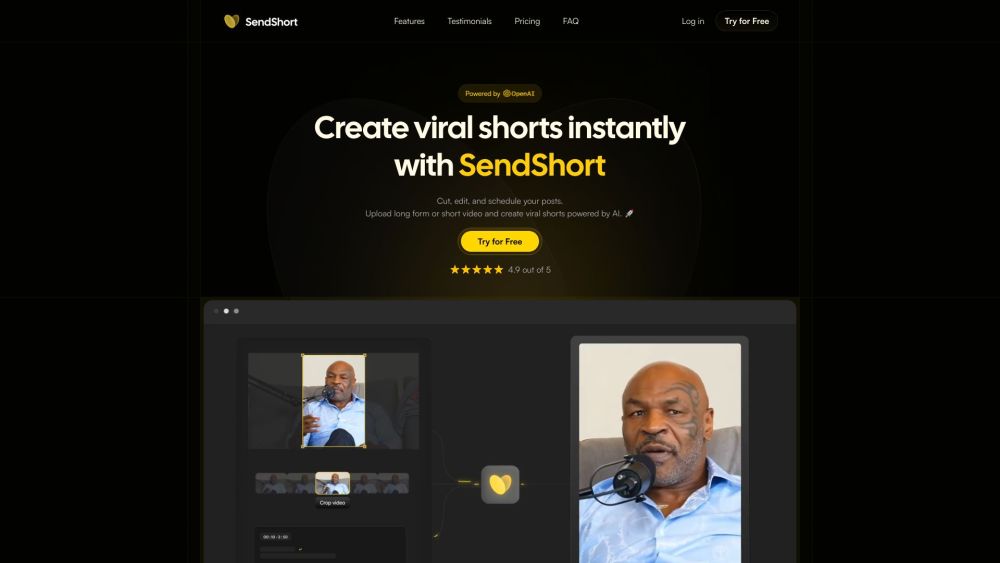
SendShort website preview

SendShort Website screenshot

Introducing SendShort: Revolutionizing Video Content Creation

With SendShort, transform lengthy videos into engaging, viral AI-powered shorts that captivate your audience instantly. 🚀

Mastering SendShort: A Step-by-Step Guide

Step 1: Easily upload Short or Long Videos Step 2: Effortlessly Edit and Crop for perfection Step 3: Seamlessly Schedule and manage social media posts

Discover SendShort's Cutting-Edge Features

Instant creation of viral shorts

Efficient cut, edit, and post scheduling

Automated cropping for optimal display

Access to Subtitles templates from renowned content creators

Tailored templates to suit your unique style

Enhance your videos with B-Rolls

Support for over 50 languages to reach a global audience

Detailed performance analytics for tracking success

Efficient inbox management for seamless communication

Unlocking the Potential: SendShort's Diverse Applications

Beneficial for Content creators looking to boost engagement

Perfect for Video editors seeking efficiency

Essential for Marketing agencies aiming for impact

Ideal for E-commerce brands to enhance product visibility

Great for Podcasts to amplify reach and engagement

Product source: SendShort official website. Check the provider for current plans, limits and availability.

FAQ

SendShort questions and answers

Product context and practical checks for evaluating SendShort.

What is SendShort used for?

SendShort: Transform long videos into viral shorts with AI. Upload and let our tech create your next hit! šŸš€

How do I get started with SendShort?

Open the official SendShort website and identify the workflow that matches your task. Use a short shot with one subject and one camera movement. Keep the prompt and duration constant, then compare usable seconds and the number of regenerations.

Which capabilities are described for SendShort?

Instant creation of viral shortsEfficient cut, edit, and post schedulingAutomated cropping for optimal displayAccess to Subtitles templates from renowned content creatorsTailored templates to suit your unique styleEnhance your videos with B-RollsSupport for over 50 languages to reach a global audienceDetailed performance analytics for tracking successEfficient inbox management for seamless communication

What projects can I evaluate SendShort for?

Beneficial for Content creators looking to boost engagementPerfect for Video editors seeking efficiencyEssential for Marketing agencies aiming for impactIdeal for E-commerce brands to enhance product visibilityGreat for Podcasts to amplify reach and engagement Join the SendShort Community on Discord! Experience the power of community at SendShort Discord: https://discord.gg/rMMxMRwYfx, https://discord.gg/9KXEhD2aK5. For more Discord messages, click here(/discord/rmmxmrwyfx). Connect with SendShort Support Team For any queries or assistance, reach out to SendShort support via email: [email protected]. Visit the contact us page(mailto:[email protected]) for more contact options. Get to Know SendShort Company Discover SendShort, a leading name in innovative video content creation solutions. Access SendShort Platform Sign in to your SendShort account: https://app.sendshort.ai/home Join SendShort Today Create your SendShort account today: https://app.sendshort.ai/en/sign-up Explore SendShort Pricing Discover the pricing plans offered by SendShort: https://www.sendshort.ai/#pricing Follow SendShort on Social Media Stay updated with SendShort on various platforms: YouTube: https://youtube.com/@SendShort_fr?si=deQtjrAGOwIaN8aX Tiktok: https://www.tiktok.com/@sendshort_fr?_t=8kOus8koyUS&_r=1 LinkedIn: https://www.linkedin.com/company/sendshort/ Twitter: https://twitter.com/sendshort?s=21 Instagram: https://www.instagram.com/sendshort_fr/?igsh=MjFkamQ4dGR1NmJ2

What should I compare before choosing a SendShort plan?

Discover the pricing plans offered by SendShort: https://www.sendshort.ai/#pricing Confirm current prices and allowances on the provider’s website before purchasing.

What inputs should I prepare for a SendShort trial?

Compare text prompts, reference frames, source footage and audio support. Check duration, aspect ratio and whether the tool lets you keep a subject consistent between shots.

How can I check the quality of a SendShort result?

Watch the entire clip for motion errors, distorted objects, changing identities, lip-sync problems and abrupt transitions. Inspect the downloaded file as well as the preview.

Which export options should I check in SendShort?

Check export resolution, frame rate, aspect ratio, audio tracks and watermark rules. A good preview is not a substitute for an export that fits your publishing channel.

What is a practical way to test SendShort against alternatives?

Use a short shot with one subject and one camera movement. Keep the prompt and duration constant, then compare usable seconds and the number of regenerations.

Where is the official SendShort website?

The website linked from this profile is https://app.sendshort.ai/login. Use the provider’s own documentation, account area and support channels to confirm current product details.

Visit SendShort