AI For Data Analytics

Search Console Audit

Unlock SEO growth! Our Search Console Audit turns raw GSC data into clear, actionable insights—driving measurable traffic gains.

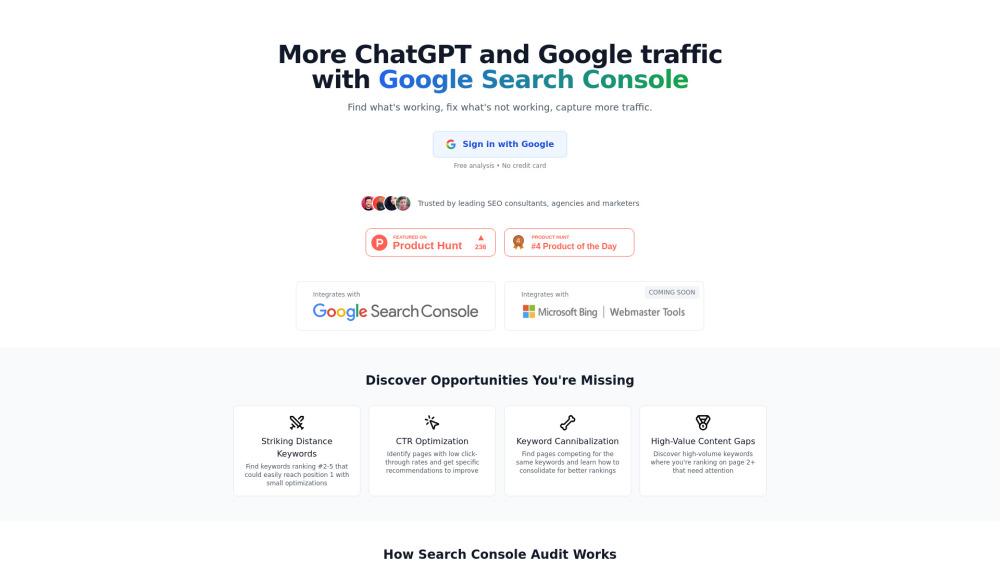
Search Console Audit website preview

Search Console Audit Website screenshot

What Is a Search Console Audit?

A Search Console Audit is a strategic, AI-enhanced evaluation of your Google Search Console data—designed not just to report metrics, but to convert them into prioritized, executable SEO actions. It goes beyond surface-level impressions and clicks to uncover *why* certain pages underperform, where ranking potential remains untapped, and how to systematically increase visibility—not only in Google search results but also across emerging AI-driven discovery channels like ChatGPT and other LLM-powered interfaces. By layering behavioral analysis, competitive context, and effort-aware prioritization, it delivers clear next steps grounded in real-world impact.

How Does the Search Console Audit Work?

Getting started takes just three streamlined steps: First, grant secure, read-only access to your Google Search Console account via OAuth. Second, choose one or more verified properties you'd like to assess—whether a primary domain, subdomain, or AMP property. Third, let the audit engine process your latest 28 days of performance data and generate a tailored roadmap, highlighting high-impact optimizations ranked by estimated traffic lift per unit of effort.

Key Capabilities of the Search Console Audit

Striking Distance Keywords

Identifies keywords where your pages rank between positions #4–#10—close enough to earn top-3 visibility with targeted on-page refinements.

CTR Optimization Engine

Pinpoints pages with below-benchmark click-through rates and recommends precise, testable improvements—such as title tag rewrites, snippet enhancements, or SERP feature alignment.

Keyword Cannibalization Mapper

Reveals internal competition across multiple URLs targeting identical or overlapping queries—and suggests consolidation paths, canonical strategies, or content repurposing plans.

Page Two Opportunity Finder

Surfaces high-volume, low-competition keywords where your site ranks on page two (or deeper), flagging them for strategic content upgrades or technical optimization.

AI-Powered Action Generator

Delivers contextual, implementation-ready recommendations—including optimized title/meta templates, internal linking suggestions, schema opportunities, and realistic effort estimates tied to projected traffic gains.

Who Benefits from This Audit?

SEO Teams Seeking Precision

Replace broad “audit reports” with focused, sprint-ready tasks—each backed by data, prioritized by ROI, and scoped for engineering or content teams.

Content Strategists Building Authority

Discover gaps where competitors rank—but your site doesn’t—and prioritize new content or expansion based on proven demand signals.

Growth Marketers Scaling Organic Reach

Leverage GSC insights not just for SEO—but for cross-channel intelligence, including how your content appears in AI answer boxes and conversational search contexts.

Agency Professionals Delivering Value

Turn raw client data into compelling, defensible recommendations—with clear before/after benchmarks and measurable KPIs tied to business goals.

Product source: Search Console Audit official website. Check the provider for current plans, limits and availability.

FAQ

Search Console Audit questions and answers

Product context and practical checks for evaluating Search Console Audit.

What is Search Console Audit used for?

Unlock SEO growth! Our Search Console Audit turns raw GSC data into clear, actionable insights—driving measurable traffic gains.

How do I get started with Search Console Audit?

Getting started takes just three streamlined steps: First, grant secure, read-only access to your Google Search Console account via OAuth. Second, choose one or more verified properties you'd like to assess—whether a primary domain, subdomain, or AMP property. Third, let the audit engine process your latest 28 days of performance data and generate a tailored roadmap, highlighting high-impact optimizations ranked by estimated traffic lift per unit of effort.

Which capabilities are described for Search Console Audit?

Striking Distance KeywordsIdentifies keywords where your pages rank between positions #4–#10—close enough to earn top-3 visibility with targeted on-page refinements.CTR Optimization EnginePinpoints pages with below-benchmark click-through rates and recommends precise, testable improvements—such as title tag rewrites, snippet enhancements, or SERP feature alignment.Keyword Cannibalization MapperReveals internal competition across multiple URLs targeting identical or overlapping queries—and suggests consolidation paths, canonical strategies, or content repurposing plans.Page Two Opportunity FinderSurfaces high-volume, low-competition keywords where your site ranks on page two (or deeper), flagging them for strategic content upgrades or technical optimization.AI-Powered Action GeneratorDelivers contextual, implementation-ready recommendations—including optimized title/meta templates, internal linking suggestions, schema opportunities, and realistic effort estimates tied to projected traffic gains.

What should I compare before choosing a Search Console Audit plan?

Check Search Console Audit’s current pricing page for included usage, renewal terms and any credit charges. Compare the cost of a usable result, including retries, rather than assuming that account registration includes free usage.

What inputs should I prepare for a Search Console Audit trial?

Compare support for source documents, style instructions, outlines and length limits. Check whether citations link to real material rather than merely looking like references.

How can I check the quality of a Search Console Audit result?

Verify names, dates, quotations and factual claims against the original sources. Edit tone, remove repetition and make sure the text answers the intended reader’s question.

Which export options should I check in Search Console Audit?

Check export to plain text, Markdown, documents or your publishing system. Formatting, headings and working links matter when moving a draft into production.

What is a practical way to test Search Console Audit against alternatives?

Use a real brief and a short source document. Compare factual accuracy, structure and editing time rather than accepting the longest or most confident draft.

What should I review before uploading material to Search Console Audit?

Read the provider’s rules on access, retention, deletion and use of uploaded material. Start with a non-confidential sample that you have permission to use.

Where is the official Search Console Audit website?

The website linked from this profile is https://searchconsoleaudit.com. Use the provider’s own documentation, account area and support channels to confirm current product details.

Visit Search Console Audit