Table of contents
Scraps: AI-native Sketchbook for Ideation, Creative Thinking & PKB
Scraps: The AI-native sketchbook that sparks ideation, fuels creative thinking, and organizes your personal knowledge—effortlessly.
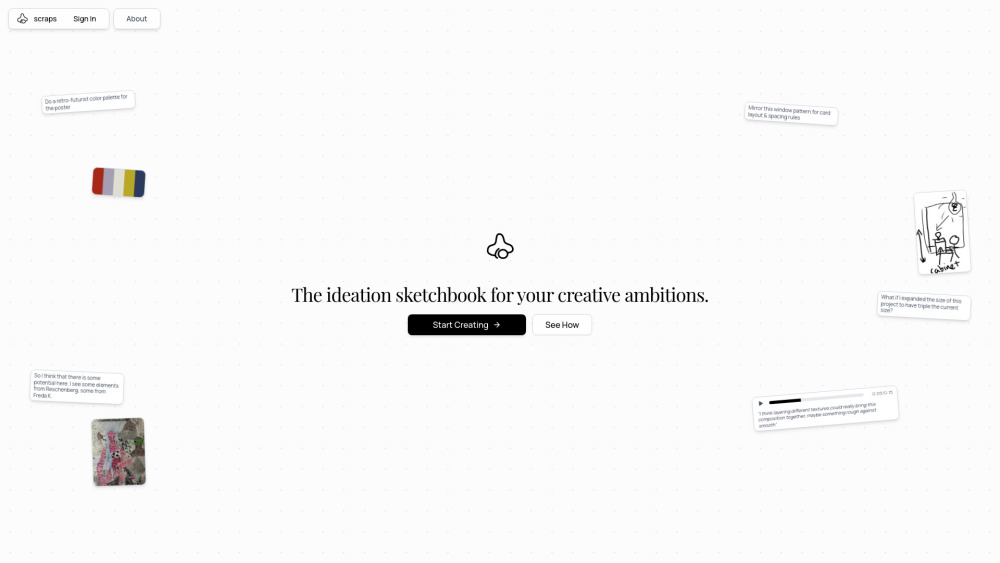
What is scraps?
scraps is the first AI-native sketchbook purpose-built for how creative minds actually think: non-linearly, multimodally, and iteratively. It doesn’t just store ideas—it *understands* them. By intelligently interpreting photos, handwritten sketches, voice memos, typed notes, and even fragmented thoughts, scraps surfaces hidden patterns, sparks serendipitous associations, and helps you move from isolated fragments to fully formed insights. More than a canvas or notebook, it’s a responsive thinking environment—evolving in real time into your Personal Knowledge Base (PKB) as your creative archive deepens.
How does scraps work?
Start anywhere—snap a reference photo, sketch a rough concept, record a voice note mid-walk, or paste a line of text. scraps instantly contextualizes each input, weaving it into your growing knowledge graph. Then, activate AI-powered ideation modes: Spark Shuffle reveals surprising links across disparate ideas; Spark Mixing fuses concepts into hybrid possibilities; Chat with AI lets you refine, challenge, or expand thinking in real time; Find Similar resurrects relevant past fragments you’d forgotten; and Nudge Cards offer timely, context-aware prompts when momentum stalls. Capture inspiration wherever it happens—via the dedicated mobile app built for speed and spontaneity.
Core Capabilities
AI-native sketchbook—designed for cognition, not just capture
Multimodal intelligence: sees meaning in sketches, hears nuance in voice, reads context in text & images
Input-agnostic workflow: photos, handwriting, audio, text, diagrams—all equally valid starting points
Generative ideation suite: Spark Shuffle, Spark Mixing, Chat with AI, Find Similar, Nudge Cards
Self-organizing PKB: learns your thinking style, surfaces connections, and grows more valuable over time
Mobile-first capture: instant idea logging with camera, mic, stylus, and keyboard—no friction, no lost insight
Who uses scraps—and why?
Designers mapping user journeys with annotated screenshots and voice reflections.
Product teams brainstorming features by mixing customer quotes, wireframes, and competitor screenshots.
Writers developing characters using mood-board photos, dialogue snippets, and location sketches.
Founders capturing “aha” moments during walks—then refining them into pitch narratives via AI chat.
Researchers connecting field notes, interview audio, and visual observations into thematic insights.
Frequently Asked Questions
-
What is scraps?
-
What types of content can I add to scraps?
-
How does AI assist in scraps?
-
Is there a mobile version of scraps?
-
Who is scraps best suited for?
-
About scraps
scraps is developed by scraps Company—a team rooted in human-centered design and AI ethics. We believe tools should amplify, not automate, human imagination.
Learn our philosophy and vision: The scraps Manifesto.
-
Get started
Ready to begin? Sign in at: https://www.joinscraps.com/login
FAQ from scraps
What is scraps?
scraps is the first AI-native sketchbook engineered for the full spectrum of creative cognition. It interprets multimodal inputs—photos, sketches, voice, text—not as static files, but as nodes in your evolving Personal Knowledge Base (PKB). Its AI acts as a silent collaborator: identifying latent relationships, proposing novel combinations, and helping you think *with* your archive—not just *in* it.
How does scraps work?
Add anything—anytime. scraps analyzes, indexes, and cross-links your inputs in real time. Then use its generative toolkit: Spark Shuffle uncovers unexpected parallels; Spark Mixing merges concepts into new territory; Chat with AI turns reflection into dialogue; Find Similar retrieves forgotten but relevant fragments; Nudge Cards offer gentle, intelligent prompts when you’re stuck. And yes—it’s designed from the ground up for mobile capture.
What types of content can I add to scraps?
Everything you naturally reach for: smartphone photos, hand-drawn sketches (with stylus or finger), spoken voice notes, typed fragments, screenshots, PDF annotations—even messy, half-formed thoughts. scraps thrives on raw, unpolished input—the very fuel of authentic ideation.
How does AI assist in scraps?
Its AI doesn’t generate finished outputs. Instead, it operates as a *cognitive amplifier*: revealing connections your brain might overlook, blending ideas you wouldn’t intuitively pair, helping you interrogate assumptions through conversation, surfacing past work that resonates now—and knowing precisely when to nudge, not interrupt.
Is there a mobile version of scraps?
Absolutely. The scraps mobile app is optimized for lightning-fast capture: one-tap photo, voice-to-sketch transcription, palm-friendly drawing, and instant text jots. Inspiration is fleeting—your sketchbook shouldn’t be.
Who is scraps best suited for?
Creative professionals who think in layers—not lists. Designers, strategists, writers, educators, product builders, and researchers who value depth over speed, connection over completion, and insight over output. If your best ideas emerge between mediums, across time, and outside the screen—scraps was made for you.
`, ``, `
`, `
- `, `