AI Chatbot

SciSpace AI Tool

SciSpace: The AI tool for analyzing and summarizing scientific papers. Highlight text, ask questions, get summaries, and conduct literature reviews effortlessly.

SciSpace AI Tool website preview
html

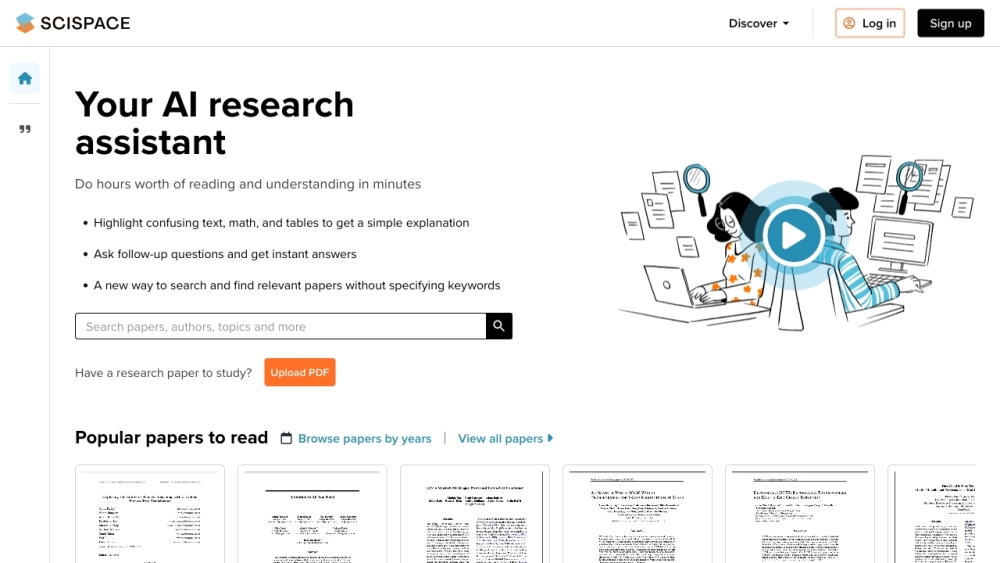
SciSpace Website screenshot

What is SciSpace?

SciSpace is an advanced AI-driven platform designed to aid users in comprehending and dissecting scientific research papers. Its capabilities include text highlighting, question asking, extracting detailed explanations and summaries, and facilitating literature reviews.

How to use SciSpace?

Using SciSpace is straightforward: users can search for specific topics or pose questions about scientific research. They also have the option to upload their PDFs for analysis. By highlighting sections or posing questions, users receive concise summaries, detailed explanations, and clarifications of complex ideas. SciSpace also allows users to save notes for later reference. Furthermore, a Chrome extension is available, offering instant answers to articles across various websites.

SciSpace's Core Features

The core features of SciSpace are: 1. Highlighting text, mathematical equations, and tables within research papers. 2. Asking follow-up questions for deeper insights into topics. 3. Utilizing preset questions to quickly obtain summaries, future research directions, and related studies. 4. Saving notes on significant information from PDFs or Copilot responses. 5. A Chrome extension for real-time article answers on any website.

SciSpace's Use Cases

Conducting literature reviews

Analyzing and interpreting research papers

Obtaining summaries and explanations of academic content

Finding related research and future work

Supporting scientific research and improving reading comprehension

Product source: SciSpace AI Tool official website. Check the provider for current plans, limits and availability.

FAQ

SciSpace AI Tool questions and answers

Product context and practical checks for evaluating SciSpace AI Tool.

What is SciSpace AI Tool used for?

SciSpace: The AI tool for analyzing and summarizing scientific papers. Highlight text, ask questions, get summaries, and conduct literature reviews effortlessly.

How do I get started with SciSpace AI Tool?

Using SciSpace is straightforward: users can search for specific topics or pose questions about scientific research. They also have the option to upload their PDFs for analysis. By highlighting sections or posing questions, users receive concise summaries, detailed explanations, and clarifications of complex ideas. SciSpace also allows users to save notes for later reference. Furthermore, a Chrome extension is available, offering instant answers to articles across various websites.

Which capabilities are described for SciSpace AI Tool?

The core features of SciSpace are: 1. Highlighting text, mathematical equations, and tables within research papers. 2. Asking follow-up questions for deeper insights into topics. 3. Utilizing preset questions to quickly obtain summaries, future research directions, and related studies. 4. Saving notes on significant information from PDFs or Copilot responses. 5. A Chrome extension for real-time article answers on any website.

What projects can I evaluate SciSpace AI Tool for?

Conducting literature reviewsAnalyzing and interpreting research papersObtaining summaries and explanations of academic contentFinding related research and future workSupporting scientific research and improving reading comprehension SciSpace Discord Join the SciSpace community on Discord: https://discord.gg/cR3r8wP92C. For more information, click here. SciSpace Support Email & Customer Service Contact Contact SciSpace customer support via email: [email protected]. For additional contact details, visit our contact page. About SciSpace Company SciSpace is developed by PubGenius Inc. Learn more about us on our About Us page. SciSpace Login Access SciSpace by logging in here: https://typeset.io/ SciSpace Sign Up Create an account on SciSpace here: https://typeset.io/ SciSpace Pricing Explore SciSpace pricing options here: https://typeset.io/pricing SciSpace Twitter Follow SciSpace on Twitter: https://twitter.com/scispace_ SciSpace Instagram Follow SciSpace on Instagram: https://www.instagram.com/scispace_official/ SciSpace WhatsApp Contact SciSpace on WhatsApp: https://typ.st/whatsapp

What should I compare before choosing a SciSpace AI Tool plan?

Explore SciSpace pricing options here: https://typeset.io/pricing Confirm current prices and allowances on the provider’s website before purchasing.

What inputs should I prepare for a SciSpace AI Tool trial?

Compare support for source documents, style instructions, outlines and length limits. Check whether citations link to real material rather than merely looking like references.

How can I check the quality of a SciSpace AI Tool result?

Verify names, dates, quotations and factual claims against the original sources. Edit tone, remove repetition and make sure the text answers the intended reader’s question.

Which export options should I check in SciSpace AI Tool?

Check export to plain text, Markdown, documents or your publishing system. Formatting, headings and working links matter when moving a draft into production.

What is a practical way to test SciSpace AI Tool against alternatives?

Use a real brief and a short source document. Compare factual accuracy, structure and editing time rather than accepting the longest or most confident draft.

Where is the official SciSpace AI Tool website?

The website linked from this profile is https://typeset.io. Use the provider’s own documentation, account area and support channels to confirm current product details.

Visit SciSpace AI Tool