Summarizer

Scholarcy

Scholarcy is an online summarizing tool that uses AI technology to generate and convert long articles, reports, and documents into summary flashcards. It helps users quickly assess the importance of a document by breaking it down into bite-sized sections.

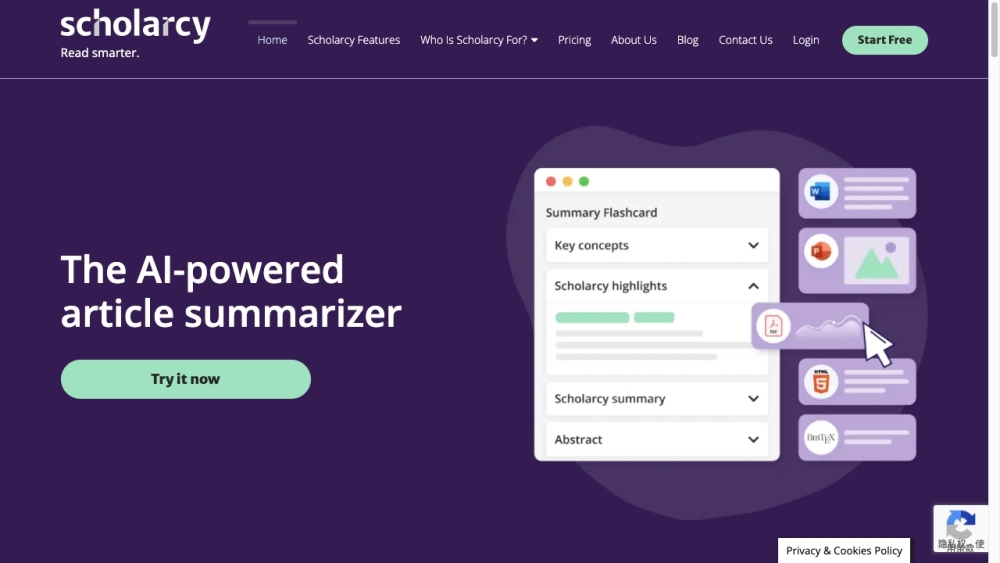
Scholarcy website preview

Scholarcy Website screenshot

What is Scholarcy?

Scholarcy is a sophisticated AI-driven tool designed to summarize lengthy articles, reports, and documents into concise flashcards. This online platform helps users quickly gauge the significance of a document by distilling it into manageable sections.

How to use Scholarcy?

Using Scholarcy is straightforward. First, create a free account on their website. After logging in, you can upload your research papers, reports, or other documents in Word or PDF formats. Scholarcy will process the text, identifying essential details like study participants, data analyses, main conclusions, and limitations. It then creates a summary flashcard featuring key points, figures, and references. Additionally, you can install a browser extension for Chrome and Edge to connect Scholarcy with open-access repositories, allowing you to build a personalized summarized research library.

Scholarcy's Core Features

AI-driven summarization

Divides lengthy documents into digestible sections

Extracts critical details like participants, data analysis, findings, and limitations

Creates flashcards summarizing key facts, figures, and references

Provides links to open-access versions of referenced sources

Browser extension for Chrome and Edge integration

Personalized summarized research library

Scholarcy's Use Cases

Academic researchers

Policy analysts

Journalists

Students

Librarians

Product source: Scholarcy official website. Check the provider for current plans, limits and availability.

FAQ

Scholarcy questions and answers

Product context and practical checks for evaluating Scholarcy.

What is Scholarcy used for?

Scholarcy is an online summarizing tool that uses AI technology to generate and convert long articles, reports, and documents into summary flashcards. It helps users quickly assess the importance of a document by breaking it down into bite-sized sections.

How do I get started with Scholarcy?

Using Scholarcy is straightforward. First, create a free account on their website. After logging in, you can upload your research papers, reports, or other documents in Word or PDF formats. Scholarcy will process the text, identifying essential details like study participants, data analyses, main conclusions, and limitations. It then creates a summary flashcard featuring key points, figures, and references. Additionally, you can install a browser extension for Chrome and Edge to connect Scholarcy with open-access repositories, allowing you to build a personalized summarized research library.

Which capabilities are described for Scholarcy?

AI-driven summarizationDivides lengthy documents into digestible sectionsExtracts critical details like participants, data analysis, findings, and limitationsCreates flashcards summarizing key facts, figures, and referencesProvides links to open-access versions of referenced sourcesBrowser extension for Chrome and Edge integrationPersonalized summarized research library

What projects can I evaluate Scholarcy for?

Academic researchersPolicy analystsJournalistsStudentsLibrarians Scholarcy Support & Contact Information For more contact details, visit the contact us page(https://www.scholarcy.com/contact-us/) About Scholarcy Scholarcy Limited is the company behind Scholarcy. Learn more about Scholarcy on the about us page(https://www.scholarcy.com/about-us/). Scholarcy Login Login here: https://library.scholarcy.com/login Scholarcy Sign Up Sign up here: https://library.scholarcy.com/signup Scholarcy Pricing View pricing details here: https://www.scholarcy.com/pricing Scholarcy on Facebook Visit Scholarcy's Facebook page: https://www.facebook.com/scholarcyScholarcy on YouTube Visit Scholarcy's YouTube channel: https://www.youtube.com/channel/UCAYldMMz6_2ZKoGL12UghdgScholarcy on LinkedIn Visit Scholarcy's LinkedIn page: https://www.linkedin.com/company/scholarcyScholarcy on Twitter Visit Scholarcy's Twitter page: https://twitter.com/scholarcy

What should I compare before choosing a Scholarcy plan?

View pricing details here: https://www.scholarcy.com/pricing Confirm current prices and allowances on the provider’s website before purchasing.

What inputs should I prepare for a Scholarcy trial?

Look for text prompts, image references, masks or sketches as appropriate. Compare composition control, supported upload types and the ability to revise a selected area.

How can I check the quality of a Scholarcy result?

Inspect text, hands, edges, reflections and repeated objects at full size. Check that important product or brand details survive editing.

Which export options should I check in Scholarcy?

Compare pixel dimensions, transparency, file formats and any enlargement options. Confirm that the downloaded result works in your design or publishing software.

What is a practical way to test Scholarcy against alternatives?

Prepare a brief with a subject, composition, lighting and required output size. Test a first generation and a targeted revision to see how much control you retain.

Where is the official Scholarcy website?

The website linked from this profile is https://www.scholarcy.com. Use the provider’s own documentation, account area and support channels to confirm current product details.

Visit Scholarcy