AI Creative Writing

SantaAI

SantaAI: Interactive app delivering magical, personalized Santa experiences for kids—featuring custom letters, voice calls, videos, pricing, reviews & alternatives.

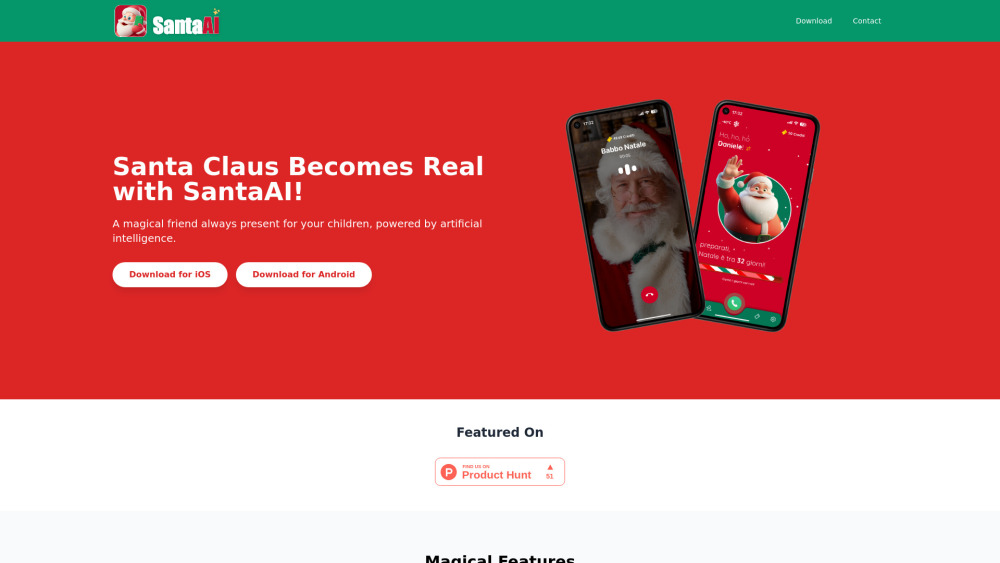
SantaAI website preview

SantaAI Website screenshot

SantaAI: Where Magic Meets AI — Custom Letters, Voice Calls, Videos & More

SantaAI reimagines holiday wonder with cutting-edge generative AI—transforming how families connect with Santa year-round. Beyond seasonal greetings, it delivers deeply personalized letters signed by Santa, real-time voice calls from the North Pole, animated video messages, and interactive storytelling—all tailored to your child’s name, age, interests, and even past conversations.

How SantaAI Works

Get started in minutes: choose a plan, enter your child’s details, select delivery options (email, SMS, or app inbox), and watch as Santa crafts a one-of-a-kind experience—from handwritten-style letters with digital “North Pole wax seals” to warm, expressive voice calls that remember favorite toys and bedtime wishes.

SantaAI’s Signature Offerings

Handcrafted Custom Letters

Live & Scheduled Santa Voice Calls

Personalized Animated Video Messages

Why Families Choose SantaAI

Strengthen emotional bonds through joyful, screen-safe interactions

Celebrate milestones—birthdays, first days of school, good behavior—with Santa’s encouragement

Build lasting traditions with reusable, evolving content across childhood years

SantaAI Pricing & Plans

SantaAI offers flexible, transparent pricing: a free tier for basic letters, a Premium plan ($9.99/month) unlocking unlimited voice calls and videos, and an Annual Family Plan ($79/year) including multi-child profiles and early-access holiday features. All plans include secure parental dashboards and zero third-party ads.

What Parents Are Saying

★★★★★ “My 5-year-old cried happy tears hearing Santa say her name *exactly* how she pronounces it—and mention her new goldfish, Bubbles!” — Lena T., verified user
★★★★★ “The letter arrived with a custom map of the North Pole showing ‘where your reindeer trained today.’ Genius—and totally age-appropriate.” — Marcus R., parent of twins
★★★★☆ “Voice call quality is stellar, though we wish group calls (for siblings) were available yet. Still, worth every penny.” — Priya L.

Product source: SantaAI official website. Check the provider for current plans, limits and availability.

FAQ

SantaAI questions and answers

Product context and practical checks for evaluating SantaAI.

What is SantaAI used for?

SantaAI: Interactive app delivering magical, personalized Santa experiences for kids—featuring custom letters, voice calls, videos, pricing, reviews & alternatives.

How do I get started with SantaAI?

Get started in minutes: choose a plan, enter your child’s details, select delivery options (email, SMS, or app inbox), and watch as Santa crafts a one-of-a-kind experience—from handwritten-style letters with digital “North Pole wax seals” to warm, expressive voice calls that remember favorite toys and bedtime wishes.

How does SantaAI handle worksdem?

About SantaAI SantaAI is created by WorksDem, a family-focused edtech studio dedicated to ethical AI experiences for children. Founded on principles of privacy-first design and developmental psychology, every interaction is COPPA-compliant and ad-free.

What should I compare before choosing a SantaAI plan?

SantaAI offers flexible, transparent pricing: a free tier for basic letters, a Premium plan ($9.99/month) unlocking unlimited voice calls and videos, and an Annual Family Plan ($79/year) including multi-child profiles and early-access holiday features. All plans include secure parental dashboards and zero third-party ads. Confirm current prices and allowances on the provider’s website before purchasing.

What inputs should I prepare for a SantaAI trial?

Compare text prompts, reference frames, source footage and audio support. Check duration, aspect ratio and whether the tool lets you keep a subject consistent between shots.

How can I check the quality of a SantaAI result?

Watch the entire clip for motion errors, distorted objects, changing identities, lip-sync problems and abrupt transitions. Inspect the downloaded file as well as the preview.

Which export options should I check in SantaAI?

Check export resolution, frame rate, aspect ratio, audio tracks and watermark rules. A good preview is not a substitute for an export that fits your publishing channel.

What is a practical way to test SantaAI against alternatives?

Use a short shot with one subject and one camera movement. Keep the prompt and duration constant, then compare usable seconds and the number of regenerations.

What should I review before uploading material to SantaAI?

Read the provider’s rules on access, retention, deletion and use of uploaded material. Start with a non-confidential sample that you have permission to use.

Where is the official SantaAI website?

The website linked from this profile is https://www.santaai.app. Use the provider’s own documentation, account area and support channels to confirm current product details.

Visit SantaAI