AI Photo &amp Image Generator

Salvador - DALL•E 3 UI

Salvador - DALL•E 3 UI: Effortlessly connect to OpenAI's DALL•E 3 with an intuitive, no-coding interface. Perfect for AI interactions.

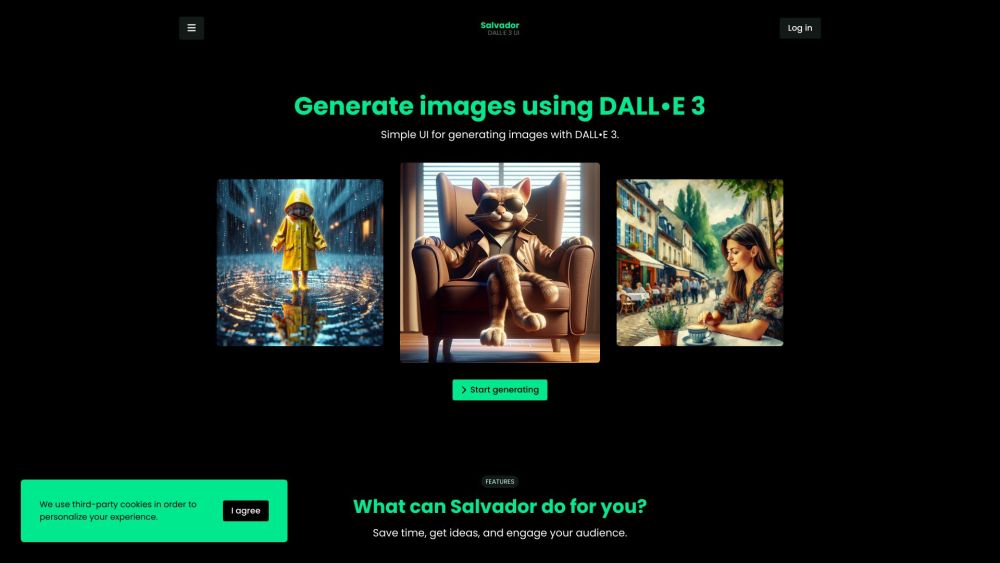
Salvador - DALL•E 3 UI website preview

Salvador - DALL•E 3 UI Website screenshot

Understanding Salvador - DALL•E 3 UI

Salvador is a user-friendly interface designed to make OpenAI's DALL•E 3 model accessible to everyone. By acting as a seamless bridge, Salvador allows users to interact with DALL•E 3 using their API key, eliminating the need for complex coding and technical skills.

Using Salvador - DALL•E 3 UI

Salvador simplifies the process of generating images with DALL•E 3. Users can easily input their OpenAI API key and prompts, making the powerful capabilities of DALL•E 3 accessible without the need for coding. This ease of use ensures that both experienced developers and creative enthusiasts can leverage DALL•E 3's potential effortlessly.

Key Features of Salvador - DALL•E 3 UI

Streamlined Image Generation

No Coding Required

Create Engaging Visuals

Cloud Storage for Images and Prompts

Applications of Salvador - DALL•E 3 UI

Content Creation

Social Media Marketing

Brand Promotion

Product source: Salvador - DALL•E 3 UI official website. Check the provider for current plans, limits and availability.

FAQ

Salvador - DALL•E 3 UI questions and answers

Product context and practical checks for evaluating Salvador - DALL•E 3 UI.

What is Salvador - DALL•E 3 UI used for?

Salvador - DALL•E 3 UI: Effortlessly connect to OpenAI's DALL•E 3 with an intuitive, no-coding interface. Perfect for AI interactions.

How do I get started with Salvador - DALL•E 3 UI?

Open the official Salvador - DALL•E 3 UI website and identify the workflow that matches your task. Choose one task with a clear success condition. Keep the input consistent, record the time spent reviewing and compare the complete workflow cost.

Which capabilities are described for Salvador - DALL•E 3 UI?

Streamlined Image GenerationNo Coding RequiredCreate Engaging VisualsCloud Storage for Images and Prompts

What projects can I evaluate Salvador - DALL•E 3 UI for?

Content CreationSocial Media MarketingBrand Promotion Salvador - DALL•E 3 UI Login Salvador - DALL•E 3 UI Login Link: https://salvadorui.com/ Salvador - DALL•E 3 UI Twitter Salvador - DALL•E 3 UI Twitter Link: https://twitter.com/SalvadorDALLEUI

What should I compare before choosing a Salvador - DALL•E 3 UI plan?

Check Salvador - DALL•E 3 UI’s current pricing page for included usage, renewal terms and any credit charges. Compare the cost of a usable result, including retries, rather than assuming that account registration includes free usage.

What inputs should I prepare for a Salvador - DALL•E 3 UI trial?

Identify the files, text or account connections your task needs. Confirm that the product accepts those inputs and offers controls for reviewing its work.

How can I check the quality of a Salvador - DALL•E 3 UI result?

Test one representative task and inspect the result for accuracy and completeness. Record where manual corrections or extra tools are needed.

Which export options should I check in Salvador - DALL•E 3 UI?

Check export formats, integrations and whether you can keep using your work outside the service. Test a real export before committing to a longer plan.

What is a practical way to test Salvador - DALL•E 3 UI against alternatives?

Choose one task with a clear success condition. Keep the input consistent, record the time spent reviewing and compare the complete workflow cost.

Where is the official Salvador - DALL•E 3 UI website?

The website linked from this profile is https://salvadorui.com. Use the provider’s own documentation, account area and support channels to confirm current product details.

Visit Salvador - DALL•E 3 UI