AI Blog Writer

Rytr

Rytr: AI Writer, Rich-Text Editor & Plagiarism Checker. Create unique, high-quality content effortlessly with AI. Perfect for emails, blogs, ads, and more!

Rytr website preview
```html

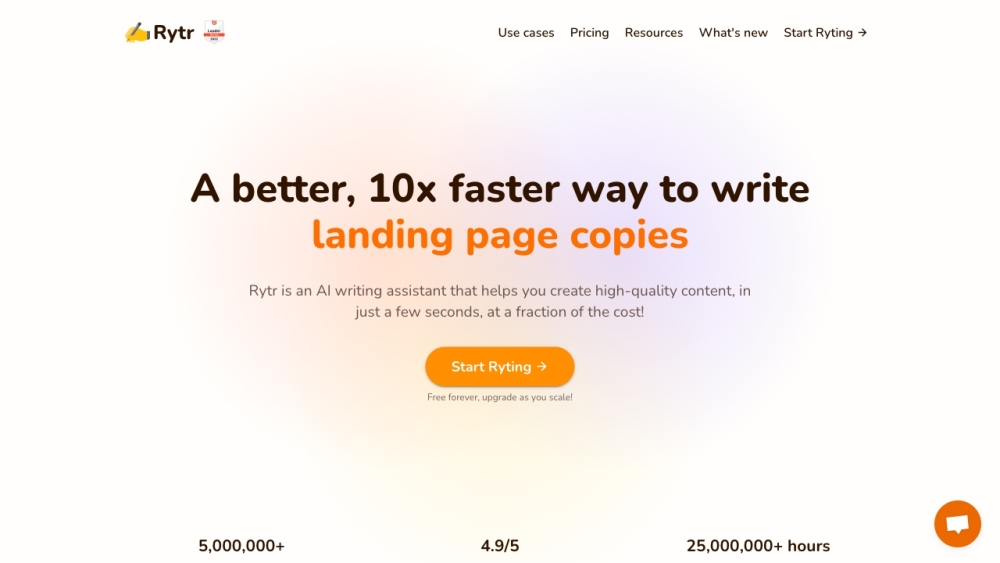
Rytr - Best AI Writer, Content Generator & Writing Assistant Website screenshot

What is Rytr - AI Writer, Editor & Plagiarism Tool for Content Creation?

Rytr is an innovative AI-driven tool designed to assist users in crafting top-notch content swiftly and economically. Leveraging advanced language AI, Rytr can produce unique and original content tailored to various writing requirements. Whether you need emails, blog posts, or ad copies, Rytr can generate compelling and engaging texts in numerous tones and languages. Its comprehensive features, including a robust rich-text editor and an integrated plagiarism checker, ensure that users can perfect their writing with ease.

How to use Rytr - AI Writer, Editor & Plagiarism Tool for Content Creation?

Using Rytr is straightforward. Start by selecting from over 40 available use cases. Then, input some context or information to guide the AI. Rytr will generate the required content within moments. The rich-text editor allows for further customization, offering options for rewording, shortening, and formatting. Rytr also supports collaborative efforts, with team billing and project management tools to streamline the writing process. Access Rytr via its web platform or use the browser extension for seamless content creation on the go.

Core Features of Rytr - AI Writer, Editor & Plagiarism Tool for Content Creation

AI-driven content generation for diverse writing needs

Over 40 use cases and templates to choose from

Supports more than 30 languages and 20 different tones

Utilizes copywriting formulas like AIDA & PAS for quality output

Feature-rich text editor for easy content refinement

Built-in plagiarism detection to ensure original content

Advanced formatting options for visually appealing text

Collaboration tools, team billing, and project management capabilities

Browser extension for versatile copywriting across platforms

SEO analyzer for keyword optimization and well-crafted content

Responsive and mobile-friendly design

Outstanding customer support and community engagement

Integration with popular apps like WordPress and Shopify

API access for integrating Rytr with existing applications

Use Cases of Rytr - AI Writer, Editor & Plagiarism Tool for Content Creation

Blog writing

Business pitches

Email marketing

Social media advertisements

Landing pages and website content

Responding to reviews and messages

SEO meta titles and descriptions

Text editing and content extension

```

Product source: Rytr official website. Check the provider for current plans, limits and availability.

FAQ

Rytr questions and answers

Product context and practical checks for evaluating Rytr.

What is Rytr used for?

Rytr: AI Writer, Rich-Text Editor & Plagiarism Checker. Create unique, high-quality content effortlessly with AI. Perfect for emails, blogs, ads, and more!

How do I get started with Rytr?

Using Rytr is straightforward. Start by selecting from over 40 available use cases. Then, input some context or information to guide the AI. Rytr will generate the required content within moments. The rich-text editor allows for further customization, offering options for rewording, shortening, and formatting. Rytr also supports collaborative efforts, with team billing and project management tools to streamline the writing process. Access Rytr via its web platform or use the browser extension for seamless content creation on the go.

Which capabilities are described for Rytr?

AI-driven content generation for diverse writing needsOver 40 use cases and templates to choose fromSupports more than 30 languages and 20 different tonesUtilizes copywriting formulas like AIDA & PAS for quality outputFeature-rich text editor for easy content refinementBuilt-in plagiarism detection to ensure original contentAdvanced formatting options for visually appealing textCollaboration tools, team billing, and project management capabilitiesBrowser extension for versatile copywriting across platformsSEO analyzer for keyword optimization and well-crafted contentResponsive and mobile-friendly designOutstanding customer support and community engagementIntegration with popular apps like WordPress and ShopifyAPI access for integrating Rytr with existing applications

What projects can I evaluate Rytr for?

Blog writingBusiness pitchesEmail marketingSocial media advertisementsLanding pages and website contentResponding to reviews and messagesSEO meta titles and descriptionsText editing and content extension Rytr Support & Customer Service Contact For more contact information, visit the contact us page. Rytr Pricing For pricing details, visit https://rytr.me/pricing. Rytr on Facebook Join the Rytr community on Facebook: https://www.facebook.com/groups/1305423363455396.

What should I compare before choosing a Rytr plan?

For pricing details, visit https://rytr.me/pricing. Confirm current prices and allowances on the provider’s website before purchasing.

What inputs should I prepare for a Rytr trial?

Compare support for source documents, style instructions, outlines and length limits. Check whether citations link to real material rather than merely looking like references.

How can I check the quality of a Rytr result?

Verify names, dates, quotations and factual claims against the original sources. Edit tone, remove repetition and make sure the text answers the intended reader’s question.

Which export options should I check in Rytr?

Check export to plain text, Markdown, documents or your publishing system. Formatting, headings and working links matter when moving a draft into production.

What is a practical way to test Rytr against alternatives?

Use a real brief and a short source document. Compare factual accuracy, structure and editing time rather than accepting the longest or most confident draft.

Where is the official Rytr website?

The website linked from this profile is https://rytr.me. Use the provider’s own documentation, account area and support channels to confirm current product details.

Visit Rytr