AI Advertising Assistant

Rulta

Rulta: Defend your brand with daily scans and swift DMCA takedown notices, ensuring unauthorized content is swiftly removed. Protect your creations with ease.

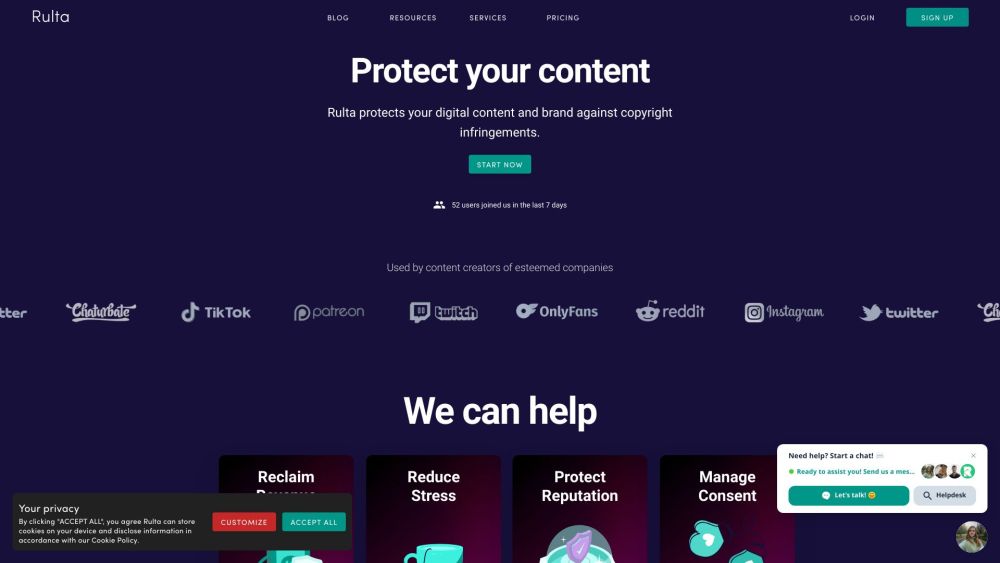
Rulta website preview

Rulta Website screenshot

What is Rulta?

Rulta is a robust DMCA takedown service designed to safeguard content creators against copyright violations. By performing daily scans and issuing DMCA takedown notices, Rulta ensures swift removal of unauthorized copies of your content from the web.

How to use Rulta?

To get started with Rulta, sign up for an account and provide your username along with relevant keywords. Rulta's advanced software will scour the internet for instances of copyright infringement linked to your brand. When an infringement is detected, trained agents will send out DMCA takedown notices on your behalf to eliminate the offending content.

Rulta's Core Features

Daily scans for copyright violations

Issuance of DMCA takedown notices

In-depth scans by experienced agents

Detection and removal of infringing material

Strong relationships with hosting services for quick takedowns

Membership in Google's Trusted Copyright Removal Program

Rulta's Use Cases

Protecting brand and content from copyright violations

Recovering revenue lost to piracy

Reducing stress caused by content leaks

Safeguarding reputation from impersonators

Managing consent and maintaining control

  • Rulta Company

    Company Name: Rulta OÜ

    Company Address: Harju maakond, Tallinn, Kesklinna linnaosa, Tartu mnt 67/1-13b, 10115 Estonia.

    Learn more about Rulta by visiting the about us page.

  • Rulta Login

    Access your account at: Rulta Login

  • Rulta Sign up

    Sign up here: Rulta Sign up

  • Rulta Pricing

    View pricing details at: Rulta Pricing

  • Rulta Tiktok

    Follow us on Tiktok: Rulta Tiktok

  • Rulta Linkedin

    Connect with us on LinkedIn: Rulta Linkedin

  • Rulta Twitter

    Follow us on Twitter: Rulta Twitter

  • Rulta Instagram

    Follow us on Instagram: Rulta Instagram

Product source: Rulta official website. Check the provider for current plans, limits and availability.

FAQ

Rulta questions and answers

Product context and practical checks for evaluating Rulta.

What is Rulta used for?

Rulta: Defend your brand with daily scans and swift DMCA takedown notices, ensuring unauthorized content is swiftly removed. Protect your creations with ease.

How do I get started with Rulta?

To get started with Rulta, sign up for an account and provide your username along with relevant keywords. Rulta's advanced software will scour the internet for instances of copyright infringement linked to your brand. When an infringement is detected, trained agents will send out DMCA takedown notices on your behalf to eliminate the offending content.

Which capabilities are described for Rulta?

Daily scans for copyright violationsIssuance of DMCA takedown noticesIn-depth scans by experienced agentsDetection and removal of infringing materialStrong relationships with hosting services for quick takedownsMembership in Google's Trusted Copyright Removal Program

What projects can I evaluate Rulta for?

Protecting brand and content from copyright violationsRecovering revenue lost to piracyReducing stress caused by content leaksSafeguarding reputation from impersonatorsManaging consent and maintaining control Rulta Company Company Name: Rulta OÜ Company Address: Harju maakond, Tallinn, Kesklinna linnaosa, Tartu mnt 67/1-13b, 10115 Estonia. Learn more about Rulta by visiting the about us page. Rulta Login Access your account at: Rulta Login Rulta Sign up Sign up here: Rulta Sign up Rulta Pricing View pricing details at: Rulta Pricing Rulta Tiktok Follow us on Tiktok: Rulta Tiktok Rulta Linkedin Connect with us on LinkedIn: Rulta Linkedin Rulta Twitter Follow us on Twitter: Rulta Twitter Rulta Instagram Follow us on Instagram: Rulta Instagram

What should I compare before choosing a Rulta plan?

View pricing details at: Rulta Pricing Confirm current prices and allowances on the provider’s website before purchasing.

What inputs should I prepare for a Rulta trial?

Compare support for source documents, style instructions, outlines and length limits. Check whether citations link to real material rather than merely looking like references.

How can I check the quality of a Rulta result?

Verify names, dates, quotations and factual claims against the original sources. Edit tone, remove repetition and make sure the text answers the intended reader’s question.

Which export options should I check in Rulta?

Check export to plain text, Markdown, documents or your publishing system. Formatting, headings and working links matter when moving a draft into production.

What is a practical way to test Rulta against alternatives?

Use a real brief and a short source document. Compare factual accuracy, structure and editing time rather than accepting the longest or most confident draft.

Where is the official Rulta website?

The website linked from this profile is https://www.rulta.com?r=790. Use the provider’s own documentation, account area and support channels to confirm current product details.

Visit Rulta