AI Trip Planner

Rogers Trip Radar

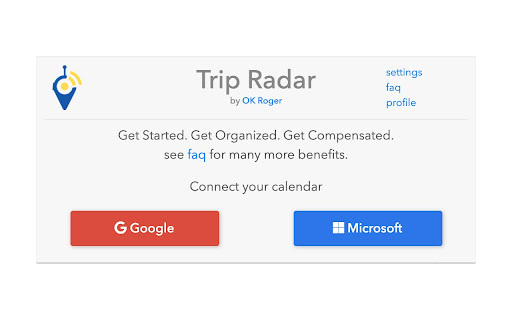
Roger's Trip Radar: Effortlessly organize trips and get real-time flight updates with automated alerts, ensuring stress-free travel every time.

Rogers Trip Radar website preview

Roger’s Trip Radar - Chrome Extension Website screenshot

What is Roger's Trip Radar: Trip Organizer & Flight Update Automation Tool?

Roger's Trip Radar is an innovative Chrome extension designed to automatically manage your travel plans. It seamlessly tracks upcoming trips, provides real-time flight updates, monitors delays and cancellations, and even helps you claim compensation for disruptions—all without manual effort.

How to Use Roger's Trip Radar Chrome Extension?

Using Roger's Trip Radar is simple. Input your travel information, and the tool will handle the rest. You'll automatically receive notifications for flight updates, delays, and potential compensation, ensuring a smooth and hassle-free travel experience.

Key Features of Roger's Trip Radar Chrome Extension

Comprehensive Trip Management

Automatically organizes all of your upcoming trips in one place, saving you the hassle of manually tracking your flights.

Real-Time Flight Notifications

Receive instant updates about your flight status, including delays, cancellations, and gate changes.

Compensation Assistance

If your flight is disrupted, Roger’s Trip Radar helps you navigate compensation claims effortlessly.

Roger's Trip Radar Chrome Extension Use Cases

Get Flight Status Updates

Stay informed on flight times, delays, or cancellations as they happen.

Monitor Delays and Cancellations

Automatically tracks disruptions and helps you claim compensation, giving you peace of mind during your journey.

Product source: Rogers Trip Radar official website. Check the provider for current plans, limits and availability.

FAQ

Rogers Trip Radar questions and answers

Product context and practical checks for evaluating Rogers Trip Radar.

What is Rogers Trip Radar used for?

Roger's Trip Radar: Effortlessly organize trips and get real-time flight updates with automated alerts, ensuring stress-free travel every time.

How do I get started with Rogers Trip Radar?

Using Roger's Trip Radar is simple. Input your travel information, and the tool will handle the rest. You'll automatically receive notifications for flight updates, delays, and potential compensation, ensuring a smooth and hassle-free travel experience.

Which capabilities are described for Rogers Trip Radar?

Comprehensive Trip ManagementAutomatically organizes all of your upcoming trips in one place, saving you the hassle of manually tracking your flights.Real-Time Flight NotificationsReceive instant updates about your flight status, including delays, cancellations, and gate changes.Compensation AssistanceIf your flight is disrupted, Roger’s Trip Radar helps you navigate compensation claims effortlessly.

What projects can I evaluate Rogers Trip Radar for?

Get Flight Status UpdatesStay informed on flight times, delays, or cancellations as they happen.Monitor Delays and CancellationsAutomatically tracks disruptions and helps you claim compensation, giving you peace of mind during your journey.

What should I compare before choosing a Rogers Trip Radar plan?

Check Rogers Trip Radar’s current pricing page for included usage, renewal terms and any credit charges. Compare the cost of a usable result, including retries, rather than assuming that account registration includes free usage.

What inputs should I prepare for a Rogers Trip Radar trial?

Identify the files, text or account connections your task needs. Confirm that the product accepts those inputs and offers controls for reviewing its work.

How can I check the quality of a Rogers Trip Radar result?

Test one representative task and inspect the result for accuracy and completeness. Record where manual corrections or extra tools are needed.

Which export options should I check in Rogers Trip Radar?

Check export formats, integrations and whether you can keep using your work outside the service. Test a real export before committing to a longer plan.

What is a practical way to test Rogers Trip Radar against alternatives?

Choose one task with a clear success condition. Keep the input consistent, record the time spent reviewing and compare the complete workflow cost.

Where is the official Rogers Trip Radar website?

The website linked from this profile is https://chromewebstore.google.com/detail/trip-radar/dlmlkdamnnalgbiifddbnldgbkhnkmjl. Use the provider’s own documentation, account area and support channels to confirm current product details.

Visit Rogers Trip Radar