Table of contents
RightHair: Free AI Hairstyle Changer—No Download, No Signup
RightHair: Free AI tool to instantly try on haircuts & colors—no app download, no signup. See your perfect look in seconds! ✨
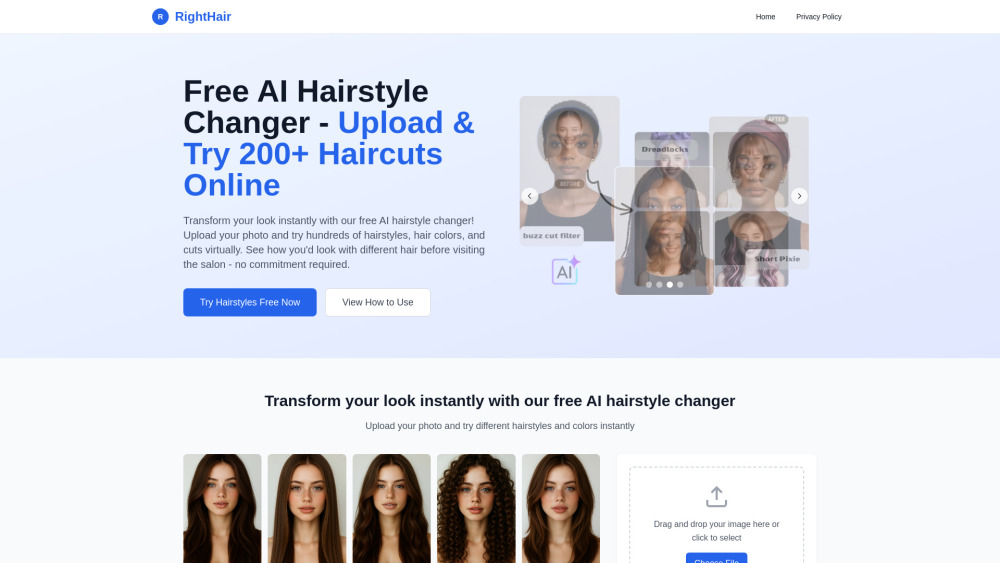
What Is RightHair?
RightHair is a zero-friction AI hairstyling tool—completely free, instantly accessible, and built for real people who want to explore hair transformations without barriers. Upload any selfie, and in seconds, see yourself wearing salon-worthy cuts, vibrant colors, or trending styles—no filters, no guesswork, just photorealistic AI that respects your face shape, skin tone, and natural texture.
How Does RightHair Work?
Try on new hair in three effortless steps—no learning curve, no setup: 1. Upload: Drag & drop your photo or browse from your device (JPG, PNG, WebP up to 5MB). 2. Transform: Browse curated hairstyles—from soft layers to bold bobs—and adjust color intensity, shine, and parting direction. Click “Try It” to generate. 3. Save & Share: Review your lifelike preview, tweak if needed, then download high-res images—or share directly with your stylist, friends, or wedding planner.
Why RightHair Stands Out
Photorealistic AI Engine—Trained on Diverse Hair Types & Faces
Sub-30-Second Processing—No waiting, no spinning wheels
Zero Data Retention—Your photo vanishes after 24 hours, encrypted and unshared
Truly Platform-Agnostic—Runs flawlessly in Chrome, Safari, Edge, or mobile browsers (iOS/Android)
Endless Creative Freedom—200+ styles, 80+ colors, and seasonal collections updated monthly
100% Free—Forever. No trials. No paywalls. No hidden tiers.
No Account Needed—Skip passwords, emails, and permissions entirely
One-Click Confidence—See it. Love it. Book it.
Who Uses RightHair?
Brides & Grooms—Nail your wedding-day hair before the first consultation
Style Curators—Test avant-garde colors or gender-fluid cuts risk-free
Salon Clients—Show your stylist *exactly* what you envision—no more miscommunication
Career Changers—Refresh your professional image ahead of interviews or promotions
Color-Curious Users—Preview platinum, rose gold, or balayage without bleach damage
Stylists & Salons—Elevate client trust with instant visual consultations and lookbooks
RightHair FAQ
-
Which image formats can I upload?
-
How does RightHair protect my privacy?
-
How fast will I see my transformed hairstyle?
-
Does RightHair work on smartphones and tablets?
-
Need Help? Contact RightHair Support
For technical questions, feedback, or assistance: visit our Contact Us page.
-
About RightHair
RightHair Company name: RightHair
RightHair Company address: —
Learn our story, mission, and tech philosophy: About RightHair
-
RightHair Login
RightHair Login Link: [Login]
-
RightHair Sign Up
RightHair Sign Up Link: [Sign Up]
FAQ from RightHair
What is RightHair?
RightHair is a free, browser-based AI hairstyling platform that lets you virtually try on realistic hairstyles and colors—no downloads, no signups, no compromises on quality or privacy.
How do I use RightHair?
It’s intentionally simple: (1) Upload a clear front-facing photo; (2) Select a style and color from our growing library; (3) Generate, review, and download your AI-enhanced look—all in under half a minute.
What image formats are supported?
We accept JPG, PNG, and WebP files—up to 5MB. For best results, use well-lit, shoulder-up portraits with neutral backgrounds.
Is my uploaded image data secure?
Absolutely. Your image is processed securely in-memory, never saved to disk, and auto-deleted within 24 hours. We don’t train models on your data—and we never sell or share it.
How long does image processing take?
Typically 12–28 seconds—depending on connection speed and image resolution. You’ll see progress in real time, with no page reloads.
Can I use this hairstyle changer on my phone?
Yes! RightHair is fully responsive and optimized for touch. Open it in Safari, Chrome, or Firefox on iOS or Android—no app store search, no installation, no storage used.