AI Reply Assistant

Revifys

Online Review Management Software for businesses

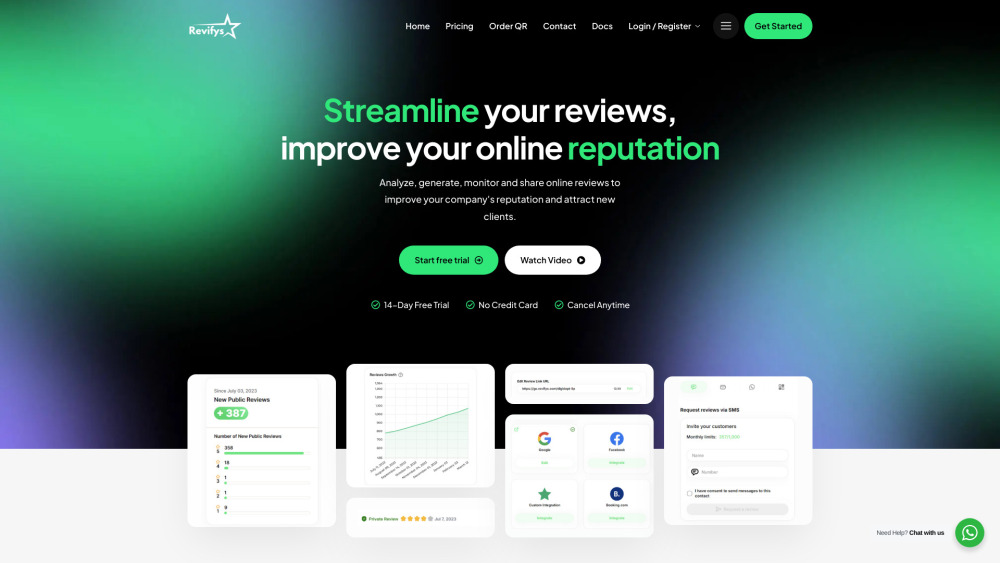
Revifys website preview

Revifys Website screenshot

What is Revifys?

Revifys is a comprehensive platform designed for managing online reviews. It empowers businesses by simplifying the process of requesting, tracking, and replying to customer feedback. With tools to boost your brand's online reputation, Revifys helps businesses attract more customers by efficiently sharing positive reviews across multiple platforms.

How to use Revifys?

To start using Revifys, create an account, then utilize the dashboard to request reviews through SMS, email, or WhatsApp. The platform allows you to easily monitor reviews from different platforms, respond to feedback, and showcase top reviews on your website and social media channels for broader visibility.

Revifys's Core Features

Request reviews via SMS, Email & WhatsApp

Monitor all reviews from a centralized platform

Access real-time data analytics on review growth

Showcase top reviews on your website & social media

Revifys's Use Cases

Enhance your online reputation by managing and replying to reviews efficiently

Provide an easy way for businesses to request and promote reviews

Manage and track reviews from multiple platforms in one place

  • Revifys Support Email & Customer Service

    Contact Revifys support through this email: [email protected]. For more contact options, visit the Revifys contact page.

  • Revifys Company

    Revifys is owned by Digidopt LLP.

  • Revifys Login

    Access your Revifys account here: Revifys Login

  • Revifys Sign Up

    Sign up for a Revifys account here: Revifys Sign Up

  • Revifys Pricing

    Find detailed pricing plans at Revifys Pricing

  • Revifys Facebook

    Follow Revifys on Facebook: Revifys Facebook

  • Revifys Youtube

    Watch Revifys on YouTube: Revifys Youtube

  • Revifys Twitter

    Follow Revifys on Twitter: Revifys Twitter

  • Revifys Instagram

    Follow Revifys on Instagram: Revifys Instagram

  • Revifys WhatsApp

    Reach Revifys via WhatsApp: Revifys WhatsApp

Product source: Revifys official website. Check the provider for current plans, limits and availability.

FAQ

Revifys questions and answers

Product context and practical checks for evaluating Revifys.

What is Revifys used for?

Online Review Management Software for businesses

How do I get started with Revifys?

To start using Revifys, create an account, then utilize the dashboard to request reviews through SMS, email, or WhatsApp. The platform allows you to easily monitor reviews from different platforms, respond to feedback, and showcase top reviews on your website and social media channels for broader visibility.

Which capabilities are described for Revifys?

Request reviews via SMS, Email & WhatsAppMonitor all reviews from a centralized platformAccess real-time data analytics on review growthShowcase top reviews on your website & social media

What projects can I evaluate Revifys for?

Enhance your online reputation by managing and replying to reviews efficientlyProvide an easy way for businesses to request and promote reviewsManage and track reviews from multiple platforms in one place Revifys Support Email & Customer Service Contact Revifys support through this email: [email protected]. For more contact options, visit the Revifys contact page. Revifys Company Revifys is owned by Digidopt LLP. Revifys Login Access your Revifys account here: Revifys Login Revifys Sign Up Sign up for a Revifys account here: Revifys Sign Up Revifys Pricing Find detailed pricing plans at Revifys Pricing Revifys Facebook Follow Revifys on Facebook: Revifys Facebook Revifys Youtube Watch Revifys on YouTube: Revifys Youtube Revifys Twitter Follow Revifys on Twitter: Revifys Twitter Revifys Instagram Follow Revifys on Instagram: Revifys Instagram Revifys WhatsApp Reach Revifys via WhatsApp: Revifys WhatsApp

What should I compare before choosing a Revifys plan?

Find detailed pricing plans at Revifys Pricing Confirm current prices and allowances on the provider’s website before purchasing.

What inputs should I prepare for a Revifys trial?

Compare repository access, context limits, supported languages and tool permissions. Check whether the assistant can read relevant files and run your existing checks.

How can I check the quality of a Revifys result?

Review the diff, run tests and inspect error handling and dependency changes. Generated code should meet the same review standard as a human contribution.

Which export options should I check in Revifys?

Prefer changes you can inspect and keep in version control. Check whether code, tests and configuration can be exported without depending on a hosted preview.

What is a practical way to test Revifys against alternatives?

Choose a small reproducible bug with an existing failing check. Measure whether the tool fixes the cause, preserves behavior and produces a reviewable change.

Where is the official Revifys website?

The website linked from this profile is https://www.revifys.com. Use the provider’s own documentation, account area and support channels to confirm current product details.

Visit Revifys