Resume Builder

RESUme upGRADE

RESUme upGRADE: Boost your job prospects with AI-enhanced resumes, personalized content, and expert feedback. Elevate your resume to the next level!

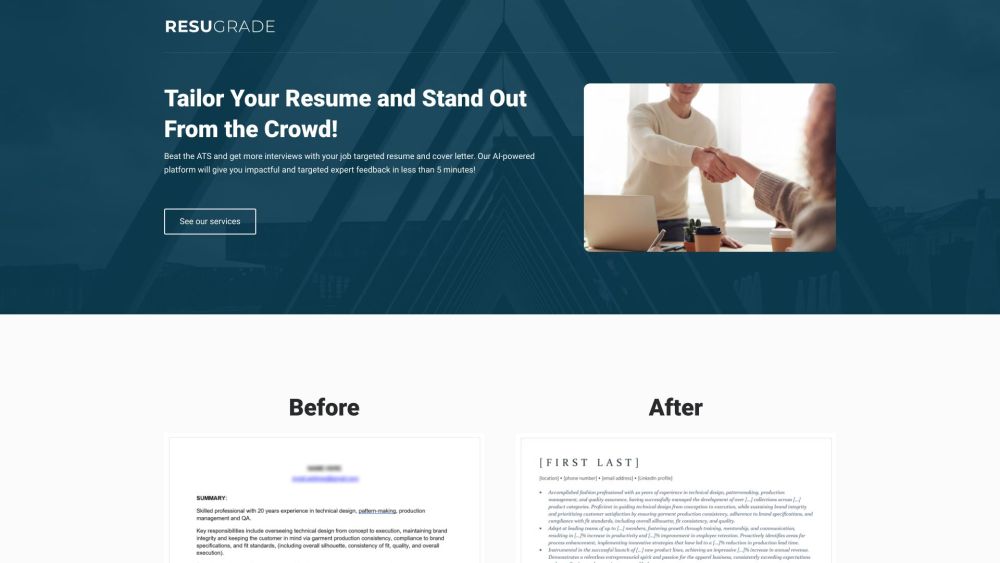
RESUme upGRADE website preview

RESUme upGRADE Website screenshot

What is RESUme upGRADE?

RESUme upGRADE is a cutting-edge AI-driven platform designed to help job seekers enhance their resumes, giving them a competitive edge in the job market. By leveraging advanced AI technology, the platform offers immediate, expert-level feedback that helps users update their resumes with impactful, results-oriented language, powerful action verbs, and measurable achievements. Additionally, RESUme upGRADE allows users to align their resumes with specific job descriptions, optimizing them for better job targeting through AI analysis. The platform also provides options for generating personalized cover letters tailored to each job application.

How to use RESUme upGRADE?

To start using RESUme upGRADE, sign up for early access via the website. Once granted access, you can upload your resume to receive instant feedback powered by AI analysis. The platform will identify areas for improvement and suggest incorporating quantifiable results, dynamic action verbs, and achievement-focused language to make your resume stand out. Additionally, you can input job descriptions to receive customized suggestions on how to tailor your resume to specific roles. RESUme upGRADE also includes an option to generate three distinct cover letter variations for each job application, allowing you to choose the one that best suits your needs.

RESUme upGRADE's Core Features

Instant resume feedback with expert recommendations

Job-specific resume tailoring with AI-driven insights

AI-powered keyword and skill identification

Sample content to enhance resume customization

Personalized cover letter generation for every application

RESUme upGRADE's Use Cases

Job seekers aiming to enhance their resumes for better job prospects

Individuals looking to pass Applicant Tracking Systems (ATS) with optimized resumes

Professionals who want to align their resumes with targeted job descriptions

Candidates seeking to craft tailored cover letters for each job opportunity

Product source: RESUme upGRADE official website. Check the provider for current plans, limits and availability.

FAQ

RESUme upGRADE questions and answers

Product context and practical checks for evaluating RESUme upGRADE.

What is RESUme upGRADE used for?

RESUme upGRADE: Boost your job prospects with AI-enhanced resumes, personalized content, and expert feedback. Elevate your resume to the next level!

How do I get started with RESUme upGRADE?

To start using RESUme upGRADE, sign up for early access via the website. Once granted access, you can upload your resume to receive instant feedback powered by AI analysis. The platform will identify areas for improvement and suggest incorporating quantifiable results, dynamic action verbs, and achievement-focused language to make your resume stand out. Additionally, you can input job descriptions to receive customized suggestions on how to tailor your resume to specific roles. RESUme upGRADE also includes an option to generate three distinct cover letter variations for each job application, allowing you to choose the one that best suits your needs.

Which capabilities are described for RESUme upGRADE?

Instant resume feedback with expert recommendationsJob-specific resume tailoring with AI-driven insightsAI-powered keyword and skill identificationSample content to enhance resume customizationPersonalized cover letter generation for every application

What projects can I evaluate RESUme upGRADE for?

Job seekers aiming to enhance their resumes for better job prospectsIndividuals looking to pass Applicant Tracking Systems (ATS) with optimized resumesProfessionals who want to align their resumes with targeted job descriptionsCandidates seeking to craft tailored cover letters for each job opportunity

What should I compare before choosing a RESUme upGRADE plan?

Check RESUme upGRADE’s current pricing page for included usage, renewal terms and any credit charges. Compare the cost of a usable result, including retries, rather than assuming that account registration includes free usage.

What inputs should I prepare for a RESUme upGRADE trial?

Compare support for source documents, style instructions, outlines and length limits. Check whether citations link to real material rather than merely looking like references.

How can I check the quality of a RESUme upGRADE result?

Verify names, dates, quotations and factual claims against the original sources. Edit tone, remove repetition and make sure the text answers the intended reader’s question.

Which export options should I check in RESUme upGRADE?

Check export to plain text, Markdown, documents or your publishing system. Formatting, headings and working links matter when moving a draft into production.

What is a practical way to test RESUme upGRADE against alternatives?

Use a real brief and a short source document. Compare factual accuracy, structure and editing time rather than accepting the longest or most confident draft.

Where is the official RESUme upGRADE website?

The website linked from this profile is https://resugrade.com. Use the provider’s own documentation, account area and support channels to confirm current product details.

Visit RESUme upGRADE