AI Productivity Tools

Reflect Notes

Capture notes and ideas with Reflect Notes, the beautifully minimalist app designed to mirror your thinking. Perfect for effortless, intuitive note-taking.

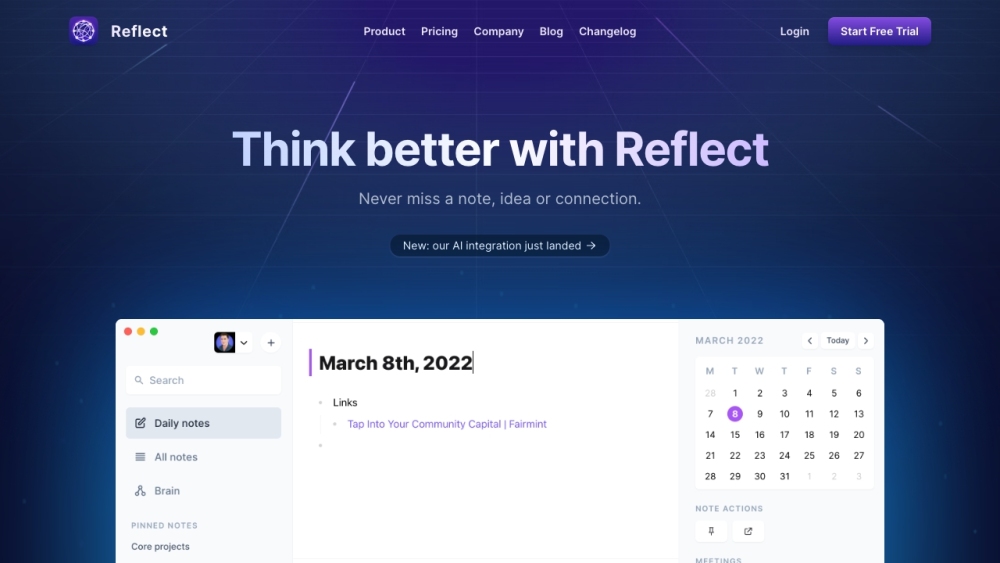
Reflect Notes website preview

Reflect Notes Website screenshot

Discover Reflect Notes

Reflect Notes is a streamlined note-taking app crafted to reflect your thought processes. It's designed for effortless capturing of notes, ideas, and their interconnections, providing a seamless experience.

Getting Started with Reflect Notes

To begin with Reflect Notes, download the app to your device. It's available for both online and offline use, ensuring you can jot down thoughts anytime. After installation, you can immediately start organizing your ideas. Reflect Notes comes with features like real-time syncing across devices, networked note-taking with backlinks, robust end-to-end encryption, calendar synchronization, and one-click publishing. The app also boasts an AI assistant, powered by GPT-4 and Whisper from OpenAI, to enhance your writing and streamline your thought processes.

Key Features of Reflect Notes

Real-time synchronization across all your devices

Create a web of ideas through backlinked notes

Capture notes effortlessly, online or offline

Secure your notes with end-to-end encryption

Integrate your calendar to manage schedules and tasks

Publish notes quickly with a single click

Save snippets from your browser and Kindle

Effortlessly search and retrieve past notes and ideas

How to Utilize Reflect Notes

Organize your personal thoughts and ideas

Take detailed notes during meetings

Capture bursts of inspiration and creative ideas

Manage to-do lists and action items efficiently

Collect web snippets, Kindle highlights, and essential links

Sync your notes and thoughts across multiple devices

Leverage AI for improved writing and organizational skills

Product source: Reflect Notes official website. Check the provider for current plans, limits and availability.

FAQ

Reflect Notes questions and answers

Product context and practical checks for evaluating Reflect Notes.

What is Reflect Notes used for?

Capture notes and ideas with Reflect Notes, the beautifully minimalist app designed to mirror your thinking. Perfect for effortless, intuitive note-taking.

How do I get started with Reflect Notes?

To begin with Reflect Notes, download the app to your device. It's available for both online and offline use, ensuring you can jot down thoughts anytime. After installation, you can immediately start organizing your ideas. Reflect Notes comes with features like real-time syncing across devices, networked note-taking with backlinks, robust end-to-end encryption, calendar synchronization, and one-click publishing. The app also boasts an AI assistant, powered by GPT-4 and Whisper from OpenAI, to enhance your writing and streamline your thought processes.

Which capabilities are described for Reflect Notes?

Real-time synchronization across all your devicesCreate a web of ideas through backlinked notesCapture notes effortlessly, online or offlineSecure your notes with end-to-end encryptionIntegrate your calendar to manage schedules and tasksPublish notes quickly with a single clickSave snippets from your browser and KindleEffortlessly search and retrieve past notes and ideas

What should I compare before choosing a Reflect Notes plan?

Check out our pricing plans at https://reflect.app/#pricing. Confirm current prices and allowances on the provider’s website before purchasing.

What inputs should I prepare for a Reflect Notes trial?

Look for text prompts, image references, masks or sketches as appropriate. Compare composition control, supported upload types and the ability to revise a selected area.

How can I check the quality of a Reflect Notes result?

Inspect text, hands, edges, reflections and repeated objects at full size. Check that important product or brand details survive editing.

Which export options should I check in Reflect Notes?

Compare pixel dimensions, transparency, file formats and any enlargement options. Confirm that the downloaded result works in your design or publishing software.

What is a practical way to test Reflect Notes against alternatives?

Prepare a brief with a subject, composition, lighting and required output size. Test a first generation and a targeted revision to see how much control you retain.

What should I review before uploading material to Reflect Notes?

Read the provider’s rules on access, retention, deletion and use of uploaded material. Start with a non-confidential sample that you have permission to use.

Where is the official Reflect Notes website?

The website linked from this profile is https://reflect.app. Use the provider’s own documentation, account area and support channels to confirm current product details.

Visit Reflect Notes