AI Content Generator

Reach

Boost your sales with Reach: fast email personalization for cold outreach. Integrate with Hubspot, research leads, and craft icebreakers in seconds!

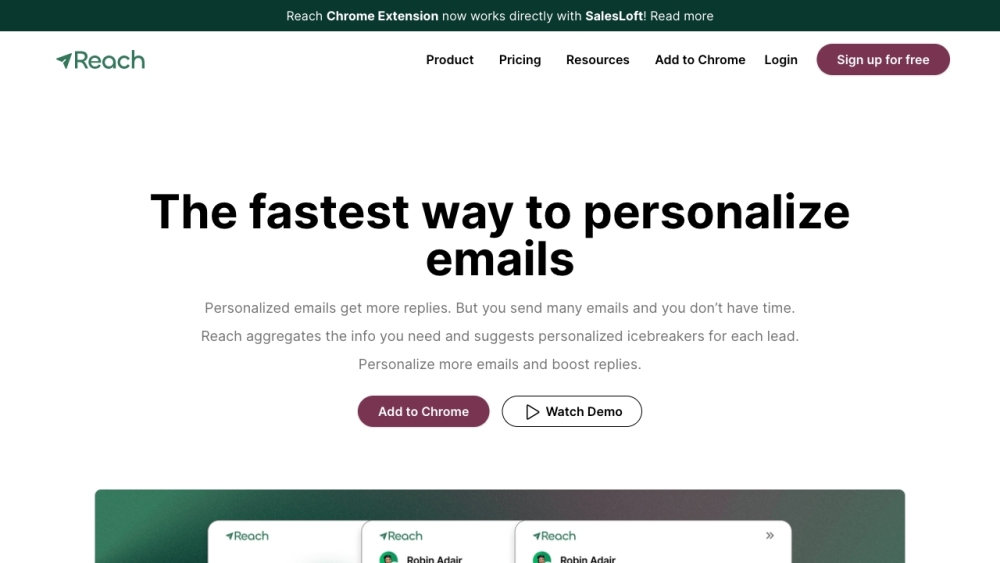
Reach website preview

Reach - The fastest way to personalize emails Website screenshot

What is Reach - The fastest way to personalize emails?

Reach is a cutting-edge tool designed for personalized email outreach and sales enablement. It creates highly customized icebreakers for cold emails, allowing sales representatives to swiftly gather data from diverse sources and craft tailored messages. With seamless Hubspot integration and a convenient Chrome extension, Reach ensures a streamlined workflow for sales teams.

How to use Reach - The fastest way to personalize emails?

1. Install Reach Chrome Extension: Begin by adding the Reach Chrome Extension to your browser.
2. Efficient Research: Leverage Reach to collect comprehensive information about your prospects from over 20 data sources. This integration supports a smooth workflow with your preferred tools.
3. Personalize Icebreakers: Utilize Reach's AI-powered technology to generate customized icebreaker suggestions. Select your desired data, review the recommendations, and make any necessary adjustments.
4. Send Personalized Emails: Incorporate the personalized icebreakers into your email communications and reach out to your leads for impactful cold outreach.

Reach - The fastest way to personalize emails's Core Features

Rapid research: Accumulate and organize data from over 20 sources about your prospects and their businesses.

Customized icebreaker suggestions: AI-driven icebreakers tailored to each lead's most relevant data.

Hubspot integration: Effortless integration with Hubspot CRM to enhance your sales process.

Upcoming Reach Triggers: Set to monitor your leads and initiate contact at optimal times with the ideal message.

Data filtering: Select and filter the data you want to generate your icebreaker suggestions.

Chrome Extension: Access and utilize Reach easily through its Chrome extension.

Bulk import/export: Manage your leads in bulk for streamlined outreach.

Flexible subscription plans: Choose from various subscription plans to suit your requirements.

Reach - The fastest way to personalize emails's Use Cases

Sales prospecting: Enhance response rates and conversions by personalizing cold outreach emails.

Sales enablement: Empower sales reps with detailed insights and data for more targeted and informed conversations.

Lead nurturing: Continuously monitor and reach out to leads with personalized messages at the right time, improving the nurturing process.

Scalable email personalization: Streamline the process of personalizing emails, enabling you to send tailored messages to a large audience efficiently.

Efficient research: Save time and effort by consolidating data from multiple sources in one place.

  • Reach - The fastest way to personalize emails Support Email & Customer service contact & Refund contact etc.

    For customer service, contact Reach at: [email protected] .

  • Reach - The fastest way to personalize emails Login

    Login to Reach here: https://app.magicreach.ai/login

  • Reach - The fastest way to personalize emails Linkedin

    Connect with Reach on LinkedIn: https://www.linkedin.com/company/magic-reach/

Product source: Reach official website. Check the provider for current plans, limits and availability.

FAQ

Reach questions and answers

Product context and practical checks for evaluating Reach.

What is Reach used for?

Boost your sales with Reach: fast email personalization for cold outreach. Integrate with Hubspot, research leads, and craft icebreakers in seconds!

How do I get started with Reach?

1. Install Reach Chrome Extension: Begin by adding the Reach Chrome Extension to your browser.2. Efficient Research: Leverage Reach to collect comprehensive information about your prospects from over 20 data sources. This integration supports a smooth workflow with your preferred tools.3. Personalize Icebreakers: Utilize Reach's AI-powered technology to generate customized icebreaker suggestions. Select your desired data, review the recommendations, and make any necessary adjustments.4. Send Personalized Emails: Incorporate the personalized icebreakers into your email communications and reach out to your leads for impactful cold outreach.

Which capabilities are described for Reach?

Rapid research: Accumulate and organize data from over 20 sources about your prospects and their businesses.Customized icebreaker suggestions: AI-driven icebreakers tailored to each lead's most relevant data.Hubspot integration: Effortless integration with Hubspot CRM to enhance your sales process.Upcoming Reach Triggers: Set to monitor your leads and initiate contact at optimal times with the ideal message.Data filtering: Select and filter the data you want to generate your icebreaker suggestions.Chrome Extension: Access and utilize Reach easily through its Chrome extension.Bulk import/export: Manage your leads in bulk for streamlined outreach.Flexible subscription plans: Choose from various subscription plans to suit your requirements.

What projects can I evaluate Reach for?

Sales prospecting: Enhance response rates and conversions by personalizing cold outreach emails.Sales enablement: Empower sales reps with detailed insights and data for more targeted and informed conversations.Lead nurturing: Continuously monitor and reach out to leads with personalized messages at the right time, improving the nurturing process.Scalable email personalization: Streamline the process of personalizing emails, enabling you to send tailored messages to a large audience efficiently.Efficient research: Save time and effort by consolidating data from multiple sources in one place. Reach - The fastest way to personalize emails Support Email & Customer service contact & Refund contact etc. For customer service, contact Reach at: [email protected] . Reach - The fastest way to personalize emails Login Login to Reach here: https://app.magicreach.ai/login Reach - The fastest way to personalize emails Linkedin Connect with Reach on LinkedIn: https://www.linkedin.com/company/magic-reach/

What should I compare before choosing a Reach plan?

Check Reach’s current pricing page for included usage, renewal terms and any credit charges. Compare the cost of a usable result, including retries, rather than assuming that account registration includes free usage.

What inputs should I prepare for a Reach trial?

Compare support for source documents, style instructions, outlines and length limits. Check whether citations link to real material rather than merely looking like references.

How can I check the quality of a Reach result?

Verify names, dates, quotations and factual claims against the original sources. Edit tone, remove repetition and make sure the text answers the intended reader’s question.

Which export options should I check in Reach?

Check export to plain text, Markdown, documents or your publishing system. Formatting, headings and working links matter when moving a draft into production.

What is a practical way to test Reach against alternatives?

Use a real brief and a short source document. Compare factual accuracy, structure and editing time rather than accepting the longest or most confident draft.

Where is the official Reach website?

The website linked from this profile is https://www.magicreach.ai. Use the provider’s own documentation, account area and support channels to confirm current product details.

Visit Reach